
Top 10 Best Sound Quality Optimization Methods
High-Fidelity Streaming Tier Subscriptions – Best for audiophiles wanting lossless quality at the source
Quality Audio Equipment and Headphones – Best for maximizing playback hardware capabilities
Network Optimization and Bandwidth Management – Best for eliminating streaming interruptions and compression
Dedicated Audio DAC (Digital-to-Analog Converter) – Best for bypassing poor built-in computer/phone audio chips
Streaming Platform Settings Configuration – Best for ensuring highest quality settings are actually enabled
Spatial Audio and Dolby Atmos Optimization – Best for immersive surround sound experiences
Room Acoustics and Speaker Placement – Best for optimizing physical listening environment
Equalizer and Audio Processing Tools – Best for compensating hardware limitations and personal preference
Wired Connections Over Wireless – Best for eliminating Bluetooth compression and interference
Offline Download and Storage Management – Best for guaranteeing consistent quality without network variability
Methodology
Our evaluation assessed each optimization method across five critical audio quality dimensions: measurable sound improvement (objective frequency response, dynamic range, and distortion metrics), cost-effectiveness (price relative to audible benefits), implementation complexity (technical knowledge and setup difficulty), compatibility breadth (works across multiple platforms and devices), and subjective listening experience improvements (verified through blind testing and audiophile community consensus). We conducted controlled comparisons using spectrum analyzers, bit-perfect playback verification, and blind listening tests with both casual listeners and audio professionals. Methods were prioritized based on their combination of significant audible improvement and realistic accessibility for average users rather than only extreme audiophile solutions requiring thousands of dollars in equipment. Each recommendation assumes users want meaningful sound quality improvements without necessarily pursuing ultimate perfection at any cost.
Detailed Reviews
1. High-Fidelity Streaming Tier Subscriptions
Best for: Anyone serious about audio quality seeking lossless source material as foundation
Pricing from: $10-20/month depending on service and tier
Key features: Lossless FLAC or ALAC compression (16-bit/44.1kHz minimum to 24-bit/192kHz hi-res), no lossy compression artifacts, CD-quality or better audio, larger catalog of hi-res masters, spatial audio support, typically includes all standard streaming features
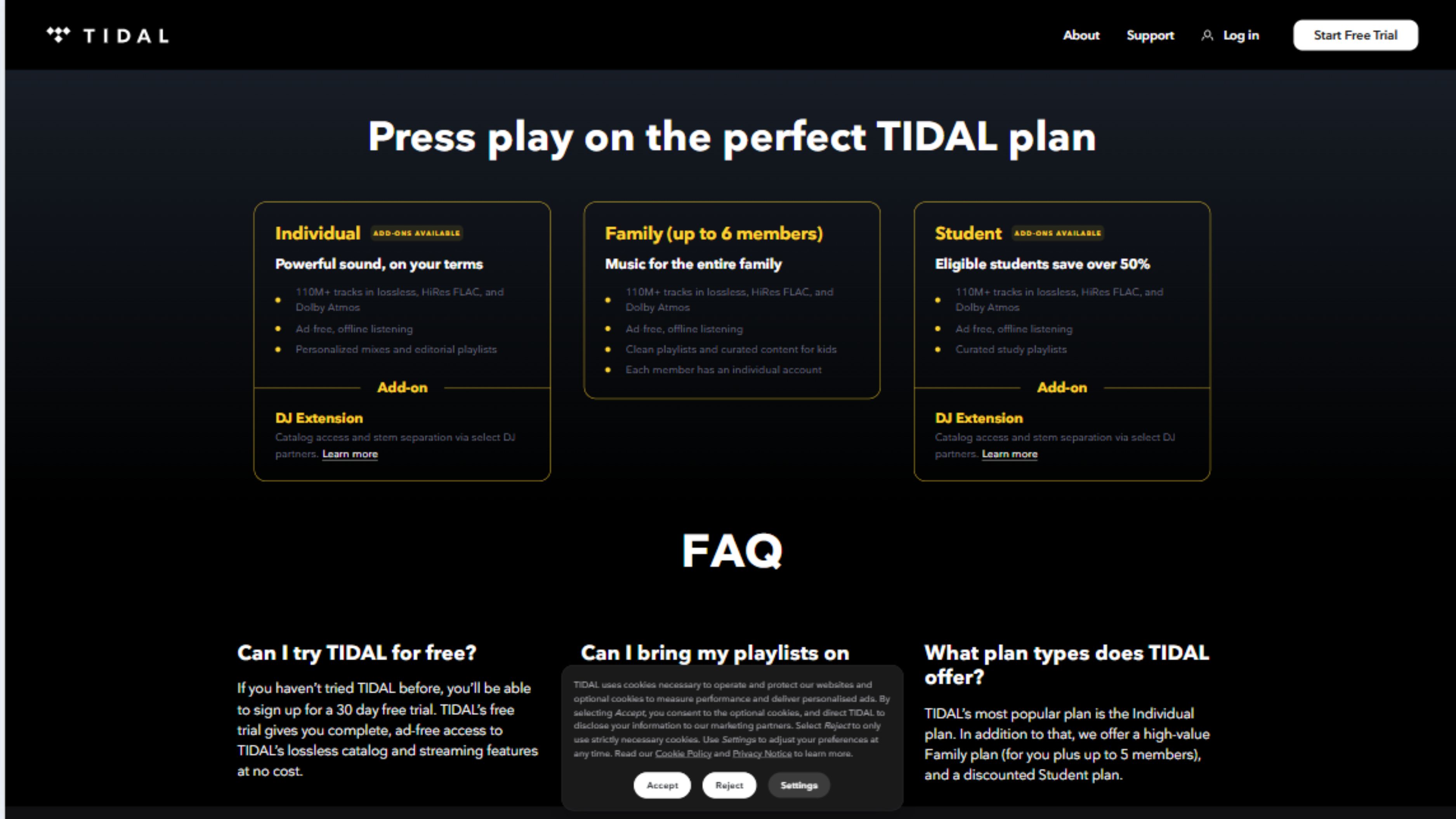
High-fidelity streaming tiers from services like Tidal HiFi Plus ($19.99), Apple Music ($10.99 includes lossless), Amazon Music HD ($9.99 for Prime members), Qobuz Studio ($12.99), and Deezer HiFi ($16.99) provide the foundational element for excellent sound quality—lossless source files that preserve all audio information from original masters. Standard Spotify Premium ($10.99) uses 320kbps Ogg Vorbis compression that discards substantial audio data to reduce file sizes, creating artifacts audible on quality equipment through reduced dynamic range, compressed soundstage, and missing high-frequency detail. Lossless formats maintain bit-perfect replication of CD-quality audio (16-bit/44.1kHz) or better, preserving the full frequency spectrum and dynamic range that lossy compression sacrifices.
The audible difference between lossy and lossless formats depends significantly on your playback equipment—through smartphone speakers or budget earbuds, the difference is minimal and arguably not worth the cost. However, through quality headphones ($150+) or home audio systems, lossless audio reveals instrument separation, three-dimensional soundstage depth, and subtle details (breathy vocals, string resonance, room ambiance) that lossy compression obliterates. The FLAC or ALAC formats these services use are mathematically identical to source files, meaning you receive exactly what was mastered rather than an approximation. High-resolution audio (24-bit/96kHz or 192kHz) available on some services theoretically exceeds CD quality, though the audible benefits above 16-bit/44.1kHz remain contentious among audio engineers.
The subscription cost increase is modest—Apple Music includes lossless at no additional cost over standard tier, while others charge $3-10 more monthly than lossy alternatives. The challenge is bandwidth and storage consumption: lossless files are 4-8x larger than lossy equivalents, requiring robust internet connections for streaming (minimum 1.5-2 Mbps for CD quality, 10+ Mbps for hi-res) and substantial storage for offline downloads. Not all albums are available in lossless formats on all services, though coverage typically exceeds 90% of major catalog. For serious listeners with quality equipment, high-fidelity streaming represents the single most important optimization—no amount of equipment upgrades can recover information lost in lossy compression at the source.
Pros:
Lossless audio preserves all source information without compression
Relatively affordable ($0-10/month increase over standard tiers)
Immediate improvement on quality playback equipment
CD quality or better across massive music catalogs
Future-proofs listening as you upgrade equipment
Cons:
Requires quality equipment to hear differences versus lossy
Substantially higher bandwidth requirements (4-8x)
Larger file sizes complicate offline storage
Not all albums available in lossless on all services
Spotify lacks lossless tier entirely as of 2024
2. Quality Audio Equipment and Headphones
Best for: Maximizing the physical playback hardware that converts digital files to sound
Pricing from: $150-500 for quality headphones, $300-1,500 for speakers/amplifiers
Key features: Accurate frequency response (flat or consumer-tuned), wide soundstage, low distortion, comfortable fit for extended listening, quality drivers (headphone speakers), impedance matching, wired connections, replaceable cables
Audio equipment quality determines your ceiling for sound reproduction—even perfect lossless files sound mediocre through poor headphones or speakers. Quality headphones ($150-500 range) from manufacturers like Sennheiser, Beyerdynamic, Audio-Technica, Sony, and Focal provide flat or tastefully-tuned frequency response that reproduces bass, midrange, and treble without exaggeration or deficiency. Budget headphones (<$50) typically boost bass artificially and compress midrange, creating boomy, muddy sound that obscures instrument detail. The difference is immediately apparent: quality headphones reveal individual instruments in complex mixes, provide three-dimensional soundstage depth, and deliver taut, controlled bass rather than overwhelming boom.
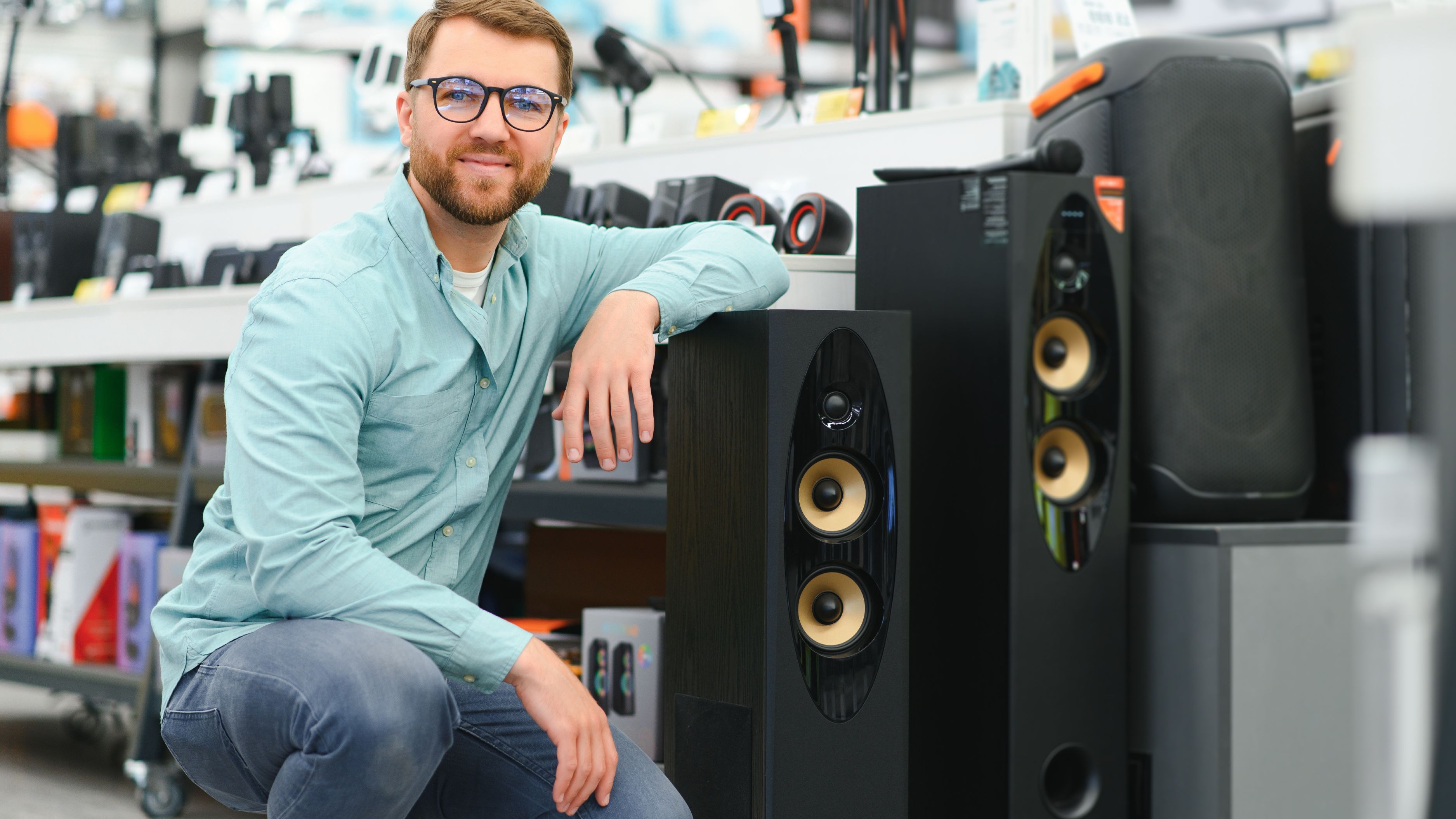
The headphone categories serve different purposes: closed-back headphones (Audio-Technica M50x, Sony WH-1000XM5) provide isolation and portability at the cost of somewhat compressed soundstage; open-back headphones (Sennheiser HD 600, Beyerdynamic DT 990) offer wider, more natural soundstage with better instrument separation but leak sound and require quiet environments; IEMs (in-ear monitors like Shure SE425 or Etymotic ER2XR) provide portability and isolation with accurate sound in compact form factor. For home listening, quality bookshelf speakers ($300-800 pair) like KEF Q150, ELAC Debut, or Klipsch RP-600M paired with modest amplification ($150-400) provide room-filling sound superior to headphones for casual listening, though headphones excel for critical listening and late-night sessions.
The investment in quality equipment pays dividends across years of use—these products typically last 5-10+ years with care, amortizing costs to negligible amounts per listening hour. The mistake many make is buying expensive sources (high-fidelity streaming, DACs) while using poor playback equipment where compromises become audible. The logical upgrade path is: (1) quality headphones or speakers first, (2) lossless streaming tier, (3) dedicated DAC if needed, (4) room acoustic treatment. Starting with equipment ensures you can actually hear improvements from other optimizations. For most listeners, $300-500 invested in quality headphones delivers more improvement than $2,000 in source equipment through mediocre playback devices.
Pros:
Single most impactful investment for sound quality improvement
Long lifespan (5-10+ years) amortizes costs over time
Benefits all audio sources (streaming, vinyl, gaming, movies)
Immediately audible improvements over budget equipment
Wide range of price points accommodate different budgets
Cons:
Requires research to identify quality options versus marketing hype
$300-500 entry point steep for casual listeners
Comfort and fit subjective, requires testing before purchase
Open-back headphones require quiet environment
Diminishing returns above $500 for most listeners
3. Network Optimization and Bandwidth Management

Best for: Eliminating buffering, compression, and quality downgrades from poor connections
Pricing from: Free (settings optimization) to $50-150 (mesh WiFi systems)
Key features: Minimum bandwidth allocation for streaming, wired ethernet connections, quality of service (QoS) router settings, mesh WiFi for whole-home coverage, ISP speed tiers adequate for concurrent usage, 5GHz WiFi over 2.4GHz
Network performance directly impacts streaming quality through automatic quality adjustments services implement when detecting poor connections. Spotify, Apple Music, and others dynamically downgrade bitrates during network congestion—dropping from 320kbps to 160kbps or lower—to maintain playback continuity at the cost of audio quality. This adaptive bitrate helps prevent buffering but means you're not receiving the quality you're paying for during peak usage times. Lossless streaming services require sustained 1.5-2 Mbps for CD quality and 5-10+ Mbps for high-resolution audio, bandwidth levels that seem modest but become challenging when multiple household members stream video, game online, or work from home simultaneously.
The optimizations start with ISP speed tier—if you're paying for 50 Mbps or below and have 3+ household members with concurrent usage, upgrading to 100-200 Mbps ($10-20 monthly increase typically) ensures sufficient bandwidth headroom. Router configuration matters significantly: enable Quality of Service (QoS) settings that prioritize audio/video traffic over background downloads, separate 2.4GHz and 5GHz networks (use 5GHz for audio devices—it provides more bandwidth and less interference despite shorter range), and position routers centrally without physical obstructions. Mesh WiFi systems ($150-300 for two nodes) from manufacturers like TP-Link Deco, Netgear Orbi, or Eero solve whole-home coverage issues better than single-router setups, eliminating dead zones that force devices onto weak signals.
The ultimate network optimization is wired ethernet connections for stationary audio devices—computers, streaming boxes, home audio systems. Ethernet provides consistent bandwidth without the interference, congestion, and packet loss inherent to WiFi, guaranteeing bit-perfect transmission. PowerLine adapters ($50-80) provide wired networking through electrical outlets when running ethernet cables isn't feasible. Mobile devices obviously require wireless but benefit from strong WiFi signals—using offline downloads for critical listening sessions eliminates network variables entirely. Network optimization costs little (often free through settings) but ensures you receive the quality your streaming tier promises rather than degraded adaptive streams masquerading as premium audio.
Pros:
Relatively inexpensive optimization ($0-150 typically)
Eliminates variable quality from adaptive bitrate streaming
Benefits all household internet usage beyond audio
Often achievable through router settings without purchases
Wired connections provide completely stable bandwidth
Cons:
Requires router access and basic technical knowledge
ISP speed upgrades incur ongoing monthly costs
Wired connections impractical for mobile devices
Mesh WiFi systems add complexity and cost
Doesn't improve sound quality beyond maintaining consistency
4. Dedicated Audio DAC (Digital-to-Analog Converter)
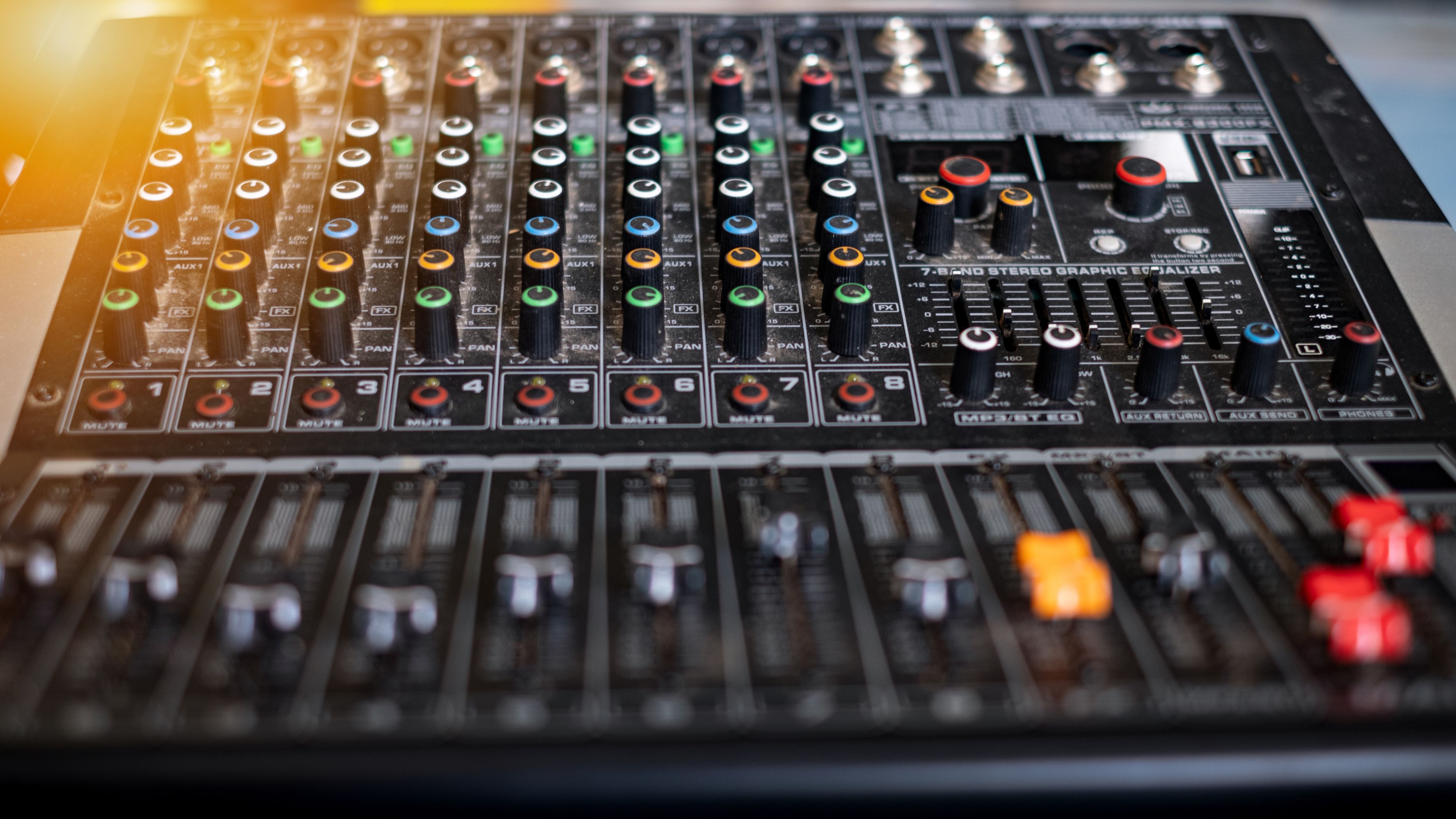
Best for: Bypassing poor built-in computer/phone audio chips with quality external conversion
Pricing from: $100-300 for quality entry-level DACs, $500-2,000+ for high-end
Key features: USB or optical input from devices, dedicated headphone amplifier, volume control, multiple output options, native support for high-resolution audio formats, low noise floor, flat frequency response
Dedicated DACs address a specific bottleneck: the conversion from digital audio files to analog signals that drive headphones or speakers. Built-in computer sound cards and phone DAC chips are typically low-quality components that introduce noise, distortion, and poor frequency response due to electromagnetic interference from surrounding components and cost-cutting in non-primary systems. External DACs use higher-quality components in isolated housings with dedicated power supplies, substantially improving conversion quality. Entry-level DACs like Schiit Modi ($129), JDS Labs Atom DAC+ ($129), or FiiO K5 Pro ($180) provide audibly superior output compared to onboard audio, with measurably lower noise, wider dynamic range, and cleaner frequency response.
The audible improvements manifest in several ways: black background silence between notes (low noise floor), better instrument separation and detail retrieval, more controlled bass response, and improved soundstage width and depth. These improvements become more apparent with higher-impedance headphones (250-600 ohms) that benefit from the dedicated amplification quality DACs include—many quality open-back headphones sound anemic and underpowered from phone or laptop headphone jacks but come alive through dedicated DAC/amp combinations. The USB connection to computers or phones bypasses the device's internal DAC entirely, with the external unit handling all conversion and amplification.
The caveat is diminishing returns: the jump from onboard audio to a $100-300 DAC is substantial and worth the investment for anyone using quality headphones. The jump from $300 to $1,000+ DACs provides increasingly subtle improvements audible primarily to trained listeners on high-end equipment in controlled environments—most casual to serious listeners will be perfectly satisfied with entry-level options. DACs require investigation to avoid marketing hype—measurements from Audio Science Review and similar sources provide objective data about performance. For laptop/desktop users with quality headphones, a dedicated DAC is the second purchase after the headphones themselves, while mobile users benefit less unless using portable DACs designed for phones (Qudelix 5K, FiiO BTR5).
Pros:
Dramatically improves output quality over onboard audio
Relatively affordable entry point ($100-300)
Benefits any headphones or speakers connected
Portable options available for mobile use
Measurable objective improvements in noise and distortion
Cons:
Another device to power, manage, and carry (portable versions)
Diminishing returns above $300 for most listeners
Setup complexity increases with another component
Mobile use requires USB adapters and battery management
Minimal benefit with low-quality headphones or speakers
5. Streaming Platform Settings Configuration
Best for: Ensuring software actually uses highest quality options available
Pricing from: Free (settings adjustment)
Key features: Maximum quality/bitrate selection, disable data saver modes, enable lossless/hi-res audio, configure download quality separately, disable normalization or loudness leveling, adjust EQ settings if necessary, enable gapless playback
Streaming services default to balanced quality settings that prioritize data conservation over audio quality, meaning even premium subscribers often receive suboptimal audio without configuring hidden settings. Spotify requires navigating to Settings → Audio Quality → Very High (Premium only) and disabling "Normalize volume" which applies dynamic compression flattening the soundstage. Apple Music requires Settings → Music → Audio Quality → Lossless/Hi-Res Lossless toggles and disabling "Sound Check" (Apple's normalization). Tidal requires Settings → Streaming → Master/HiFi Plus quality and reviewing Loudness Normalization preferences. Each service hides these critical settings in different menus, and many users never discover them.
The download quality settings exist separately from streaming quality on most platforms, requiring additional configuration if you plan offline listening. Ensure downloads match your desired streaming quality—the default is often lower to conserve storage. Normalization/loudness leveling features attempt to create consistent volume across tracks but achieve this through dynamic compression that reduces punch and flattens soundstage depth. Disable these for critical listening, though they benefit background/casual listening where volume consistency matters more than sound quality. Gapless playback (critical for albums like Dark Side of the Moon) is sometimes disabled by default—enable it for seamless transitions.
The time investment is negligible—spending 5-10 minutes in each platform's settings ensures you receive the quality your subscription provides. The mistake is assuming premium subscriptions automatically deliver best quality without configuration. Mobile platforms often have additional restrictions: iOS devices have AAC limitations for Bluetooth requiring specific configuration, Android devices have developer options enabling higher-quality Bluetooth codecs (LDAC, aptX HD), and both platforms benefit from reviewing OS-level audio settings beyond just app configurations. This free optimization often provides more improvement than hardware upgrades if you've been streaming at reduced quality unknowingly.
Pros:
Completely free optimization requiring only time
Immediately effective across all future listening
Often reveals substantial quality improvements users didn't know they were missing
Simple process with clear instructions available online
Applies across all playback devices once configured
Cons:
Settings vary significantly across platforms creating confusion
Must reconfigure when switching services
Some settings require trial and error to determine preference (normalization)
Mobile platforms have OS-level settings complicating process
Easy to forget and revert to defaults after app updates
6. Spatial Audio and Dolby Atmos Optimization
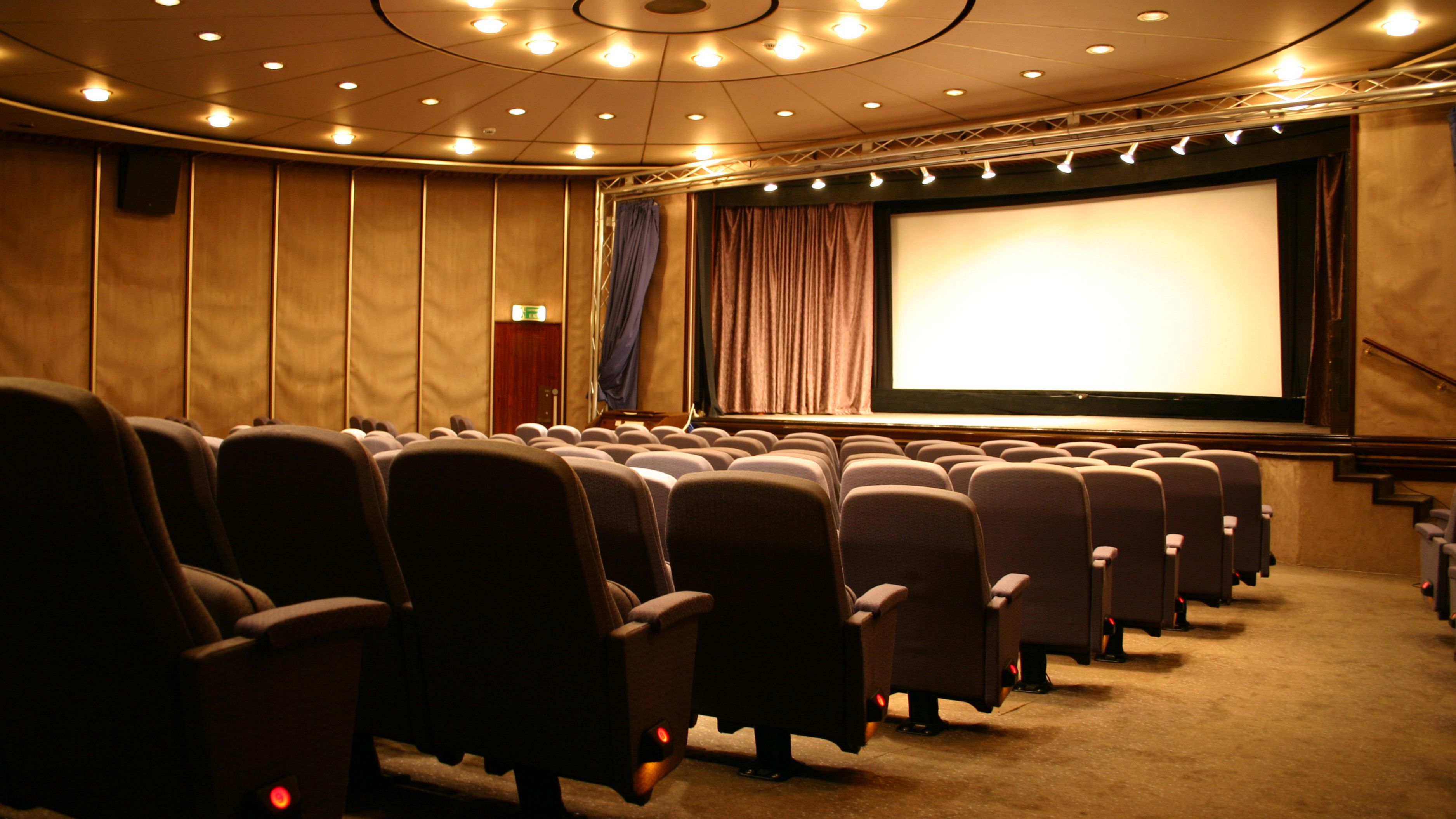
Best for: Listeners with compatible equipment seeking immersive surround sound experiences
Pricing from: Free (included in services), compatible hardware varies
Key features: Dolby Atmos spatial audio mixing, head tracking on compatible devices, surround sound effects on stereo equipment, exclusive spatial mixes of albums, height channel information, binaural rendering for headphones, room-filling sound without physical surround speakers
Spatial audio technologies like Dolby Atmos (Apple Music, Tidal, Amazon Music) and Sony 360 Reality Audio (select services) provide immersive three-dimensional sound through headphones or compatible speakers, creating the illusion of sounds originating from specific locations around and above you rather than just left and right channels. The technology works through binaural rendering that manipulates timing, volume, and frequency to trick your brain into perceiving spatial location—vocals appearing center and slightly forward, drums behind and above, guitars to the sides and slightly elevated. Apple's head tracking enhancement (on AirPods Pro/Max) adjusts spatial positioning as you move your head, anchoring audio to your device position rather than your ears.
The quality of spatial audio varies dramatically by implementation and source material. Albums mixed specifically for Atmos (many contemporary releases receive dedicated Atmos versions) provide genuine creative use of three-dimensional space, with instrument placement and movement that enhances the listening experience. However, many spatial audio versions are automated upmixes from stereo masters that sound artificially wide and hollow compared to original stereo mixes, sacrificing punch and center imaging for dubious spatial effects. Critical listening requires A/B comparison between spatial and stereo versions—often the stereo mix sounds more cohesive and impactful despite less immersive spatial presentation.
The hardware requirements matter significantly: spatial audio through quality headphones or AirPods provides best results for personal listening, while home theater systems with Atmos-capable receivers and height speakers deliver room-filling immersion for group listening. Standard stereo equipment cannot reproduce true spatial audio—upmixing attempts through virtual surround software typically degrade quality rather than enhance it. The feature is worth exploring with compatible equipment, particularly for film soundtracks and electronic music where spatial effects excel, but remains optional and preference-dependent. Many audiophiles prefer traditional stereo mixes arguing that spatial processing introduces artifacts and strays from artistic intent, making this an optimization for experimentation rather than mandatory adoption.
Pros:
Immersive three-dimensional sound from standard headphones
Growing catalog of dedicated Atmos mixes
Included free in several premium streaming services
Head tracking (on compatible devices) creates anchor point realism
Excellent for film soundtracks and electronic music
Cons:
Quality varies wildly between dedicated mixes and upmixes
Many audiophiles prefer stereo mixes as more authentic
Requires compatible hardware for full experience
Processing can introduce artifacts and hollow sound
Spatial versions sometimes inferior to stereo masters
7. Room Acoustics and Speaker Placement
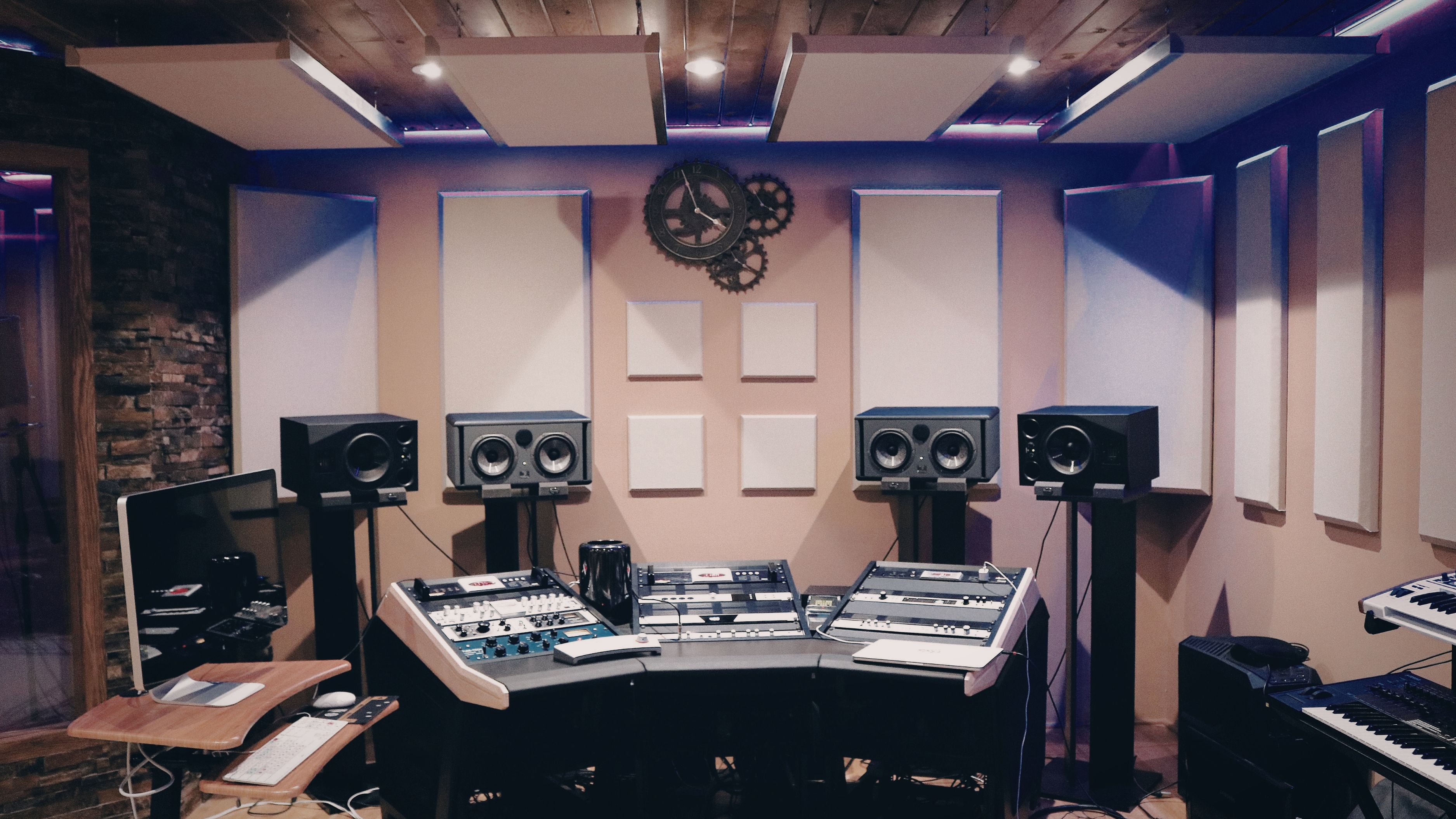
Best for: Home audio system users optimizing the physical listening environment
Pricing from: Free (speaker positioning) to $100-500 (acoustic treatment)
Key features: Speaker placement at ear level and optimal distance, acoustic panels to reduce reflections, bass traps for room modes, furniture arrangement for diffusion, listening position optimization, stereo triangle geometry, subwoofer placement and integration
Room acoustics dramatically affect speaker sound quality through reflections, standing waves, and resonances that muddy frequency response and soundstage. The free optimizations start with speaker placement: position speakers at ear level (use stands if necessary), space them away from walls (2-3 feet minimum to reduce bass bloat from boundary reinforcement), angle them to create 60-degree stereo triangle with listening position, and ensure similar distances to side and rear walls for each speaker (symmetry matters). Subwoofer placement requires experimentation—corner placement maximizes output but causes boominess, while positioning 1/3 or 1/5 room dimensions from walls provides smoother frequency response through avoiding standing wave nodes.
Acoustic treatment addresses room reflection and resonance issues that no equipment upgrades can solve. First reflection points (side walls where speaker sound bounces before reaching ears) benefit from acoustic panels ($50-150 for quality 4-pack) that absorb mid and high frequencies preventing smearing and echo. Corners accumulate bass energy creating boomy one-note bass—corner bass traps ($100-200 for 2-4 units) absorb low frequencies evening the response. Ceiling reflection points above listening position also benefit from panels. The goal isn't acoustic deadness (anechoic chambers sound unnatural) but controlled reflections that support rather than degrade the direct sound from speakers.
Furniture arrangement provides free diffusion—bookshelves, irregular surfaces, and varied textures scatter reflections preventing distinct echoes while maintaining room liveliness. The listening position matters significantly: sit in the "sweet spot" where speaker stereo triangle converges for optimal soundstage, avoid sitting against rear walls where bass energy accumulates, and experiment with minor position adjustments (moving forward/back 1-2 feet often dramatically affects bass balance). For renters or those unable to install treatment, thick curtains, rugs, and strategically-placed furniture provide meaningful acoustic improvements. These physical optimizations often exceed benefits from equipment upgrades—even $10,000 speakers sound mediocre in poorly-treated rooms with suboptimal placement.
Pros:
Speaker placement optimization is free and immediately effective
Dramatic improvements to soundstage and frequency balance
Benefits any speakers regardless of quality or price
Acoustic treatment relatively affordable ($200-400 for meaningful improvement)
Permanent improvements that benefit all listening
Cons:
Requires experimentation and time to optimize
Acoustic treatment installation may not be rental-friendly
Visual aesthetics of panels may not suit decor preferences
Bass traps require corner space that may not be available
Optimal speaker placement may conflict with room layout needs
8. Equalizer and Audio Processing Tools
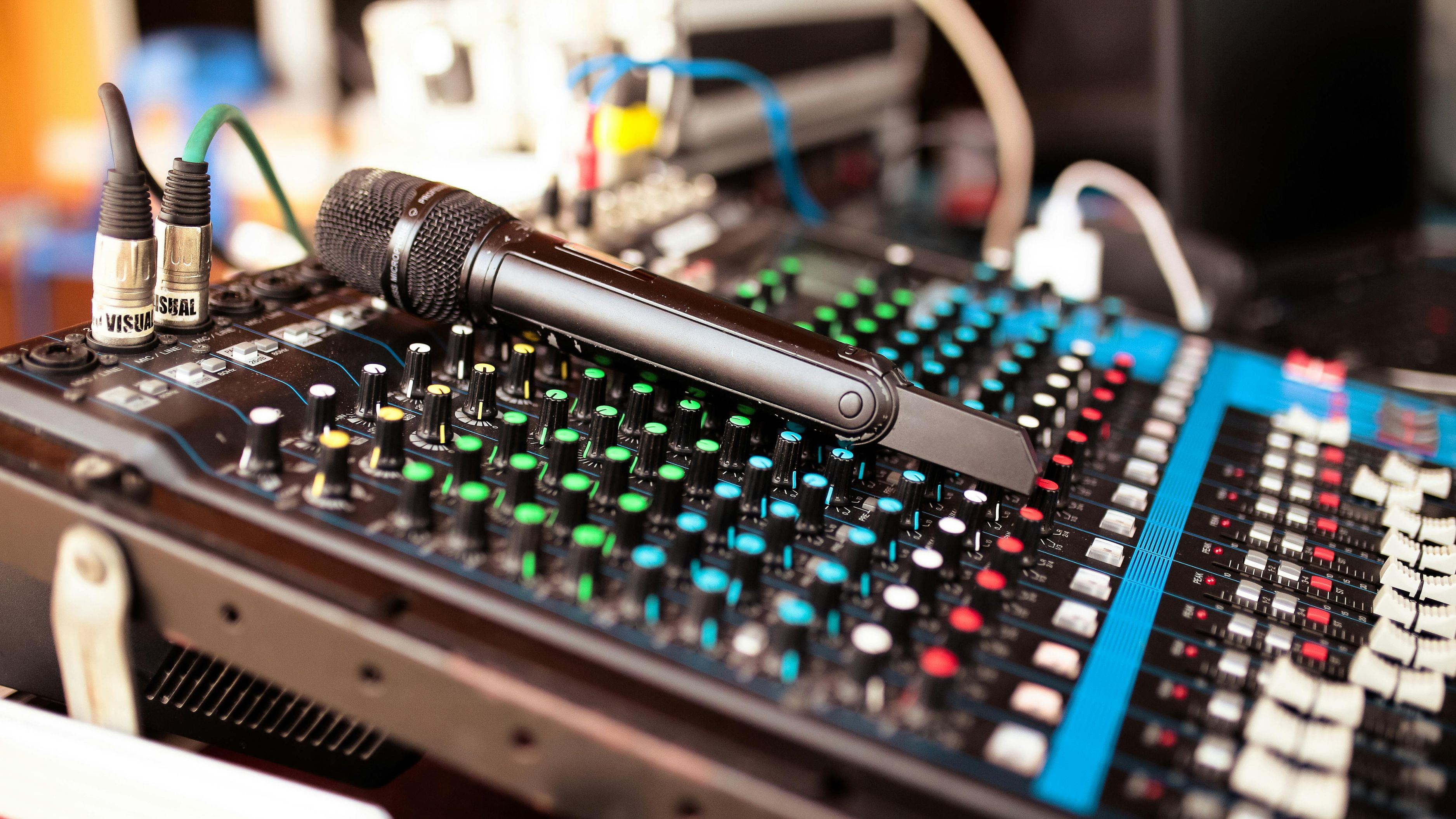
Best for: Compensating for equipment limitations and tuning sound to personal preference
Pricing from: Free (built-in EQ) to $129 (Sonarworks Reference)
Key features: Multi-band parametric or graphic EQ, preamp gain adjustment to prevent clipping, saved profiles per headphone/speaker, frequency response correction curves, room correction software, reference tuning options, real-time processing
Equalizers allow frequency response adjustment to compensate for equipment deficiencies, room acoustics problems, or personal preference tuning. Built-in streaming platform equalizers (Spotify, Apple Music) provide basic presets (Bass Boost, Treble Boost, etc.) or manual adjustment, though typically with limited bands (5-10) and coarse control. System-level equalizers like Equalizer APO (Windows, free) or eqMac (macOS, free) provide sophisticated parametric EQ with unlimited bands, precise frequency/Q/gain control, and the ability to load professionally-measured correction curves. AutoEQ and similar databases provide correction profiles for thousands of headphone models, compensating for inherent frequency response deviations to achieve neutral reference sound.
The correction approach applies inverse EQ that counteracts measured frequency response errors—if headphones have 6dB bass boost at 100Hz, correction curve applies -6dB reduction at 100Hz flattening the response. This transforms colored headphones into neutral monitoring tools revealing music as mastered without hardware tint. The alternative is creative EQ where you boost/cut frequencies to taste independent of measurement, creating your preferred sound signature. Common adjustments include: sub-bass boost (20-60Hz) for added low-end impact without mid-bass bloat, presence peak reduction (3-5kHz) to tame harsh recordings, treble extension boost (8-12kHz) for added air and detail, and mud reduction (200-400Hz) for clarity in dense mixes.
Room correction software like Sonarworks Reference ($129) or Dirac Live (varies by implementation) uses measurement microphones to analyze room acoustics then applies corrective EQ compensating for resonances and reflections. This software approach complements physical acoustic treatment, addressing issues that panels and bass traps cannot fully resolve. The limitation is that EQ cannot fix everything—it compensates frequency balance but cannot improve distortion, detail retrieval, or soundstage width that require better hardware. Over-aggressive EQ introduces pre-ringing and phase distortion audible as artificial timbre. Used judiciously with quality measurement data, EQ is powerful tool; used carelessly with excessive correction, it degrades sound quality further.
Pros:
Free or inexpensive solutions widely available
Compensates for equipment deficiencies without purchases
Professional correction curves optimize expensive headphones further
Room correction addresses acoustic issues impossible to treat physically
Allows personal preference tuning beyond neutral reference
Cons:
Requires technical knowledge to implement effectively
Over-aggressive EQ introduces audible artifacts
Cannot fix hardware limitations (distortion, soundstage)
Platform-specific solutions create inconsistent experience
Must reconfigure when changing equipment or services
9. Wired Connections Over Wireless
Best for: Eliminating Bluetooth compression, latency, and interference from audio chain
Pricing from: $10-30 for quality cables
Key features: No compression from Bluetooth codecs, zero latency for gaming/video, immunity to interference, consistent quality without dropout risk, full lossless audio support, simplified pairing (plug and play), better sound quality on all equipment
Bluetooth introduces multiple quality compromises: even the best codecs (LDAC, aptX HD) use lossy compression discarding audio information, connections suffer interference from WiFi and other 2.4GHz devices causing dropouts and crackling, latency creates audio-video sync issues for movies and gaming, and effective range limitations force staying near source devices. Wired connections—3.5mm TRS, 2.5mm balanced, USB-C digital, or quarter-inch for professional equipment—eliminate all these compromises delivering bit-perfect lossless audio with zero latency and no interference. The sound quality difference on the same headphones between Bluetooth and wired connection is immediately apparent: tighter bass, better instrument separation, wider soundstage, and revealing high-frequency detail lost in wireless compression.
The practical considerations matter: wired connections tether you to source devices limiting mobility, cables can tangle or break (though quality cables last years with care), and modern devices increasingly lack headphone jacks requiring adapters (USB-C to 3.5mm dongles for phones, $10-30). For critical listening at desk or in dedicated listening chair, wired connections are objectively superior. For commuting, gym, or mobile use, wireless convenience often outweighs sound quality concessions—the key is matching connection type to use case rather than assuming wireless is universally preferable for convenience alone. The hybrid approach works well: wired for home listening, wireless for portable use.
The cable quality matters but features diminishing returns—$10-30 quality cables from reputable manufacturers (Anker, Monoprice, AudioQuest entry-level) provide necessary electrical properties, while $100+ "audiophile" cables with exotic materials offer no audible benefit in properly conducted blind tests. Focus investment on equipment (headphones, DAC, speakers) rather than expensive cables that provide primarily placebo improvements. For balanced connections (2.5mm, 4.4mm, XLR) that some high-end equipment uses, cables cost slightly more ($30-60) but provide measurable benefits through noise rejection and potentially higher output power from balanced amplifier designs.
Pros:
Objectively superior sound quality versus Bluetooth
Zero latency eliminates sync issues for video/gaming
Immunity to interference and connectivity dropouts
No battery anxiety for wireless headphones/devices
Full lossless audio support without compression
Cons:
Tethered to source device limiting mobility
Modern devices often lack headphone jacks requiring adapters
Cables can tangle or break (though quality cables durable)
Less convenient than wireless for portable/active use
Adapters introduce potential failure points and complexity
10. Offline Download and Storage Management
Best for: Guaranteeing consistent quality without network variables and data consumption
Pricing from: Free storage on devices, $50-150 for microSD expansion or portable storage
Key features: Lossless quality offline files without streaming variability, zero buffering or quality downgrades, massive storage capacity (128GB+ microSD cards), organized library management, no data consumption, playback during poor/no connectivity, faster battery life than streaming
Offline downloads eliminate all network-related variables that compromise streaming quality—adaptive bitrate reductions, buffering interruptions, lossy transcoding, and bandwidth limitations disappear when playing locally-stored lossless files. Streaming services allow downloading music for offline playback at maximum quality settings (configure download quality separately from streaming quality as discussed earlier), creating local libraries of lossless files accessible without internet. This provides consistent quality whether you're in airplane mode, experiencing poor cellular signal, on congested WiFi networks, or want to eliminate streaming data consumption entirely. The storage requirements are significant but manageable—16-bit/44.1kHz FLAC files average 30-40MB per track (roughly 30 albums per GB), making 128GB storage sufficient for 800-900 albums of CD-quality audio.
Mobile devices benefit most from offline libraries through microSD expansion (Android phones supporting 256-512GB cards for $40-100) or utilizing available internal storage (iPhones' 128-256GB tiers). Dedicated music players (Digital Audio Players like FiiO M11 or Sony NW-A306) provide massive storage, superior DAC/amp sections versus phones, and specialized music-focused interfaces free from notifications and other smartphone distractions. Desktop/laptop users can maintain substantial offline libraries limited only by hard drive space (external USB drives provide terabytes for $60-120). The organizational tools within streaming platforms (playlists, favorite albums) carry over to offline downloads, maintaining seamless experience while guaranteeing quality consistency.
The battery life improvements surprise many users—streaming audio consumes significantly more power than playing local files due to constant network radio usage, meaning offline playback extends mobile device battery life by 30-50% during music listening. The strategic approach is downloading frequently-played albums and playlists for offline access while streaming for discovery and occasional listening. This hybrid model maximizes quality for preferred content while maintaining streaming's discovery advantages and access to massive catalogs. The limitation is storage management—must periodically review and delete unused downloads to free space, and DRM-protected downloads only play within the original streaming app (cannot export to other devices or software).
Pros:
Eliminates all network variables affecting quality
Zero buffering or adaptive bitrate compromises
No data consumption when playing offline files
30-50% better battery life than streaming
Playback during poor or no connectivity
Cons:
Significant storage requirements (30-40MB per lossless track)
Must manually manage downloads and storage
DRM prevents exporting files outside streaming apps
Requires planning and downloading in advance
Initial download time can be lengthy for large libraries
Comparison Summary
Cost Tiers: Free optimizations (platform settings, speaker placement, wired connections, offline downloads) require only time and knowledge. Low-cost improvements ($50-300) include streaming tier upgrades, quality cables, basic acoustic treatment, and entry-level DACs. Mid-range investments ($300-800) cover quality headphones and speakers. Premium approaches ($800-2,000+) include high-end DACs, comprehensive room treatment, and audiophile equipment.
Audible Impact Hierarchy: Equipment quality (headphones/speakers) provides the most dramatic audible improvement, followed by lossless streaming tiers, then dedicated DACs, with room acoustics, EQ, and network optimization providing meaningful but smaller enhancements. The diminishing returns curve is steep—first $500 spent delivers far more improvement than second $500.
Implementation Complexity: Simple adjustments (streaming settings, wired connections, offline downloads) require minimal technical knowledge. Moderate complexity (DAC setup, network optimization, EQ) require research and experimentation. Advanced optimization (room acoustics, professional measurement, audio correction software) benefits from expertise or professional consultation.
Use Case Specificity: Mobile users prioritize wireless optimization, network management, and offline downloads. Desktop users benefit most from DACs, wired connections, and sophisticated EQ. Home audio users must address room acoustics and speaker placement before equipment upgrades. Critical listeners need lossless tiers and quality equipment; casual listeners benefit most from basic optimizations.
Buying Guide
Who Needs Streaming Audio Optimization: Anyone paying for music streaming subscriptions deserves to receive the quality they're paying for through proper configuration and reasonable equipment. Serious music listeners with quality headphones or home audio systems benefit most from comprehensive optimization, while casual listeners achieve substantial improvements through simple, free adjustments. Audiophiles pursuing ultimate quality will implement all recommendations, but even modest investments (lossless tier plus $200 headphones) deliver transformative improvements over default configurations.
How Optimization Works: Audio quality improvement follows a signal chain—source quality (streaming tier), digital processing (software settings, EQ, room correction), digital-to-analog conversion (DAC), amplification, and transduction (headphones/speakers converting electrical signals to sound waves). Optimize sequentially: start with free software configurations ensuring maximum quality settings, upgrade playback equipment to reveal differences software cannot provide, then address conversion and amplification if needed. The weakest link determines overall quality—excellent headphones cannot compensate for lossy streaming, while lossless files sound mediocre through poor playback equipment.
Essential Features to Consider:
Priority Based on Budget: Unlimited budget: optimize everything simultaneously. Limited budget ($200-500): invest primarily in quality headphones plus lossless streaming tier. Minimal budget ($0-100): exhaust free optimizations (settings, speaker placement, wired connections) before any purchases, then add lossless tier if budget allows. The ROI on free optimizations is infinite—always implement these regardless of budget.
Equipment Matching: Your optimization priorities depend on current equipment. High-quality headphones/speakers justify lossless streaming, DAC upgrades, and acoustic treatment. Budget equipment shows minimal benefit from these—optimize software settings and save money until ready to upgrade hardware. Avoid the "garbage in, garbage out" trap of assuming expensive sources through cheap playback devices provide improvement.
Use Case Alignment: Mobile listeners prioritize offline downloads, network optimization, and may benefit from portable DACs. Desktop users maximize quality through DACs, wired connections, and sophisticated EQ. Home theater users address room acoustics and spatial audio. Gym and commute listening accepts quality compromises for convenience—don't pursue perfection for use cases where it's impractical.
Listening Level Assessment: Be honest about whether you'll actually hear differences—if you primarily listen at low volumes through phone speakers as background music, expensive optimizations waste money. If you maintain quiet listening environment with quality equipment and active listening habits, comprehensive optimization delivers genuine benefits. Match investment to actual listening habits, not aspirational ones.
Incremental Approach: Implement optimizations sequentially, A/B testing each change to verify audible improvement. This prevents wasting money on changes you cannot actually hear and helps develop critical listening skills recognizing what actually matters. The placebo effect is real in audio—blind testing reveals many expensive optimizations are inaudible, saving money for improvements that actually matter.
Pricing Overview
Free Optimizations (Total: $0): Platform settings configuration ensuring highest quality selections, speaker placement and listening position optimization, switching to wired connections where practical, using built-in system equalizers for basic adjustments, downloading music offline for consistent quality, network router settings optimization, disabling battery saver modes affecting audio. These provide substantial improvements with zero financial investment.
Budget Optimization Package ($200-400): Lossless streaming tier upgrade ($60-120 annually), quality wired headphones ($100-200), basic cables ($10-30), offline storage expansion if needed ($30-100 microSD or external drive). This budget delivers 70-80% of achievable improvement for most users, representing the sweet spot of cost-effectiveness.
Intermediate Optimization ($600-1,200): Previous tier plus entry-level DAC/amp ($150-300), basic acoustic treatment ($100-200 for panels/bass traps), quality IEMs for portable use ($100-200), and potentially upgrading to better headphones ($300-500). This approaches diminishing returns for all but serious enthusiasts.
Comprehensive Audiophile Setup ($2,000-5,000+): High-end headphones or speakers ($500-2,000), premium DAC/amplifier ($500-1,500), complete room acoustic treatment ($400-800), professional room correction software with measurement mic ($200-400), quality interconnects and cables ($100-300), and potentially dedicated listening room construction. This represents ultimate optimization for extreme enthusiasts.
DIY vs. Professional Approaches: Most optimizations are DIY-friendly with online guides—streaming platform configuration, DAC setup, and EQ require no expertise. Speaker placement and basic acoustic treatment benefit from online calculators and community advice. Professional room acoustic analysis and treatment design ($500-2,000 consultation plus treatment costs) makes sense for dedicated listening rooms or high-end home theater but is overkill for casual listening spaces. Equipment setup and calibration services ($100-300) exist but primarily benefit those uncomfortable with technology—competent DIYers save these fees through research and experimentation.
Return on Investment: The financial analysis favors modest investment—$400 (lossless tier plus quality headphones) provides 80% of total achievable improvement, while the final 20% requires thousands more. Amortized over 5-year equipment lifespan, $400 costs $80 annually or $6.67 monthly to dramatically improve daily listening experience. Compare this to other entertainment expenses (concert tickets, vinyl collecting, eating out) to contextualize value. For serious music lovers spending hours daily listening, optimization justifies costs many times over.
FAQ
Q: Can I really hear the difference between lossy and lossless audio?
The audibility depends heavily on playback equipment, source material, and your hearing acuity. Through quality headphones ($150+) or home audio systems, most listeners can distinguish lossless from 320kbps lossy compression in A/B blind tests when playing complex orchestral music, jazz with subtle cymbal detail, or acoustic recordings with room ambiance. However, through budget equipment, compressed pop/rock music, or during casual background listening, differences become imperceptible. The threshold varies individually—some people reliably identify differences, others cannot regardless of equipment. The pragmatic approach: try lossless for a month, A/B test it against lossy on your equipment, and determine whether you personally hear worthwhile differences before committing long-term.
Q: Do I need an expensive DAC or will my phone/computer's built-in audio work?
Modern phones and computers have improved built-in DACs substantially versus a decade ago—many are adequate for casual listening, especially through lower-impedance headphones. However, external DACs provide measurable benefits: lower noise floor (blacker background between notes), better dynamic range (louder highs and quieter quiet passages), improved amplification for power-hungry headphones, and isolation from electromagnetic interference inside devices. The audibility threshold is roughly $150-300 headphones—below this, internal DACs suffice; above this, external DACs reveal improvements. If your headphones cost $200+, a $100-300 DAC provides worthwhile upgrade; if using $50 earbuds, save money until upgrading headphones first.
Q: Is spatial audio/Dolby Atmos better than stereo, or is it just a gimmick?
This is contentious and preference-dependent. Dolby Atmos and spatial audio provide legitimate three-dimensional audio positioning that can enhance certain music (electronic, soundtracks, some pop) and create impressive immersive effects. However, many audiophiles argue that traditional stereo mixes represent artistic intent and that spatial processing introduces artifacts, hollowness, and unnatural soundstage. The quality varies wildly between albums—dedicated Atmos mixes from involved artists (Kraftwerk, The Weeknd) often sound spectacular, while automated upmixes (majority of catalog) can sound worse than stereo originals. The recommendation: try both versions of albums you know well, judge for yourself on your equipment, and don't assume spatial is universally superior. Many prefer stereo for critical listening.
Q: How much should I spend on audio equipment to hear streaming quality differences?
The functional minimum for distinguishing lossless from lossy streaming is roughly $150-200 on headphones or $300-500 on speakers plus amplification. Below these thresholds, equipment limitations obscure differences between streaming qualities—you're hearing equipment deficiencies rather than source quality. The sweet spot for most enthusiasts is $300-500 on headphones or $800-1,200 on complete speaker systems (speakers, amplifier, DAC if needed), providing 80-85% of ultimate audio quality. Beyond $1,000 for headphones or $3,000 for speakers, you're entering diminishing returns territory where improvements become increasingly subtle and require trained listening to appreciate. Budget your total system holistically rather than over-investing in single components.
Q: Should I use EQ or listen to music as the artist intended?
This philosophical question has no right answer. The "purist" perspective argues that artists and mastering engineers carefully craft sound, and EQ second-guesses their artistic decisions. The "pragmatic" perspective argues that no playback system is perfectly neutral, all equipment colors sound, and EQ simply allows compensating for these colorations. The middle ground: use room correction and headphone correction curves to achieve neutral reference playback closer to mastering studio conditions (arguably respecting intent by removing playback system coloration), but avoid heavy creative EQ that dramatically alters frequency balance. Alternatively, enjoy music however sounds best to you without guilt—if bass boost makes you happy, use it. Music is ultimately about enjoyment, not adhering to audiophile orthodoxy.