Top 10 Best Gaming Setup Upgrades
BenQ ZOWIE XL2566K – Best for competitive FPS gaming monitors
Logitech G Pro X Superlight 2 – Best for competitive gaming mice
Wooting 60HE – Best for analog mechanical keyboards
Corsair Vengeance RGB DDR5-6000 – Best for RAM upgrades
Samsung 990 PRO 2TB – Best for SSD storage upgrades
Noctua NH-D15 chromax.black – Best for CPU cooling upgrades
SteelSeries Arctis Nova Pro – Best for premium gaming headsets
Herman Miller X Logitech G Embody – Best for ergonomic gaming chairs
Elgato Stream Deck MK.2 – Best for streaming control devices
Nanoleaf 4D Screen Mirror Kit – Best for immersive lighting upgrades
Methodology
Our evaluation process tested each upgrade category across five critical dimensions: measurable performance impact (FPS improvements, input lag reduction, response times), price-to-performance ratio (cost relative to real-world benefits), installation complexity and compatibility (ease of integration into existing setups), build quality and longevity (durability for multi-year use), and user reviews aggregated from Reddit's hardware communities, YouTube technical reviewers, and verified purchase feedback. We prioritized upgrades that deliver noticeable improvements for the widest range of gaming scenarios, from competitive esports to immersive single-player experiences.
Detailed Reviews
1. BenQ ZOWIE XL2566K
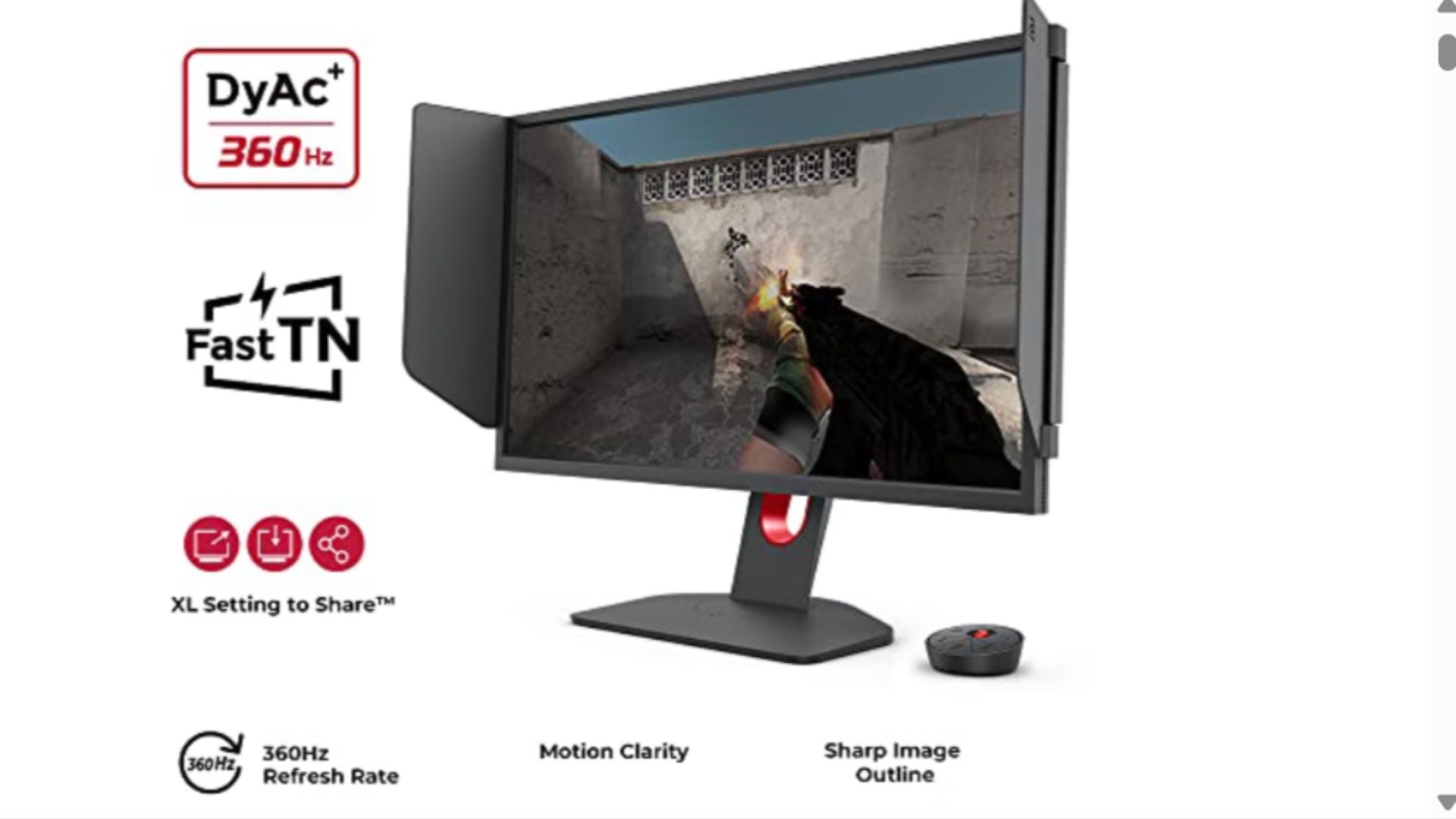
Best for: Competitive FPS players demanding the highest refresh rates
Pricing from: $599
Key features: 360Hz refresh rate, 24.5-inch Fast TN panel, 0.5ms response time, DyAc 2 motion blur reduction, XL Setting to Share, native 1080p resolution, DisplayPort 1.4 and HDMI 2.0
The BenQ ZOWIE XL2566K represents the current pinnacle of competitive gaming monitors, delivering 360Hz refresh rates that provide tangibly smoother motion in fast-paced titles like Valorant, CS2, and Apex Legends. The DyAc 2 technology reduces motion blur more effectively than previous generations, making tracking moving targets noticeably easier during rapid flicks and sprays. Professional esports players across multiple titles have adopted this monitor as their standard, validating its competitive advantages through tournament performance.
The Fast TN panel technology sacrifices some color accuracy and viewing angles compared to IPS alternatives, but delivers the absolute lowest input lag and fastest pixel response times available. The XL Setting to Share feature allows you to save and transfer monitor settings via USB, perfect for tournament players who need consistent configurations across different setups. The monitor's design philosophy prioritizes function over aesthetics with minimal bezels and a practical base that supports height, tilt, and swivel adjustments.
For competitive gamers playing titles where reaction time determines outcomes, upgrading from a 144Hz monitor to this 360Hz panel provides measurable advantages. Independent testing shows the jump from 144Hz to 360Hz reduces total system latency by approximately 4-6ms, which translates to seeing enemy movements roughly one frame earlier—a meaningful edge in professional play.
Pros:
Industry-leading 360Hz refresh rate for smoothest possible motion
DyAc 2 provides excellent motion clarity during rapid movements
Extremely low input lag and response times
XL Setting to Share simplifies setup consistency
Proven in professional esports tournaments
Cons:
TN panel has inferior color accuracy and viewing angles
Limited to 1080p resolution
Expensive compared to 240Hz alternatives with minimal perceivable difference for casual players
No HDR support
2. Logitech G Pro X Superlight 2
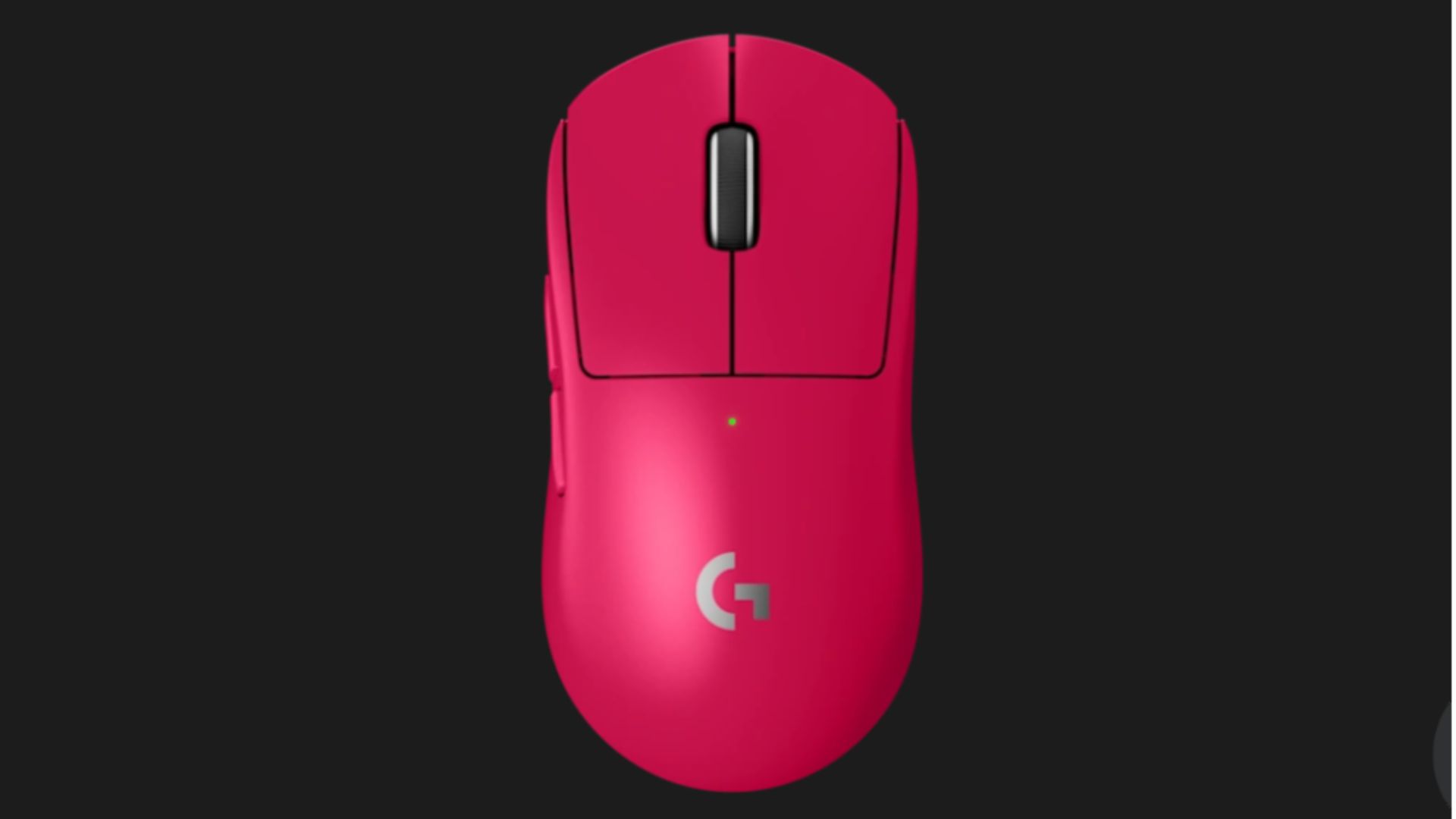
Best for: Competitive gamers seeking wireless precision without weight penalties
Pricing from: $159
Key features: 60g weight, HERO 2 32K DPI sensor, 95-hour battery life, Lightspeed wireless technology, hybrid optical-mechanical switches, 5 programmable buttons, USB-C charging
The Logitech G Pro X Superlight 2 perfects the wireless gaming mouse formula by combining featherweight construction (just 60g) with the HERO 2 sensor that delivers flawless tracking up to 32,000 DPI with zero smoothing or acceleration. The hybrid optical-mechanical switch technology eliminates traditional mechanical switch bounce, resulting in more consistent click registration and faster actuation—a subtle but meaningful advantage in games where milliseconds matter. Battery life of 95 hours ensures you'll never face mid-competition power failures.
The ambidextrous design works for all grip styles (palm, claw, fingertip) without compromising comfort during extended sessions, while the symmetrical button layout accommodates both right and left-handed players. Lightspeed wireless technology maintains 1ms report rate with zero perceptible lag compared to wired alternatives, finally eliminating the primary objection to wireless gaming mice. The Superlight 2 refines the original's design with improved feet for smoother glide and refined weight distribution.
Professional players in titles like Valorant, CS2, and Overwatch 2 have widely adopted this mouse, making it the de facto standard for competitive FPS gaming. The upgrade from even quality wired mice or heavier wireless models delivers immediate improvements in micro-adjustments and snap targeting, with many users reporting improved consistency in aim-intensive scenarios.
Pros:
Exceptionally lightweight at 60g without feeling cheap
HERO 2 sensor provides flawless tracking performance
95-hour battery eliminates charging anxiety
Lightspeed wireless matches wired latency
Widely adopted by professional esports players
Cons:
Premium pricing compared to budget alternatives
Only 5 programmable buttons (limited for MMO players)
No adjustable weight system for preference tuning
White version shows wear and discoloration faster
3. Wooting 60HE
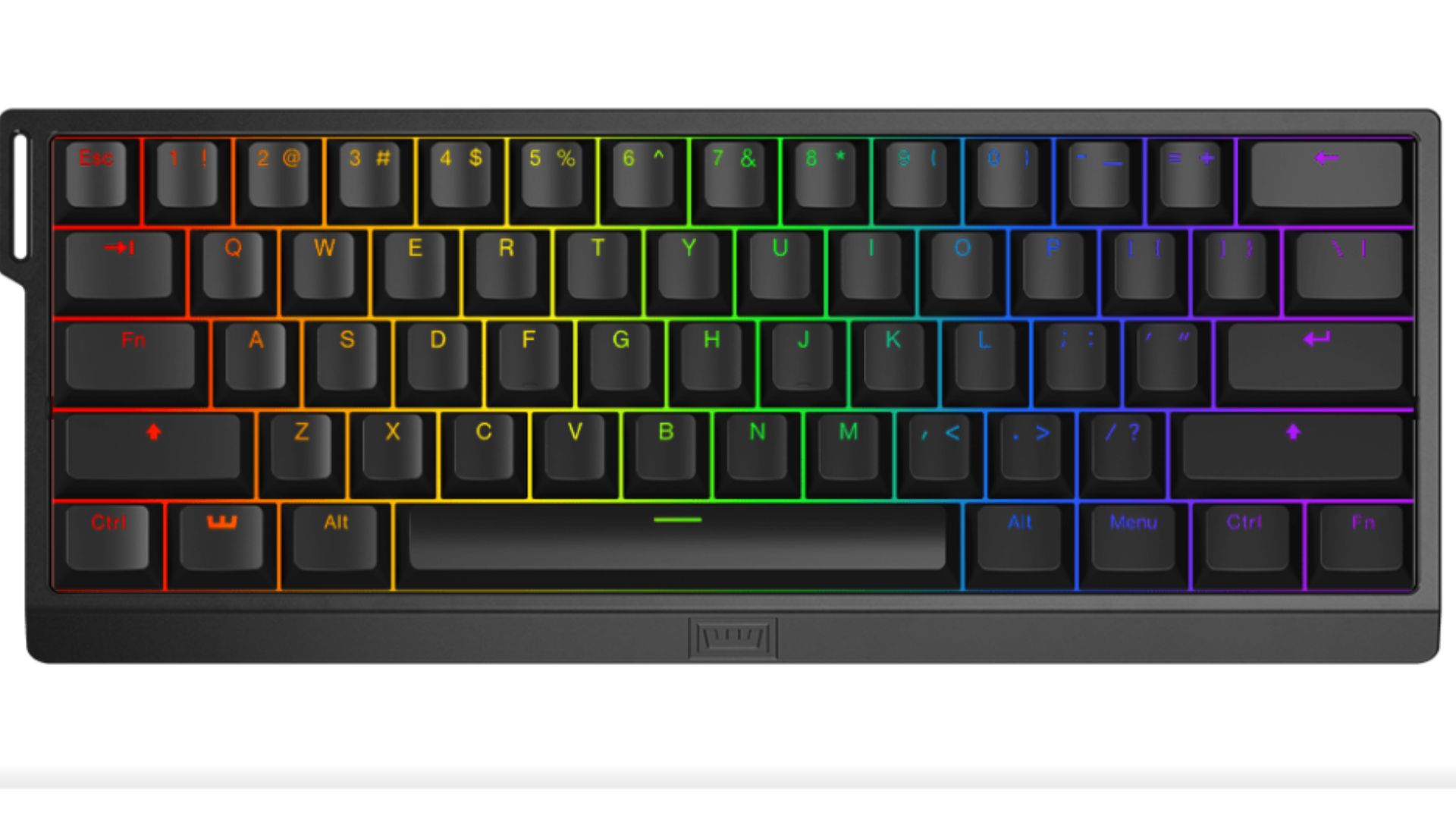
Best for: Gamers wanting analog input precision and customization depth
Pricing from: $199
Key features: Analog Lekker switches with adjustable actuation (0.1-4.0mm), rapid trigger technology, 60% compact layout, hot-swappable switches, per-key RGB lighting, Tachyon wireless mode, 8000Hz polling rate
The Wooting 60HE revolutionizes mechanical keyboards by introducing analog input similar to controller joysticks, allowing pressure-sensitive key responses that enable techniques impossible on traditional keyboards. Rapid trigger technology eliminates the reset delay of standard mechanical switches, allowing keys to register new presses the instant you release them even fractionally—this creates noticeably faster response in games requiring rapid directional changes like Counter-Strike strafing or Fortnite building. The adjustable actuation point per key lets you fine-tune sensitivity for different commands.
The compact 60% layout sacrifices the numpad and function row for a smaller footprint that allows more mouse movement space, critical for low-sensitivity FPS players. Hot-swappable Lekker switches mean you can experiment with different switch types without soldering, while the Tachyon wireless mode delivers wired performance without cable drag. The 8000Hz polling rate (versus the standard 1000Hz) reduces input latency to theoretically imperceptible levels, though real-world benefits beyond 1000Hz remain debated.
For competitive gamers, particularly in movement-heavy titles, the Wooting 60HE provides tangible advantages. The rapid trigger feature alone can improve counter-strafing speed and accuracy measurably, while analog input opens new gameplay possibilities in supporting titles. The learning curve exists but pays dividends once mastered.
Pros:
Analog Lekker switches enable unprecedented control precision
Rapid trigger provides fastest possible input response
Adjustable actuation per key for perfect customization
8000Hz polling rate minimizes latency
Hot-swappable switches for easy experimentation
Cons:
Steep learning curve adjusting to rapid trigger
60% layout requires adapting to missing keys
Premium pricing for a compact keyboard
Limited software support for analog features in most games
4. Corsair Vengeance RGB DDR5-6000
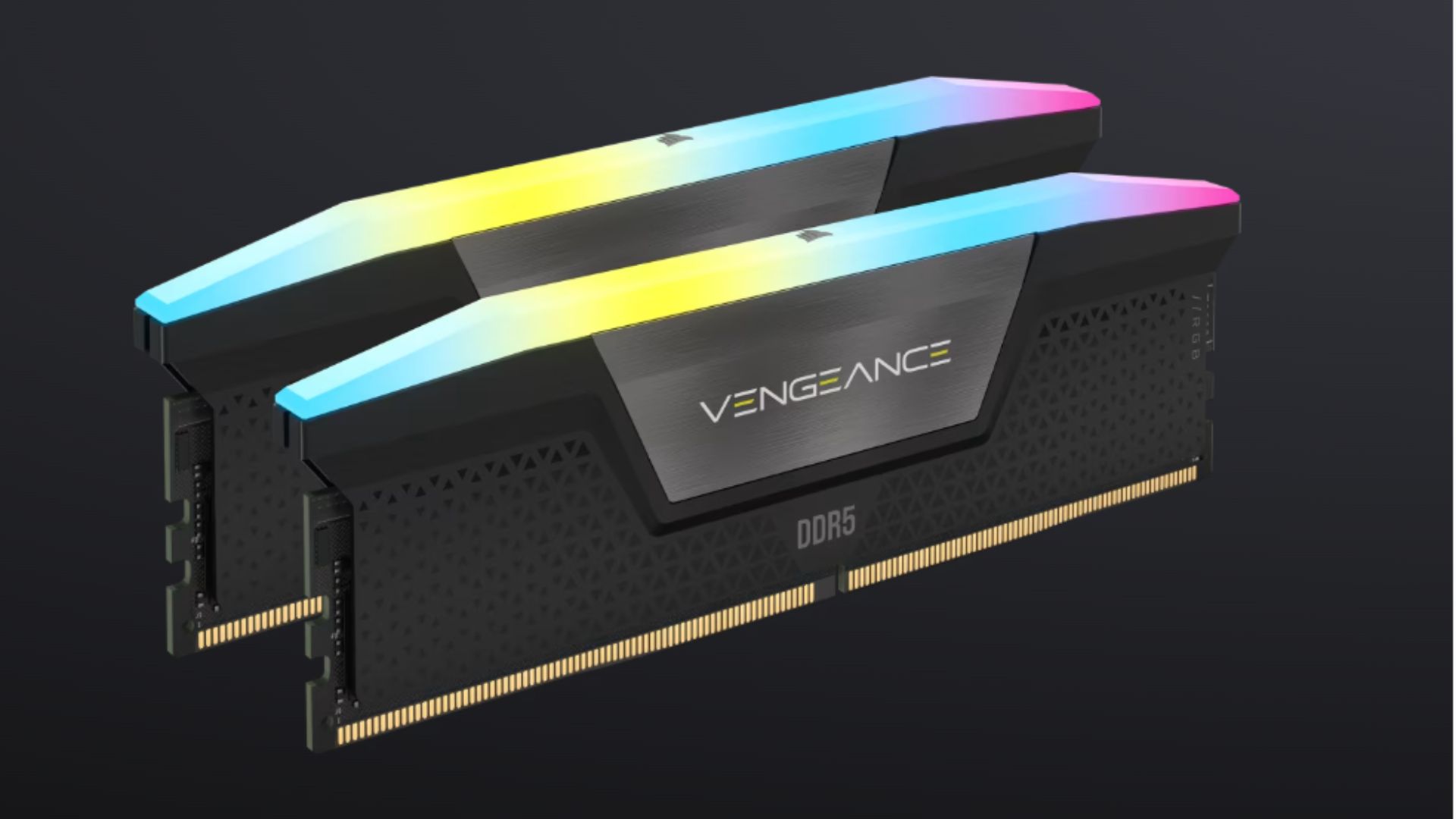
Best for: Gamers building or upgrading to DDR5 platforms
Pricing from: $129.99 (32GB kit)
Key features: 6000MHz speed, DDR5 technology, CL30 latency, Intel XMP 3.0 support, AMD EXPO compatible, integrated RGB lighting, aluminum heat spreaders, lifetime warranty
RAM upgrades deliver some of gaming's most cost-effective performance improvements, particularly when upgrading from 16GB to 32GB on modern titles. The Corsair Vengeance RGB DDR5-6000 hits the sweet spot for Ryzen 7000/9000 and Intel 13th/14th gen systems, providing speeds that maximize Infinity Fabric performance on AMD platforms while remaining stable and affordable. The CL30 latency timings balance speed with reliability better than cheaper CL36+ kits that sacrifice responsiveness.
Testing across modern titles shows that upgrading from DDR5-4800 to 6000MHz can yield 5-15% FPS improvements in CPU-bound scenarios, particularly in competitive titles like CS2, Valorant, and esports MOBAs. The jump from 16GB to 32GB prevents performance-crippling stutters in memory-hungry titles like Microsoft Flight Simulator, Tarkov, and modded games. The RGB lighting integrates with Corsair iCUE for synchronized effects, though this remains optional via a simple switch.
The aluminum heat spreaders maintain thermal performance during extended sessions, while the lifetime warranty provides peace of mind for long-term builds. Installation is straightforward—simply enable XMP or EXPO in BIOS to achieve rated speeds without manual timing adjustments.
Pros:
6000MHz speed optimized for current AMD and Intel platforms
32GB capacity handles modern gaming demands
CL30 timings provide excellent responsiveness
Competitive pricing for performance delivered
Lifetime warranty ensures long-term reliability
Cons:
RGB lighting adds cost for minimal functional benefit
Some motherboards require BIOS updates for full compatibility
Taller heat spreaders may interfere with large CPU coolers
Diminishing returns beyond 6000MHz for most gaming scenarios
5. Samsung 990 PRO 2TB
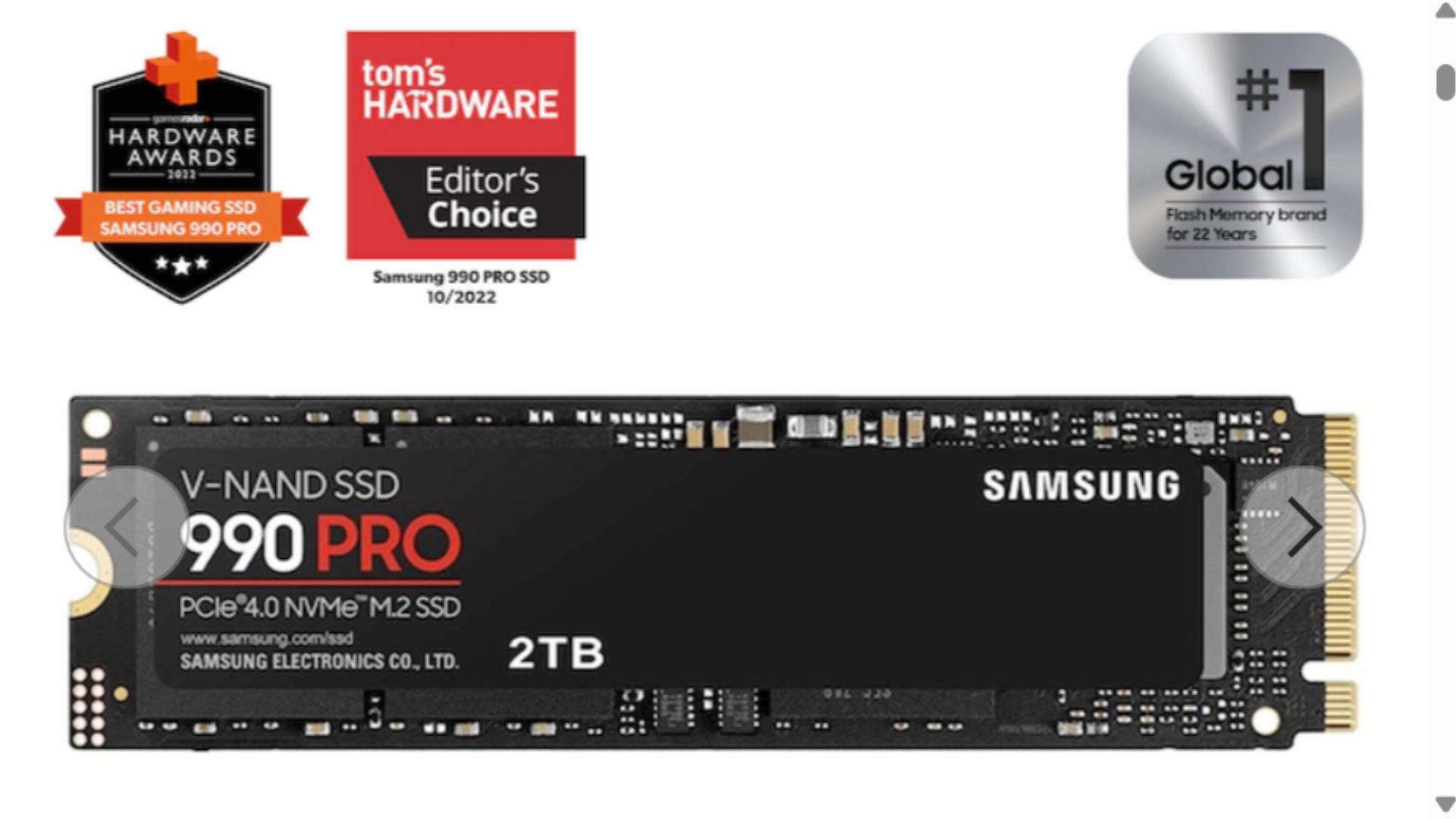
Best for: Gamers needing fast storage for reduced load times
Pricing from: $159.99
Key features: PCIe 4.0 NVMe M.2 interface, 7,450 MB/s read speeds, 6,900 MB/s write speeds, 2TB capacity, Samsung Magician software, 5-year warranty, DRAM cache, thermal control technology
Storage upgrades rank among the most noticeable improvements for gaming experience quality, with the Samsung 990 PRO delivering generation-leading speeds that reduce game load times, minimize texture streaming stutters, and accelerate system boot speeds. The 7,450 MB/s sequential read performance means games like Cyberpunk 2077, Starfield, and Call of Duty load in seconds rather than minutes. The 2TB capacity accommodates 15-25 modern AAA titles plus operating system, eliminating constant game management.
The inclusion of DRAM cache distinguishes the 990 PRO from budget NVMe drives, maintaining consistent performance even during sustained workloads rather than throttling after initial bursts. Samsung Magician software provides health monitoring, firmware updates, and secure erase functionality through an intuitive interface. The drive's thermal control technology includes a heat spreader label and dynamic thermal management that prevents throttling without requiring additional heatsinks on most motherboards.
Upgrading from SATA SSD or mechanical HDD storage to the 990 PRO delivers transformative improvements—SATA drives max out around 550 MB/s versus 7,450 MB/s here. Even compared to older PCIe 3.0 NVMe drives (typically 3,500 MB/s), the performance gains are noticeable in DirectStorage-enabled games and load-heavy titles.
Pros:
Exceptional 7,450 MB/s read speeds reduce load times dramatically
2TB capacity fits extensive game libraries
DRAM cache maintains consistent performance
Five-year warranty with strong reliability track record
Samsung Magician software simplifies management
Cons:
More expensive per GB than budget NVMe alternatives
Requires PCIe 4.0 M.2 slot for full performance
Performance gains over PCIe 3.0 are modest in many games
Gets warm under sustained loads without additional cooling
6. Noctua NH-D15 chromax.black
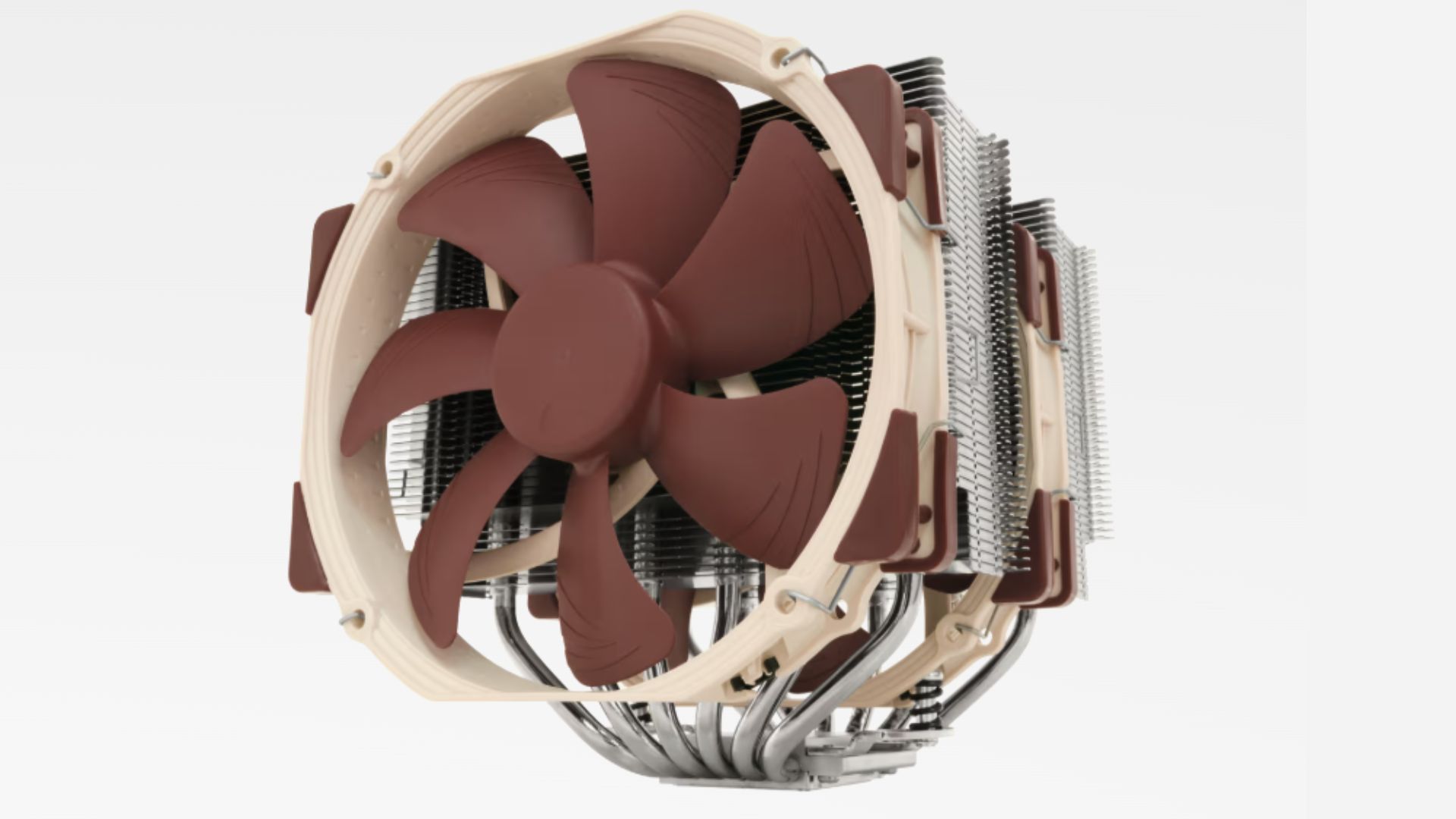
Best for: Gamers seeking maximum air cooling performance
Pricing from: $119.95
Key features: Dual tower design with two NF-A15 fans, 250W TDP cooling capacity, universal socket compatibility, 6-year warranty, black aesthetic coating, includes NT-H1 thermal paste, 165mm height
CPU cooling upgrades deliver both performance and acoustics improvements, with the Noctua NH-D15 representing the pinnacle of air cooling technology. The dual tower design with two premium NF-A15 PWM fans delivers cooling performance rivaling 240mm AIO liquid coolers while eliminating pump noise and failure risks. The 250W TDP rating handles even high-end overclocked processors like Intel i9-14900K or AMD Ryzen 9 7950X3D while maintaining whisper-quiet operation under most loads.
The chromax.black coating addresses Noctua's historical aesthetic criticism while maintaining the exceptional build quality and mounting hardware that made the brand legendary. Installation is straightforward with the SecuFirm2+ mounting system that accommodates all modern sockets (Intel LGA1700/1200 and AMD AM5/AM4). The 6-year warranty vastly exceeds typical AIO warranties (2-3 years) and reflects Noctua's confidence in long-term reliability.
Upgrading from stock coolers or budget tower coolers to the NH-D15 can reduce CPU temperatures by 15-25°C under load, which translates to less thermal throttling, quieter fan speeds, and potentially higher sustained boost clocks. For gamers with high-end CPUs in well-ventilated cases, this represents better value than similarly priced AIOs while eliminating maintenance concerns.
Pros:
Exceptional cooling performance matching 240mm AIOs
Whisper-quiet operation even under heavy loads
No pump failure risk or maintenance requirements
6-year warranty outlasts typical AIO lifespan
Includes premium NT-H1 thermal paste
Cons:
Massive 165mm height incompatible with compact cases
Blocks first PCIe slot or RAM slots in some motherboard layouts
Heavy weight requires secure motherboard support
More expensive than budget tower coolers with 80% of the performance
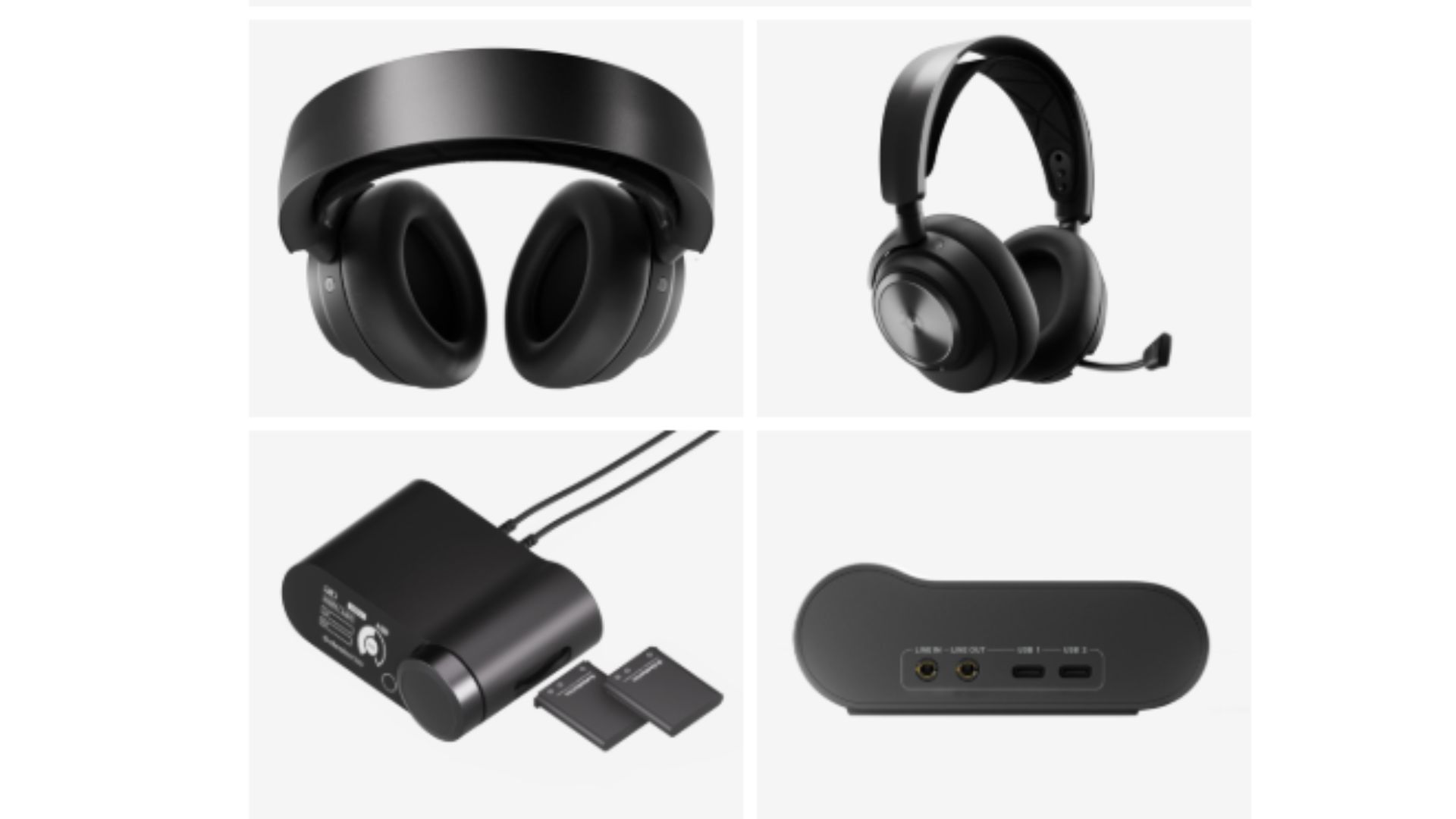
7. SteelSeries Arctis Nova Pro
Best for: Gamers wanting premium audio with customization flexibility
Pricing from: $349.99
Key features: High Fidelity Drivers with 40mm neodymium magnets, active noise cancellation, GameDAC Gen 2, simultaneous wireless and Bluetooth connectivity, 38-hour battery life, ClearCast Gen 2 microphone, Sonar spatial audio software
The SteelSeries Arctis Nova Pro solves gaming audio's most persistent problem—delivering premium sound quality while maintaining practical features for competitive and immersive gaming. The High Fidelity Drivers produce exceptional clarity across the frequency spectrum, allowing you to distinguish subtle audio cues like footsteps, reloads, and environmental positioning that competitive advantages require. The GameDAC Gen 2 provides granular EQ control through an elegant OLED interface, letting you create game-specific audio profiles without launching software.
The simultaneous wireless and Bluetooth connectivity enables seamless multi-device usage—game audio through the 2.4GHz wireless connection while taking Discord calls via Bluetooth on your phone. The 38-hour battery life eliminates daily charging routines, while the hot-swappable battery system means infinite usage with the included second battery. Active noise cancellation blocks environmental distractions during intense competitive moments, enhancing focus when it matters most.
The ClearCast Gen 2 retractable boom microphone delivers broadcast-quality voice capture with AI-powered noise suppression that eliminates background sounds like keyboard clicks and fan noise. Sonar spatial audio software provides competitive-grade 360-degree positioning that surpasses most gaming "surround sound" gimmicks with genuine spatial awareness improvements.
Pros:
Exceptional audio quality for both gaming and music
GameDAC Gen 2 enables sophisticated audio customization
Simultaneous wireless and Bluetooth connectivity
38-hour battery life with hot-swappable backup
Premium microphone quality with AI noise suppression
Cons:
Expensive compared to competitive gaming headsets
Heavier than ultralight competitors
Requires investment in learning audio customization for optimal results
Wireless dongle occupies USB port
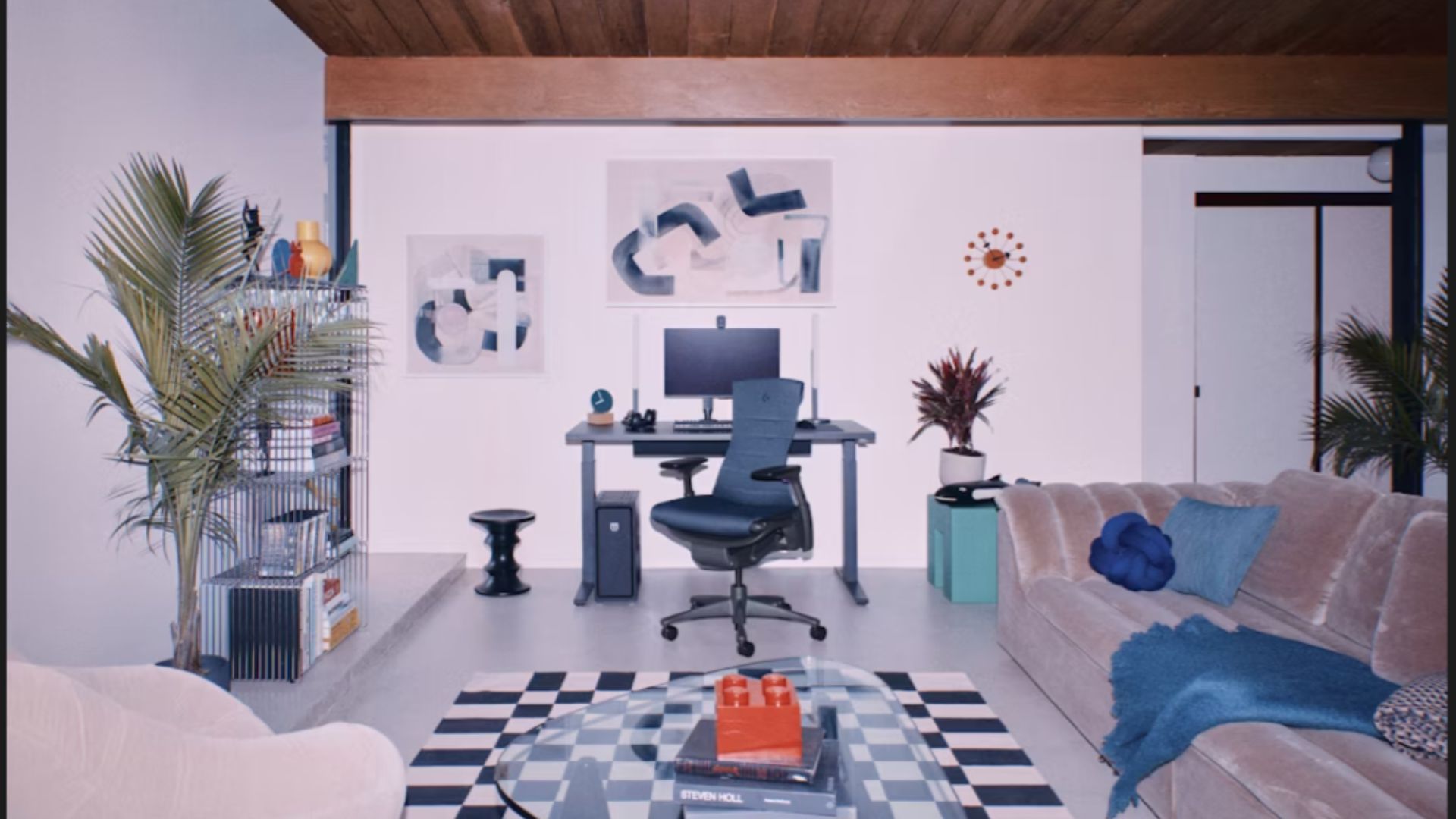
8. Herman Miller X Logitech G Embody
Best for: Gamers prioritizing ergonomics and long-term health
Pricing from: $1,795
Key features: Proprietary Pixelated Support system, dynamic matrix of pixels, copper-infused cooling foam, recline limiter adjustment, 12-year warranty, science-backed ergonomic design, height and arm adjustability
Gaming chairs often prioritize aesthetics over ergonomics, but the Herman Miller X Logitech G Embody represents a paradigm shift toward chairs that prevent long-term health issues from extended sitting. The Pixelated Support system automatically conforms to your spine's natural curvature without manual adjustments, distributing weight evenly to eliminate pressure points that cause discomfort during marathon sessions. The copper-infused cooling foam regulates temperature more effectively than leather or fabric alternatives, preventing the sweaty back syndrome common with racing-style chairs.
The collaboration between Herman Miller's ergonomic expertise and Logitech G's gaming knowledge resulted in refinements specifically for gamers: improved recline resistance for leaning-forward competitive postures, enhanced lower lumbar support for prolonged sitting, and optimized armrest positioning for mouse and keyboard use. The 12-year warranty reflects commercial-grade build quality that justifies the investment when amortized across a decade-plus lifespan versus replacing $300 chairs every 2-3 years.
Clinical studies on the original Embody (which this gaming version refines) demonstrate reduced lower back pain, improved posture, and better circulation during extended sitting compared to traditional office or gaming chairs. For gamers spending 4+ hours daily at their setup, the health and comfort improvements are measurable and meaningful.
Pros:
Science-backed ergonomic design prevents long-term health issues
Pixelated Support automatically adjusts to body shape
Copper-infused cooling foam regulates temperature
12-year warranty provides exceptional value over lifespan
Suitable for office work maintaining professional aesthetic
Cons:
Extremely expensive upfront investment
Lacks aggressive "gaming" aesthetic some prefer
Requires break-in period for optimal comfort
May not fit smaller or larger body types ideally
9. Elgato Stream Deck MK.2
Best for: Streamers and content creators needing efficient workflow control
Pricing from: $149.99
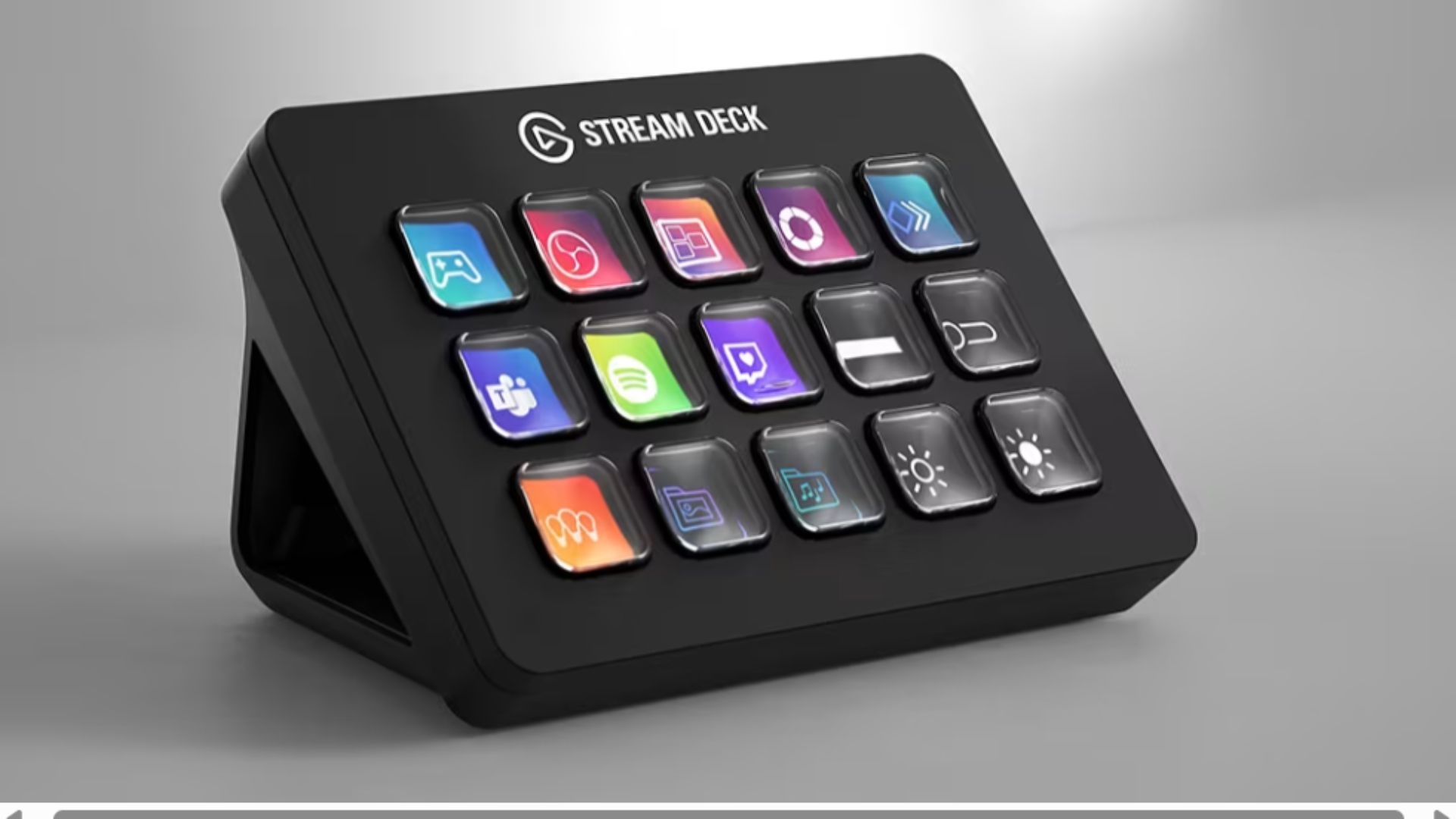
Key features: 15 customizable LCD keys, Stream Deck software integration, unlimited actions via nested folders, direct integration with OBS, Twitch, Discord, Spotify, customizable icons, USB-C connectivity, magnetic stand
The Elgato Stream Deck MK.2 transforms streaming and gaming workflows by consolidating dozens of hotkeys, macros, and application controls onto a compact device with visual feedback. Each of the 15 LCD keys displays custom icons showing exactly what action it triggers—switching OBS scenes, launching Twitch ads, adjusting audio levels, controlling smart lighting, or activating Discord push-to-talk. The nested folder system provides unlimited actions accessible through hierarchical organization rather than remembering obscure keyboard combinations.
The software integration spans gaming's entire ecosystem beyond just streaming—control Philips Hue lighting to match game events, launch specific applications or games, execute complex multi-step macros with single button presses, or manage media playback across all running applications. For streamers, the OBS integration enables scene switching, source control, and audio mixing with tactile, visual feedback that eliminates on-screen overlays or memorizing hotkeys during live broadcasts.
Even non-streamers benefit from the Stream Deck's efficiency improvements for competitive gaming—binding smoke lineups in Valorant, item shop shortcuts in MOBAs, build orders in RTS games, or communication commands all become instant single-button actions. The ability to create game-specific profiles that auto-switch when launching applications ensures your Stream Deck always presents relevant controls.
Pros:
Consolidates unlimited actions into visual, tactile interface
Deep integration with streaming and gaming software
Customizable LCD keys show exactly what each button does
Nested folders provide infinite action organization
Regular software updates add new integrations
Cons:
Expensive for non-streamers with limited use cases
Requires time investment to configure optimally
15-key model may be insufficient for complex setups
USB-C cable is relatively short
10. Nanoleaf 4D Screen Mirror Kit

Best for: Gamers wanting immersive ambient lighting synchronized to gameplay
Pricing from: $99.99
Key features: Screen-synced RGBIC light strip, camera-based color matching, supports up to 65" screens, 16M+ colors, integration with Nanoleaf ecosystem, music sync mode, customizable scenes, voice assistant compatibility
The Nanoleaf 4D creates immersive ambient lighting by extending your screen's colors onto the wall behind your monitor, dramatically expanding perceived screen size and reducing eye strain during night gaming sessions. The camera-based system analyzes screen content in real-time, matching edge colors and projecting them outward to create an IMAX-like viewing experience. The RGBIC technology enables multiple colors simultaneously on the same strip, producing smooth gradients that accurately reflect on-screen action rather than single-color washes.
Installation takes approximately 30 minutes, mounting the light strip to your monitor's back edge with included adhesive and positioning the camera above the screen. The system works with all display types (monitors, TVs, ultrawide) up to 65 inches and supports refresh rates up to 240Hz without introducing noticeable lag. Beyond gaming, the lights enhance movie watching and general computing while reducing eye strain from bright screens in dark rooms.
The Nanoleaf ecosystem integration allows coordinating your 4D setup with other Nanoleaf products for whole-room lighting scenes. Music sync mode transforms your space into a reactive environment during non-gaming activities, while scheduled scenes can gradually dim lights for bedtime or energize your space when you start gaming.
Pros:
Dramatically enhances gaming immersion and atmosphere
Reduces eye strain during night gaming
Camera-based system works with any content source
No performance impact on gaming system
Expandable through Nanoleaf ecosystem
Cons:
Effect quality depends on room darkness and wall distance
Camera placement can be finicky for optimal color capture
Pricey for what's essentially decorative lighting
May distract from competitive gaming scenarios
Comparison Summary
Price Ranges: Upgrades span from $99 (Nanoleaf lighting) to $1,795 (Herman Miller chair), with most performance-critical upgrades falling in the $129-$349 range. Budget-conscious gamers should prioritize RAM and SSD upgrades ($129-159) for measurable performance gains, while competitive players benefit most from monitor and mouse upgrades ($599 and $159 respectively).
Installation Complexity: RAM, SSD, and cooling upgrades require opening your PC and basic technical knowledge, though installation difficulty remains low. Peripherals (monitor, mouse, keyboard, headset) are plug-and-play with zero technical expertise required. The Herman Miller chair ships fully assembled, while lighting requires 30 minutes of adhesive mounting.
Who Each Is Best For: Competitive FPS players should prioritize the BenQ monitor, Logitech mouse, and Wooting keyboard for input lag and response time advantages. Content creators and streamers gain most from the Stream Deck and SteelSeries headset. Gamers with high-end CPUs benefit from Noctua cooling to prevent thermal throttling. Everyone benefits from RAM and SSD upgrades regardless of play style, while the Herman Miller chair and Nanoleaf lighting enhance comfort and ambiance across all gaming types.
Performance Impact Hierarchy: Internal hardware (RAM, SSD, cooling) delivers the most measurable FPS and loading time improvements. Peripherals (monitor, mouse, keyboard) reduce latency and improve input precision but won't increase frame rates. Quality-of-life upgrades (headset, chair, lighting) enhance comfort and immersion without affecting system performance metrics.
Buying Guide
Who Needs Gaming Setup Upgrades: Anyone experiencing system bottlenecks (high CPU temperatures, insufficient RAM causing stutters, slow load times), competitive players seeking input lag reduction and response time advantages, streamers and content creators managing complex workflows, or gamers experiencing discomfort during extended sessions all benefit from targeted upgrades.
How It Works: Upgrades fall into three categories—internal hardware components that affect system performance directly (RAM, SSD, cooling), peripherals that affect input and output quality (monitor, mouse, keyboard, headset), and comfort/workflow enhancements (chair, stream controls, lighting). Effective upgrading identifies your specific bottlenecks rather than chasing arbitrary improvements.
Essential Features to Consider:
Compatibility: Verify socket compatibility for cooling, RAM generation support (DDR4 vs DDR5), M.2 slot availability for SSDs, and case clearance for large coolers before purchasing.
Use Case Alignment: Competitive players prioritize low-latency peripherals over aesthetics. Single-player enthusiasts benefit more from immersive audio and lighting. Streamers need workflow optimization tools. Match upgrades to your actual gaming patterns.
Performance Metrics: For monitors, prioritize refresh rate (144Hz minimum for competitive), response time (5ms or less), and resolution appropriate to your GPU capabilities. For storage, focus on sequential read speeds and DRAM cache presence. For cooling, ensure TDP rating exceeds your CPU's requirements.
Future-Proofing: Invest in upgrades with longevity—quality peripherals last 5+ years, while internal components should match your planned system lifespan. The Herman Miller chair's 12-year warranty exemplifies buying once rather than repeatedly replacing cheaper alternatives.
Diminishing Returns: Performance improvements aren't linear—jumping from 60Hz to 144Hz is transformative; 144Hz to 240Hz is noticeable; 240Hz to 360Hz is marginal except for elite players. Apply the 80/20 rule to maximize value.
Pricing Overview
Budget-Tier Upgrades ($100-200): RAM (32GB DDR5-6000 at $129.99) and quality SSD storage (2TB NVMe at $159.99) deliver the best performance-per-dollar. The Nanoleaf 4D at $99.99 provides ambiance enhancement at entry pricing. These upgrades offer noticeable improvements for minimal investment.
Mid-Range Upgrades ($200-400): Premium peripherals dominate this tier—the Logitech G Pro X Superlight 2 ($159), Wooting 60HE ($199), and SteelSeries Arctis Nova Pro ($349.99) deliver professional-grade performance. The Noctua NH-D15 ($119.95) and Stream Deck MK.2 ($149.99) also fall here, representing excellent value for their categories.
Premium Upgrades ($500-800): The BenQ ZOWIE XL2566K monitor at $599 represents peak competitive display technology. This tier provides diminishing returns for casual players but tangible advantages for competitive gamers and professionals where milliseconds matter.
Luxury Tier ($1,000+): Only the Herman Miller X Logitech G Embody chair ($1,795) occupies this range, justified by health benefits, 12-year warranty, and all-day comfort rather than raw gaming performance. Calculate cost per year over the warranty period for perspective.
DIY vs. Professional Installation: RAM, SSD, and peripheral upgrades are straightforward DIY projects requiring no special tools beyond a screwdriver. CPU cooler installation is more complex but manageable with online tutorials—professional installation typically costs $50-100 if you're uncomfortable. Chair assembly is typically unnecessary as most ship fully constructed. Cable management services for complete setup optimization run $100-300 for those wanting professional aesthetics.
FAQ
Q: Which upgrade provides the biggest performance improvement?
For most systems, upgrading from 16GB to 32GB RAM delivers the most noticeable difference if you're experiencing stuttering in modern games. If you have sufficient RAM, upgrading to a fast NVMe SSD dramatically reduces load times. For competitive players with adequate hardware, a high-refresh monitor (144Hz+) and quality mouse provide the most perceivable input lag and response time improvements. Identify your specific bottleneck through monitoring software before upgrading blindly.
Q: Do I need to upgrade everything at once?
Absolutely not—targeted upgrades addressing specific bottlenecks deliver better value than wholesale replacements. Start with monitoring your system during gaming: if CPU temperatures exceed 85°C, upgrade cooling; if RAM usage consistently hits 90%+, add memory; if load times frustrate you, upgrade storage. Peripheral upgrades can be spread across months or years as budget allows, with monitor typically being the highest priority followed by mouse and keyboard.
Q: Will these upgrades work with my existing PC?
Most peripherals are universally compatible, but internal upgrades require verification. Check your motherboard's RAM generation (DDR4 vs DDR5) and speed support in specifications before purchasing memory. Verify M.2 slot availability and PCIe generation for SSD upgrades. Measure CPU cooler clearance in your case against the NH-D15's 165mm height. When uncertain, consult PCPartPicker's compatibility checker or your motherboard's manual.
Q: How much of a difference do high-end peripherals actually make?
For casual gaming, diminishing returns apply—a $50 mouse performs 80% as well as a $159 Superlight 2 for most players. However, competitive players at higher skill levels perceive and benefit from reduced input lag, lower weight, and better sensor precision. A 360Hz monitor won't make a bad player good, but eliminates a technical disadvantage for skilled players. If you're ranked Diamond+ or competing in tournaments, premium peripherals provide legitimate edges. For casual play, mid-range options suffice.
Q: Should I upgrade my GPU or these components first?
If your GPU can't maintain 60+ FPS at your desired settings, upgrading it should typically precede peripheral improvements—a 360Hz monitor can't help if your system outputs 45 FPS. However, if your GPU is adequate but you're experiencing other issues (thermal throttling, slow loads, discomfort), these upgrades address different problems than GPU replacement. RAM and SSD upgrades also complement GPU upgrades by eliminating non-GPU bottlenecks. Evaluate holistically rather than assuming GPU is always the answer.