

Top 10 at a Glance
Google Maps – Best for navigation and offline maps
Hopper – Best for flight price predictions
Google Translate – Best for language barriers
XE Currency – Best for real-time currency conversion
TripIt – Best for organizing travel itineraries
Airalo – Best for international eSIM data
Trail Wallet – Best for tracking travel expenses
Rome2Rio – Best for finding transportation options
PackPoint – Best for smart packing assistance
Citymapper – Best for urban public transit
1. Google Maps
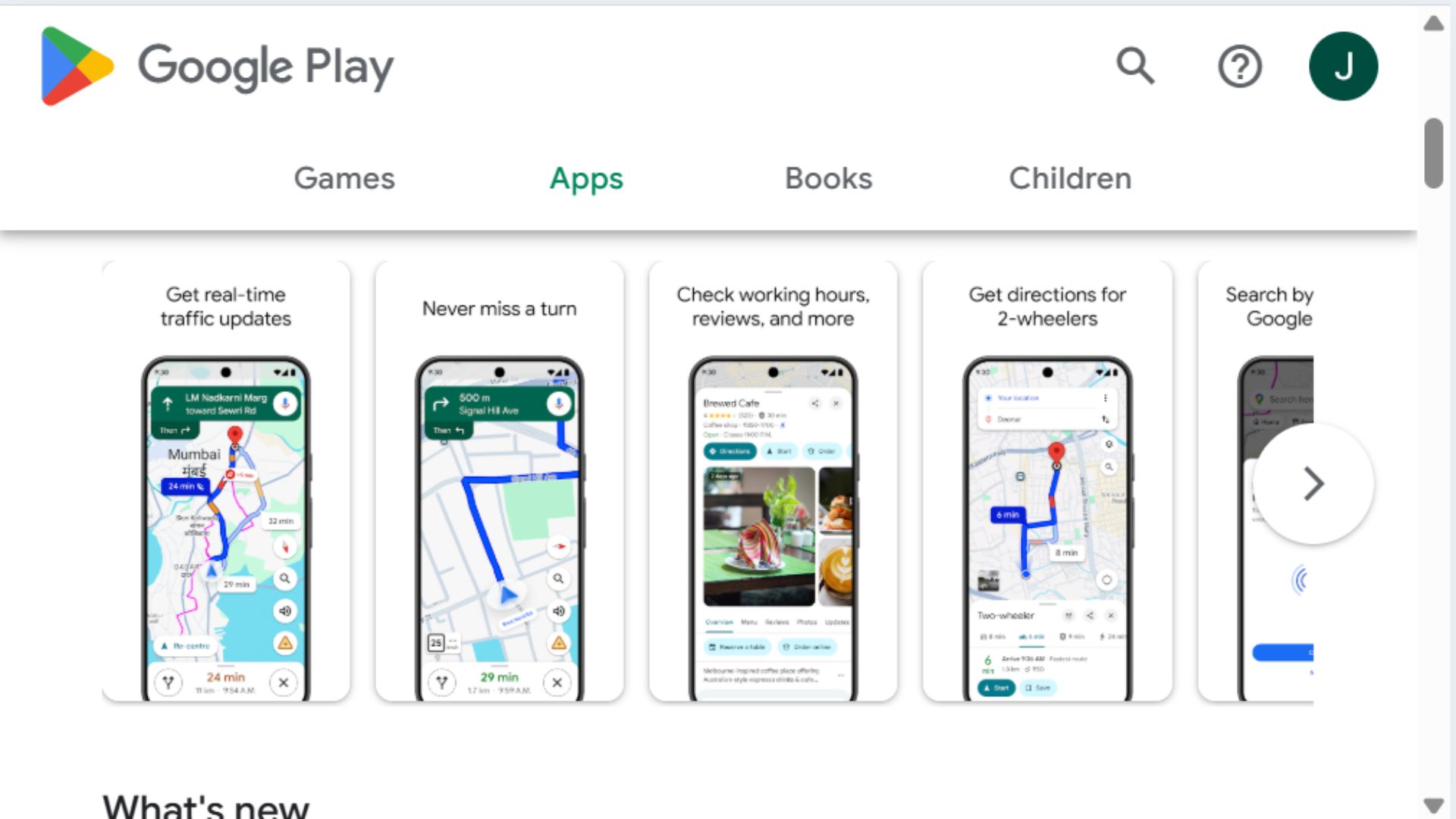
Google Maps is the foundational navigation app that works everywhere from major cities to remote hiking trails. Beyond basic directions, it offers real-time traffic updates, public transit routing, offline map downloads, and user reviews of businesses. The extensive mapping data and integration with search results make it indispensable for travelers navigating unfamiliar places.
Who It's For: Every traveler regardless of destination or trip type, from road trippers needing highway directions to urban explorers finding subway routes to hikers seeking trailheads.
Key Features: Turn-by-turn navigation with voice guidance works even in offline mode once maps are downloaded. Saved places let you create lists of restaurants, attractions, and hotels to visit. Real-time public transit information includes schedules, delays, and platform changes in major cities worldwide. Street View provides virtual previews of destinations before arrival. Business listings include hours, contact information, photos, and user reviews. Timeline feature automatically tracks your travel history if location services are enabled. Share live location with friends or family for safety. Works internationally without roaming charges if maps are pre-downloaded. Integration with restaurant reservations, ride-sharing apps, and hotel bookings. Walking, cycling, driving, and public transit modes optimize routes differently.
Pricing: Free with no ads; requires data connection unless maps are pre-downloaded.
Pros:
Works globally with exceptional coverage
Offline maps save data and work without connection
Real-time traffic and transit updates
User reviews help evaluate restaurants and attractions
Street View provides visual destination preview
Completely free with no subscription
Cons:
Offline maps require advance download and storage space
Battery drain can be significant with GPS active
Some remote areas lack detailed mapping
Public transit info quality varies by city
Privacy concerns with location tracking
2. Hopper

Hopper uses predictive algorithms and historical pricing data to forecast whether flight prices will rise or fall, helping travelers decide when to book. The app's color-coded recommendations take the guesswork out of flight shopping, while price freeze and monitoring features protect against fare increases even if you're not ready to book immediately.
Who It's For: Budget-conscious travelers planning trips in advance, anyone anxious about overpaying for flights, and flexible travelers who can adjust dates for better prices.
Key Features: Price prediction shows percentage likelihood of fares increasing or decreasing with recommendations to book now or wait. Watch trips feature monitors specific routes and sends push notifications when prices drop or when it's time to book. Price freeze lets you lock current fares for 3-21 days for a small fee ($5-$40), eliminating booking pressure while protecting against increases. Calendar view displays cheapest days to fly at a glance. Flexible date search shows prices across entire months. Hotel predictions work similarly to flights. Carrot Cash rewards program provides credits toward future bookings. Price drop guarantee refunds differences if prices fall after booking certain fares. Bundle deals combine flights and hotels for additional savings. Clean interface with visual graphs showing price trends over time.
Pricing: Free to use; price freeze feature costs $5-$40 depending on fare value; deals typically 10-40% below standard rates.
Pros:
Data-driven recommendations reduce booking anxiety
Price predictions are surprisingly accurate
Freeze feature protects against increases while you decide
Visual interface makes finding deals easy
Push notifications alert to price drops
Price drop guarantee on select bookings
Cons:
Mobile app only (no desktop version)
Limited to flights and hotels (no rental cars)
Price freeze costs extra
Predictions not 100% accurate
Inventory sometimes limited vs. other booking sites
Customer service can be slow
3. Google Translate

Google Translate breaks down language barriers in over 130 languages with text, voice, and camera translation. The offline mode downloads entire language packs, allowing translation without international data charges. The camera translation feature instantly translates signs, menus, and documents by pointing your phone at text.
Who It's For: International travelers visiting non-English speaking countries, anyone trying to read foreign menus or signs, and travelers seeking basic communication with locals who don't speak English.
Key Features: Camera translation instantly translates printed text in real-time by pointing your phone camera at signs, menus, or documents. Voice translation allows spoken conversation with someone speaking another language (you speak, it translates; they speak, it translates back). Offline translation downloads language packs (typically 40-60MB each) for use without internet connection. Handwriting input lets you draw characters for languages with non-Latin alphabets. Phrasebook saves commonly used translations for quick access. Conversation mode facilitates back-and-forth dialogue. Transcribe feature provides continuous translation of spoken language. Works with 133 languages though quality varies. Integration with other apps translates highlighted text system-wide on Android.
Pricing: Completely free with no subscription or in-app purchases required.
Pros:
Camera translation is genuinely magical
Offline mode works without data/WiFi
Completely free with no limitations
Supports 130+ languages
Voice conversation mode facilitates communication
Continually improving accuracy with AI
Cons:
Translation quality varies significantly by language
Offline packs require advance download
Camera translation struggles with handwriting
Literal translations sometimes miss context
Requires good lighting for camera features
Voice recognition struggles with accents/noise
4. XE Currency
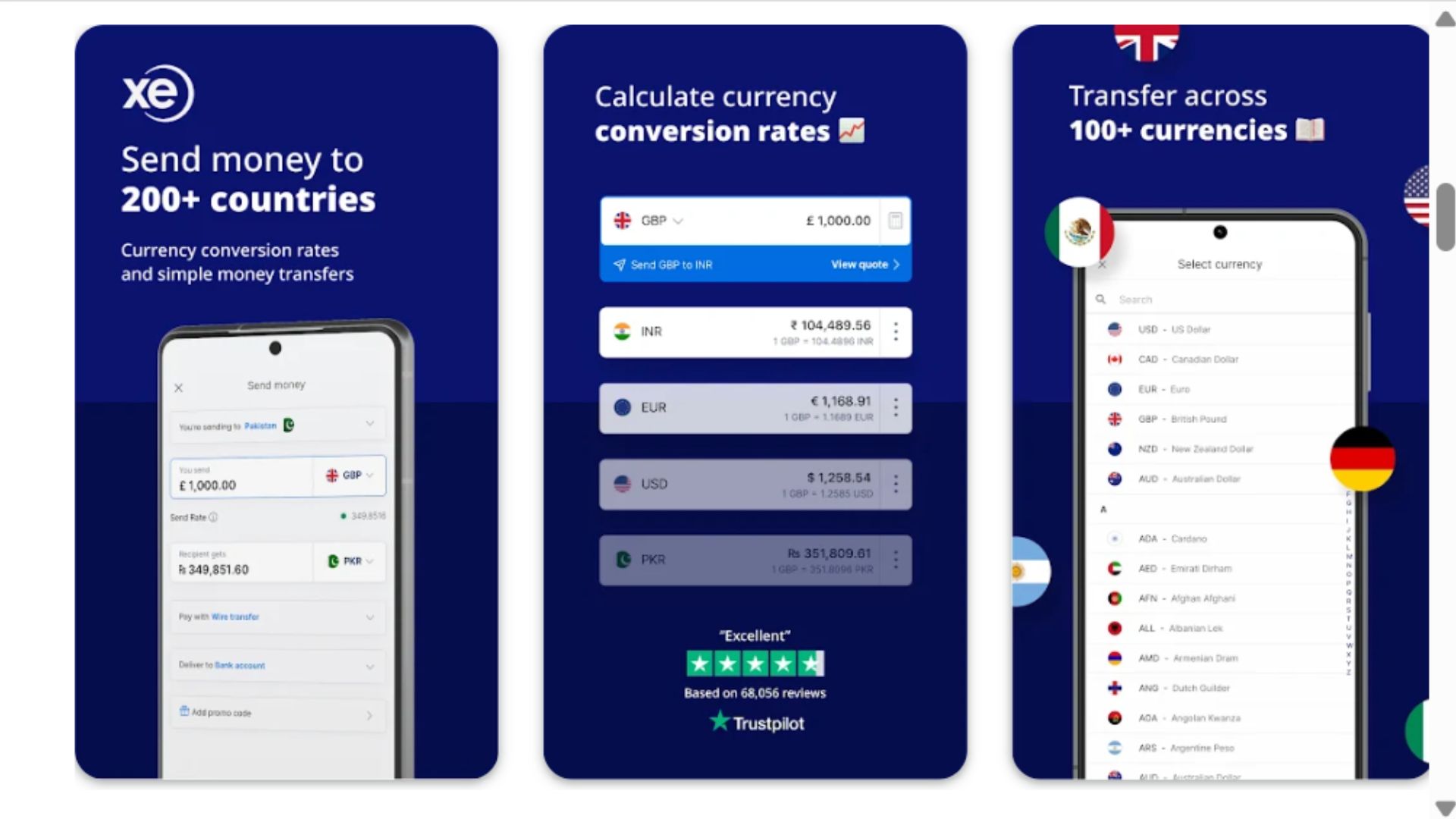
XE Currency provides real-time exchange rates for every world currency with offline access to the most recently updated rates. The clean interface makes quick conversions easy while traveling, helping you understand whether that restaurant bill or souvenir is actually a good deal. Historical charts show currency trends over time.
Who It's For: International travelers visiting countries with unfamiliar currencies, shoppers trying to determine real prices, and anyone who struggles with mental currency math.
Key Features: Live exchange rates updated every minute when connected to internet. Offline mode stores last downloaded rates for use without connection. Multiple currency tracking lets you monitor several currencies simultaneously (useful for multi-country trips). Historical charts display currency trends over 10 years. Calculator interface makes conversions simple and intuitive. Travel expense tracking in original currency or home currency. Rate alerts notify when target exchange rate is reached. Integration with Apple Watch for quick wrist-based conversions. No ads in the free version. Supports every world currency plus precious metals. Customizable home screen with favorite currencies. One-tap conversion flips between currencies instantly.
Pricing: Free version fully functional; XE Currency Pro ($4/year) removes ads and adds extra features most travelers don't need.
Pros:
Simple, intuitive interface for quick conversions
Works offline with recently cached rates
Completely free for standard features
Supports all world currencies
Extremely accurate rates
No ads in free version
Minimal battery drain
Cons:
Offline rates can become outdated
Doesn't account for actual exchange fees/markups
Historical data more useful for traders than travelers
Pro version offers little extra value
Doesn't integrate with expense tracking apps
5. TripIt
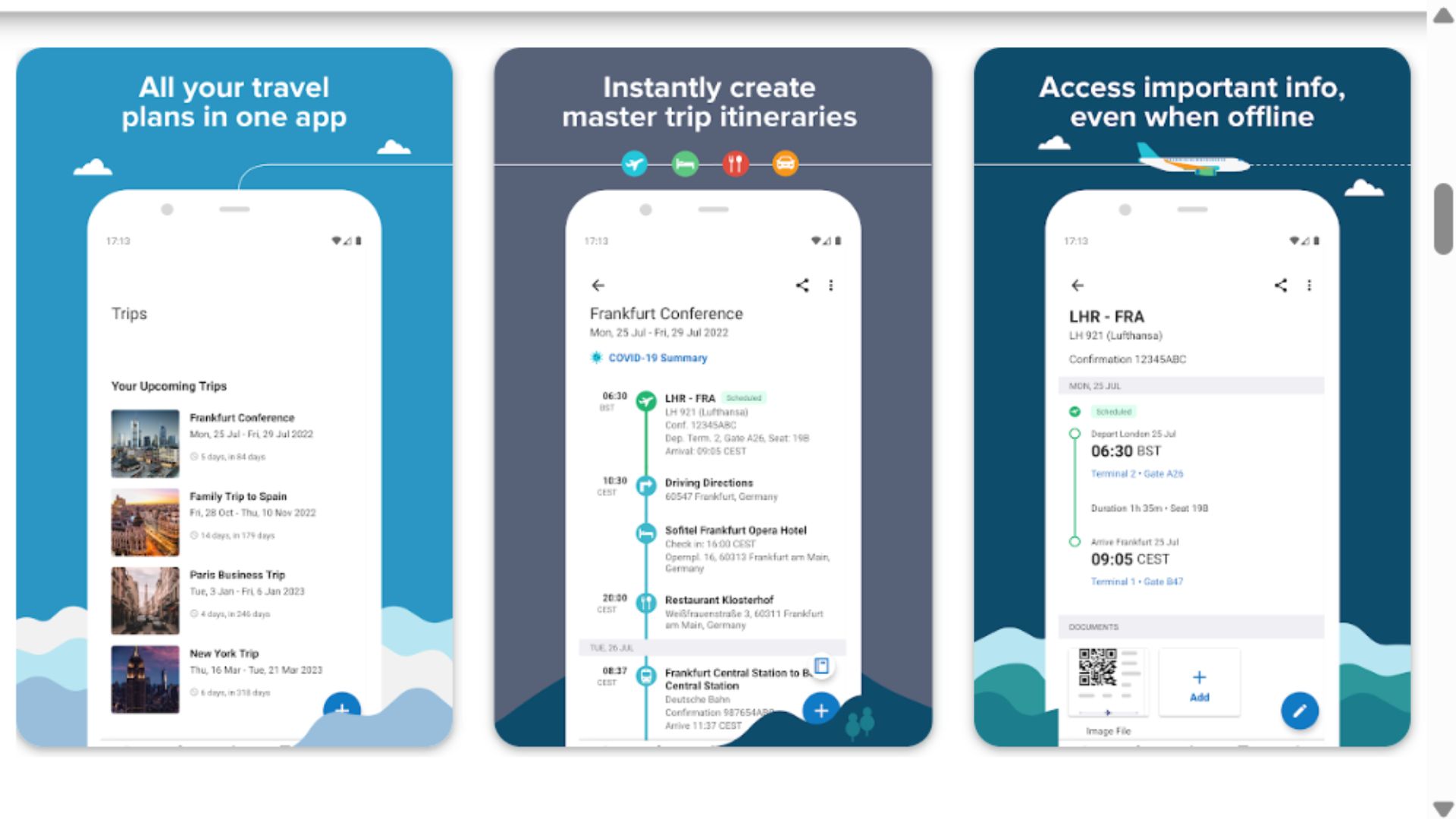
TripIt automatically organizes travel confirmations into comprehensive itineraries by simply forwarding confirmation emails to the app. Flight details, hotel reservations, rental cars, restaurant bookings, and activities compile into a master itinerary accessible offline, eliminating scattered email searches and printed paper trails.
Who It's For: Organized travelers who book from multiple sources, frequent business travelers managing complex itineraries, families coordinating group trips, and anyone overwhelmed by scattered confirmation emails.
Key Features: Email forwarding automatically creates itineraries from confirmation emails sent to plans@tripit.com. Master itinerary combines all trip components (flights, hotels, cars, activities) in chronological order. Offline access ensures itinerary available without internet. Real-time flight alerts notify of gate changes, delays, and cancellations (Pro version). Seat tracking alerts when better seats become available (Pro). Calendar integration adds trips to your calendar automatically. Share itineraries with travel companions or family. Neighborhood safety scores help evaluate hotel locations (Pro). Alternative flight finder suggests options during delays (Pro). Points tracker monitors frequent flyer and hotel points balances (Pro). Maps show where everything on itinerary is located. Works with any booking source (airlines, OTAs, direct bookings).
Pricing: Free version provides core itinerary features; TripIt Pro costs $49/year adding real-time flight alerts and premium features.
Pros:
Automatic itinerary creation eliminates manual entry
Works offline when traveling
Consolidates bookings from any source
Clean, easy-to-navigate interface
Shareable with travel companions
Free version sufficient for most travelers
Cons:
Best features require Pro subscription ($49/year)
Automatic email parsing sometimes misses details
Free version lacks real-time flight alerts
Manual editing sometimes required
Some prefer more visual itinerary apps
Privacy concerns with email access
6. Airalo
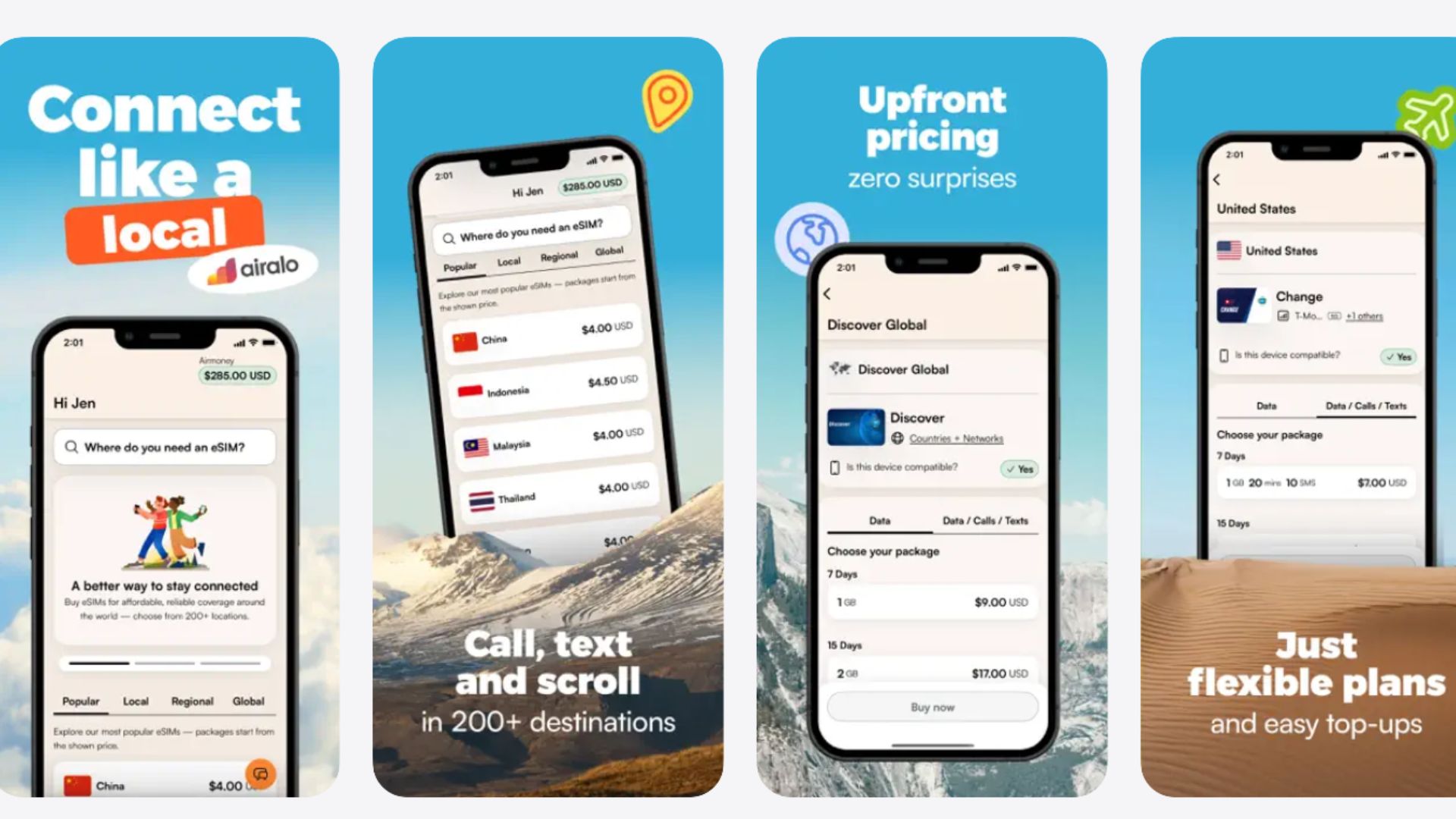
Airalo provides affordable international eSIM data plans that work in 200+ countries, eliminating expensive roaming charges and the hassle of buying local SIM cards at airports. The eSIM technology works on newer iPhones and Android devices, activating instantly through the app without physical SIM card swaps.
Who It's For: International travelers with eSIM-compatible phones, digital nomads working abroad, frequent travelers to multiple countries, and anyone tired of outrageous international roaming fees.
Key Features: eSIM data plans for 200+ countries and regions available instantly through the app. No physical SIM card required—everything activates digitally on compatible phones. Plans range from 1GB for $5 to 20GB for $60+ depending on country and duration. Regional plans cover entire continents (Europe, Asia, etc.) for multi-country trips. Global plans work in 130+ countries for frequent travelers. Keep your primary number active while using Airalo data for internet. Top-up additional data if you run out. Installation takes 5-10 minutes through app instructions. Plans typically valid for 7-30 days. Detailed usage tracking shows remaining data. Customer support via chat. Significantly cheaper than carrier international roaming ($10/day typical).
Pricing: Plans start around $5 for 1GB; typical week-long trip costs $10-$25 for adequate data; still 50-80% cheaper than carrier roaming.
Pros:
Dramatically cheaper than carrier roaming
Instant activation without airport SIM hunting
Keep your primary number active
Works in 200+ countries
Easy installation and setup
No contracts or commitments
Regional plans simplify multi-country trips
Cons:
Requires eSIM-compatible phone (iPhone XS+, recent Android)
Data-only (no voice/SMS except through apps)
Speeds can be slower than local carriers
Some remote areas have limited coverage
Must plan data needs in advance
Customer service less robust than major carriers
7. Trail Wallet
Trail Wallet helps travelers stick to daily budgets by tracking expenses in multiple currencies with simple, fast input. The app calculates exchange rates automatically, shows spending patterns, and alerts when you're approaching budget limits. Unlike complex finance apps, Trail Wallet focuses specifically on travel budgeting without unnecessary features.
Who It's For: Budget-conscious travelers tracking spending, long-term travelers managing limited funds, backpackers staying within daily budgets, and anyone who wants to understand where money goes while traveling.
Key Features: Quick expense entry takes seconds—tap category, enter amount, done. Multiple currency support with automatic exchange rate calculations. Daily budget tracking shows whether you're under or over target. Visual spending breakdowns by category (food, accommodation, transport, entertainment). Trip overview displays total spending, average daily costs, and projections. Multiple trip support for tracking different vacations. Offline functionality works without internet connection. Export data for tax purposes or expense reports. Categories customizable to your spending habits. Calendar view shows daily spending patterns. Budget warnings alert when approaching limits. Simple, distraction-free interface focused on essential features. Syncs across devices if using the same account.
Pricing: One-time purchase of $3-5 (varies by platform); no subscription or recurring fees.
Pros:
Simple, fast expense entry while traveling
Multi-currency support with auto conversion
One-time purchase (no subscription)
Offline functionality
Visual spending insights
Daily budget tracking prevents overspending
Export data for records
Cons:
Requires manual expense entry
Basic features compared to full finance apps
No automatic transaction import
Visual design somewhat dated
Limited reporting compared to dedicated finance software
No receipt photo storage
8. Rome2Rio
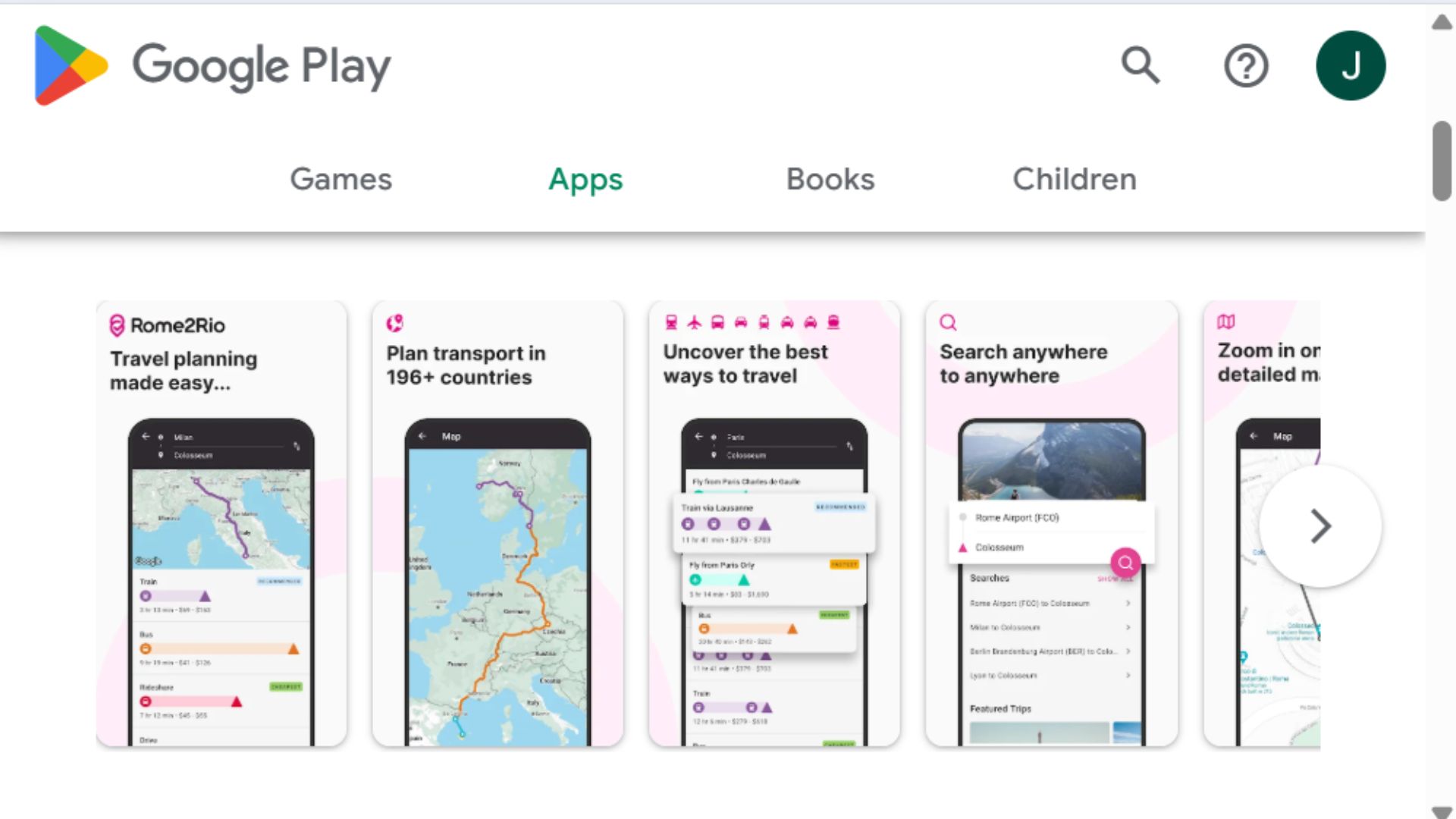
Rome2Rio answers the question "How do I get from here to there?" by showing every transportation option—flights, trains, buses, ferries, driving—with time, cost estimates, and booking links. The comprehensive approach reveals options you might never have considered, often finding cheaper or faster alternatives to obvious choices.
Who It's For: Independent travelers planning complex multi-city itineraries, budget travelers seeking cheapest transportation, adventurers open to creative routing, and anyone researching travel options between non-obvious destinations.
Key Features: Multi-modal search shows flights, trains, buses, ferries, driving, and combinations thereof for any city pair worldwide. Time and cost estimates for each option help compare alternatives. Step-by-step directions break down complex journeys with multiple connections. Booking links connect to airlines, train companies, and bus operators for reservations. Offline maps show routes visually. Covers even obscure routes in developing countries. Departure schedules show when different options leave. Walking distances between stations included for transfers. Alternative routing often reveals indirect but cheaper/faster options. Works globally with remarkable coverage. Useful for researching before trips or spontaneous travel decisions. No booking through app (links to operators) means no markup. Updates regularly with new transportation options.
Pricing: Free with ads; Rome2Rio Pro ($5/year) removes ads and adds offline maps.
Pros:
Shows every possible transportation method
Covers obscure routes other apps miss
Reveals creative routing options
Time and cost estimates help planning
Works globally with impressive coverage
Useful for spontaneous and planned trips
Free version fully functional
Cons:
Cost estimates sometimes inaccurate
Schedule info can be outdated for smaller operators
Doesn't book transportation (just links out)
Interface can feel cluttered
Some remote areas lack data
Ads in free version somewhat intrusive
9. PackPoint
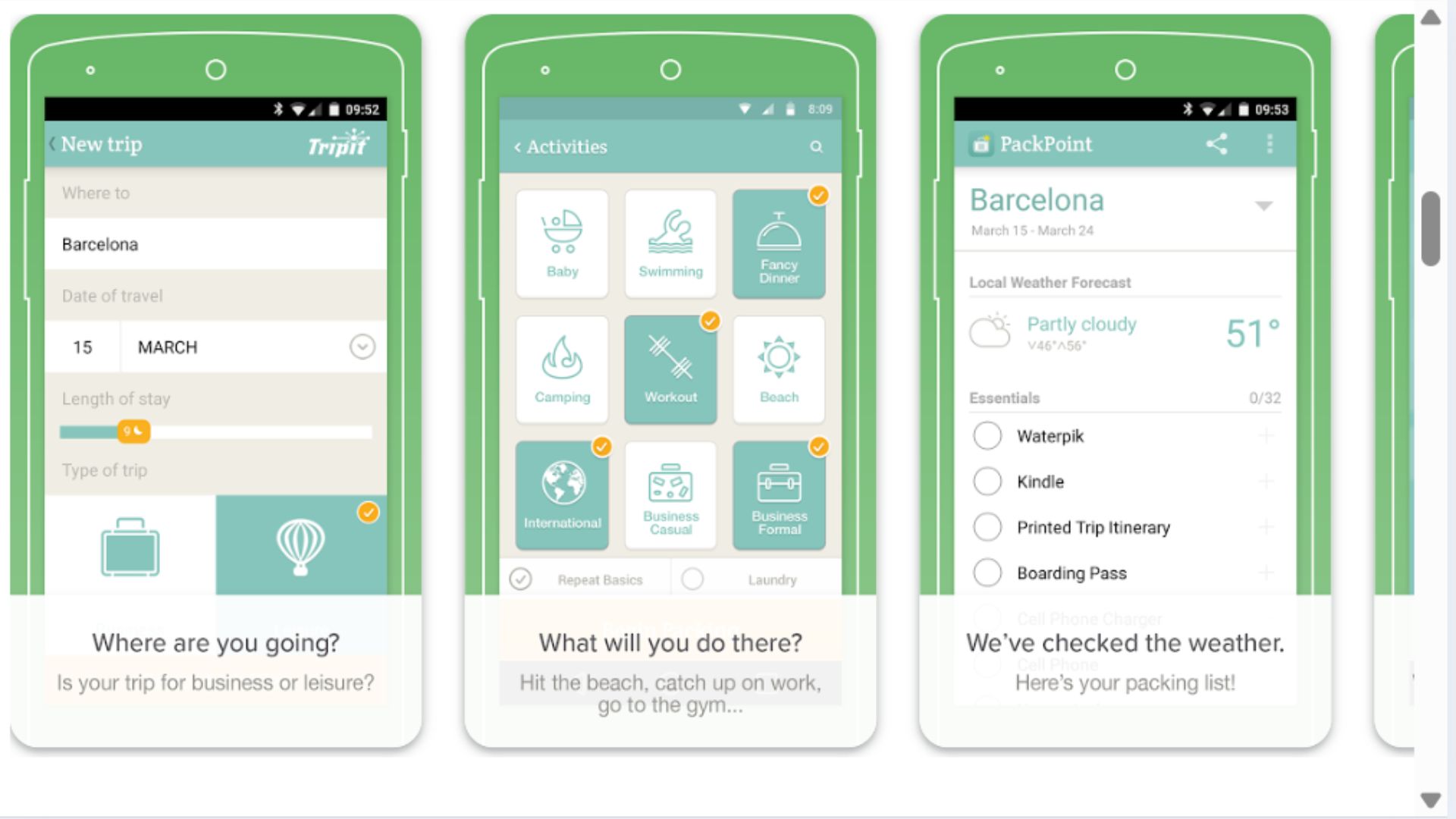
PackPoint generates customized packing lists based on your destination, trip length, planned activities, and local weather forecast. The app considers whether you'll have laundry access, what activities you've planned, and even suggests items you might forget like chargers, medications, and travel documents.
Who It's For: Frequent travelers who hate packing, over-packers trying to travel lighter, first-time visitors to climates they're unfamiliar with, and anyone who inevitably forgets important items.
Key Features: Destination and weather integration creates lists based on forecast for your specific dates. Trip details questions (business/leisure, activities planned, laundry access) customize recommendations. Activity-based packing suggests hiking gear, beach items, formal wear, etc. based on your plans. Repeat traveler optimization remembers your preferences. Pre-made templates for different trip types accelerate list creation. Customizable master packing list for items you always bring. Check-off functionality tracks what's packed. Multiple trip support for planning future travels. Integration with TripIt imports trip details automatically (premium feature). Social features let you share lists with travel companions. Available in multiple languages. Notes section for trip-specific reminders. Premium version removes ads and adds extra features.
Pricing: Free version creates basic packing lists; PackPoint Premium ($3/year) removes ads, adds unlimited trips, and enables advanced features.
Pros:
Customized lists prevent forgetting essentials
Weather integration suggests appropriate clothing
Activity-based recommendations cover specific needs
Reduces overpacking with targeted suggestions
Free version adequate for most travelers
Fast list generation saves time
Repeat traveler features improve over time
Cons:
Suggestions sometimes generic or obvious
Free version limits number of trips
Premium features minimal improvement
Weather forecast accuracy varies
Can't replace personal packing knowledge
Some categories seem arbitrary
10. Citymapper
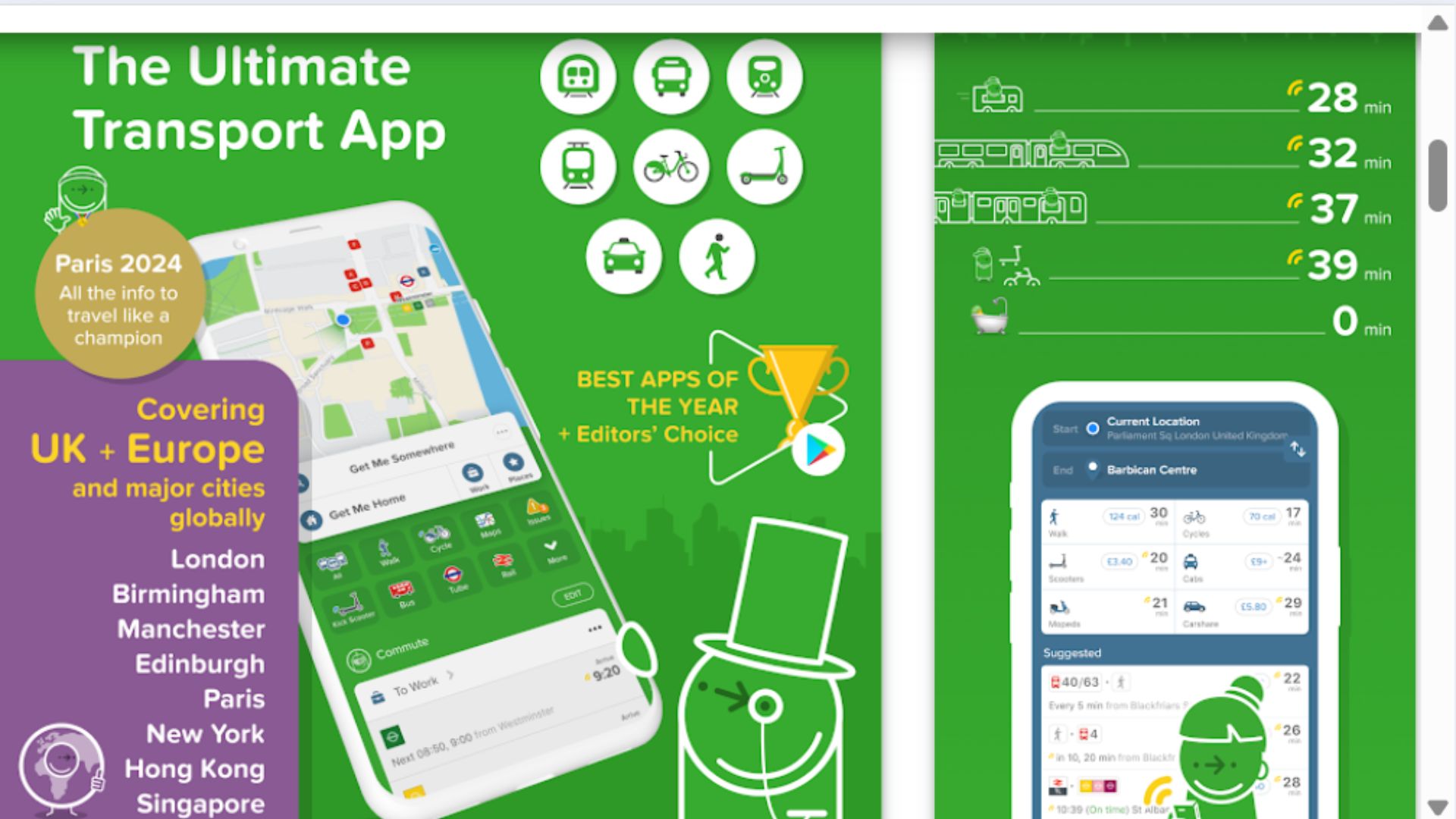
Citymapper provides the most detailed and accurate urban public transit routing in major cities worldwide, outperforming even local transit apps. Real-time updates show exactly when the next train arrives, which exit to use, where to stand on the platform, and even how many calories you'll burn walking versus taking transit.
Who It's For: Urban travelers navigating unfamiliar public transit systems, city dwellers visiting other cities, backpackers taking metros and buses, and anyone overwhelmed by complex subway systems.
Key Features: Step-by-step directions include which platform, which exit, which end of train to board for easiest transfers. Real-time arrival predictions show exactly when next vehicle comes (more accurate than official apps). Alternative routes offered simultaneously (faster, fewer transfers, less walking, etc.). Walking, cycling, e-scooter, and taxi comparisons show time/cost trade-offs. Platform diagrams show where to stand for optimal transfers. Exit information identifies which subway exit puts you closest to destination. Disruption alerts notify of delays and suggest alternatives. Save favorite places and routes for quick access. Works in 80+ cities worldwide including NYC, London, Paris, Tokyo, and more. Offline mode provides basic routing without connection. Integration with ride-sharing apps for price comparisons. GO feature provides real-time navigation with vibration alerts for stops.
Pricing: Free with optional Citymapper Pass in select cities ($30-$50/month for bundled transit); most travelers only need free version.
Pros:
Most accurate transit times and predictions
Incredibly detailed routing instructions
Real-time updates prevent delays
Alternative route comparisons help optimize
Works in 80+ major cities worldwide
Exit and platform details reduce confusion
Completely free for transit routing
Cons:
Limited to approximately 80 cities (not global)
Doesn't work in smaller cities or rural areas
Battery drain can be significant
Some cities better covered than others
Interface learning curve for first-time users
Requires cellular data for real-time updates
What Are Essential Travel Apps?
What It Is
Essential travel apps are smartphone applications that solve common travel problems like navigation, language barriers, booking transportation, tracking expenses, and organizing trip details. These apps leverage your phone's GPS, camera, internet connectivity, and processing power to provide services that would otherwise require guidebooks, translators, paper maps, and constant internet searches. The "essential" designation means the app provides functionality that significantly improves the travel experience rather than offering nice-to-have features that duplicate existing capabilities.
Benefits
Travel apps transform your smartphone into a multi-tool that replaces dozens of physical items—maps, phrasebooks, currency converters, guidebooks, and notepads. They save money by finding deals, preventing overpayment, and reducing roaming charges. They save time by answering questions instantly without asking strangers or searching for tourist information centers. They provide security through real-time navigation, translation capabilities, and itinerary organization that family can access. Perhaps most importantly, they reduce travel stress by making the unfamiliar manageable—you can navigate foreign metros, understand menus, and find your hotel even when exhausted and jet-lagged.
What to Look For When Choosing
Prioritize apps that work offline since international data can be expensive or unavailable. Look for intuitive interfaces that work when you're tired, stressed, or distracted—complex apps fail when you need them most. Consider storage requirements since phones have limited space and you may need to download offline maps or language packs. Read recent reviews to verify the app is actively maintained and works in your specific destination. Evaluate whether free versions provide adequate functionality or if subscriptions are necessary—paying $50/year for an app you'll use twice may not make sense. Check compatibility with your phone's operating system and whether features work across platforms if you travel with companions using different devices. Finally, consider privacy and data usage—some travel apps require extensive permissions that may make you uncomfortable.
FAQs
Do travel apps work without international data plans?
Many essential travel apps offer offline functionality if you prepare in advance. Google Maps, Google Translate, and TripIt allow downloading maps, language packs, and itineraries for offline use. Trail Wallet and XE Currency work offline with recently cached data. However, real-time features like traffic updates, flight alerts, and currency rates require occasional data connectivity. WiFi at hotels, restaurants, and cafes often suffices without needing expensive data plans. For critical connectivity, consider eSIM apps like Airalo for affordable international data.
How many travel apps should I actually download?
Quality beats quantity—5-10 well-chosen apps cover most travel needs without cluttering your phone or overwhelming you with options. At minimum, download navigation (Google Maps), translation (Google Translate), and itinerary organization (TripIt or similar). Add currency conversion, expense tracking, and transportation apps based on your specific trip. Avoid downloading every app you read about; instead, choose one app per function and learn it well rather than juggling multiple similar apps.
Are paid travel apps worth the subscription costs?
It depends on travel frequency and specific needs. Hopper's price freeze ($5-$40) makes sense for expensive international flights. TripIt Pro ($49/year) provides value for frequent business travelers needing real-time alerts. Citymapper Pass ($30-$50/month) works for extended city stays. However, many travelers find free versions of most apps adequate—Google Maps, Google Translate, Rome2Rio, and XE Currency are fully functional without paying. Evaluate whether paid features solve problems you actually encounter rather than buying subscriptions "just in case."
Will these apps drain my phone battery?
GPS-intensive apps like Google Maps and Citymapper do drain batteries faster, especially with constant navigation. Minimize drain by downloading offline maps, closing apps when not actively using them, enabling battery saver modes, and carrying portable battery packs. Most non-GPS apps (translation, currency conversion, itinerary management, expense tracking) have minimal battery impact. Practical travelers carry 10,000+ mAh portable chargers since dead phones render all apps useless—battery capacity matters more than individual app optimization.