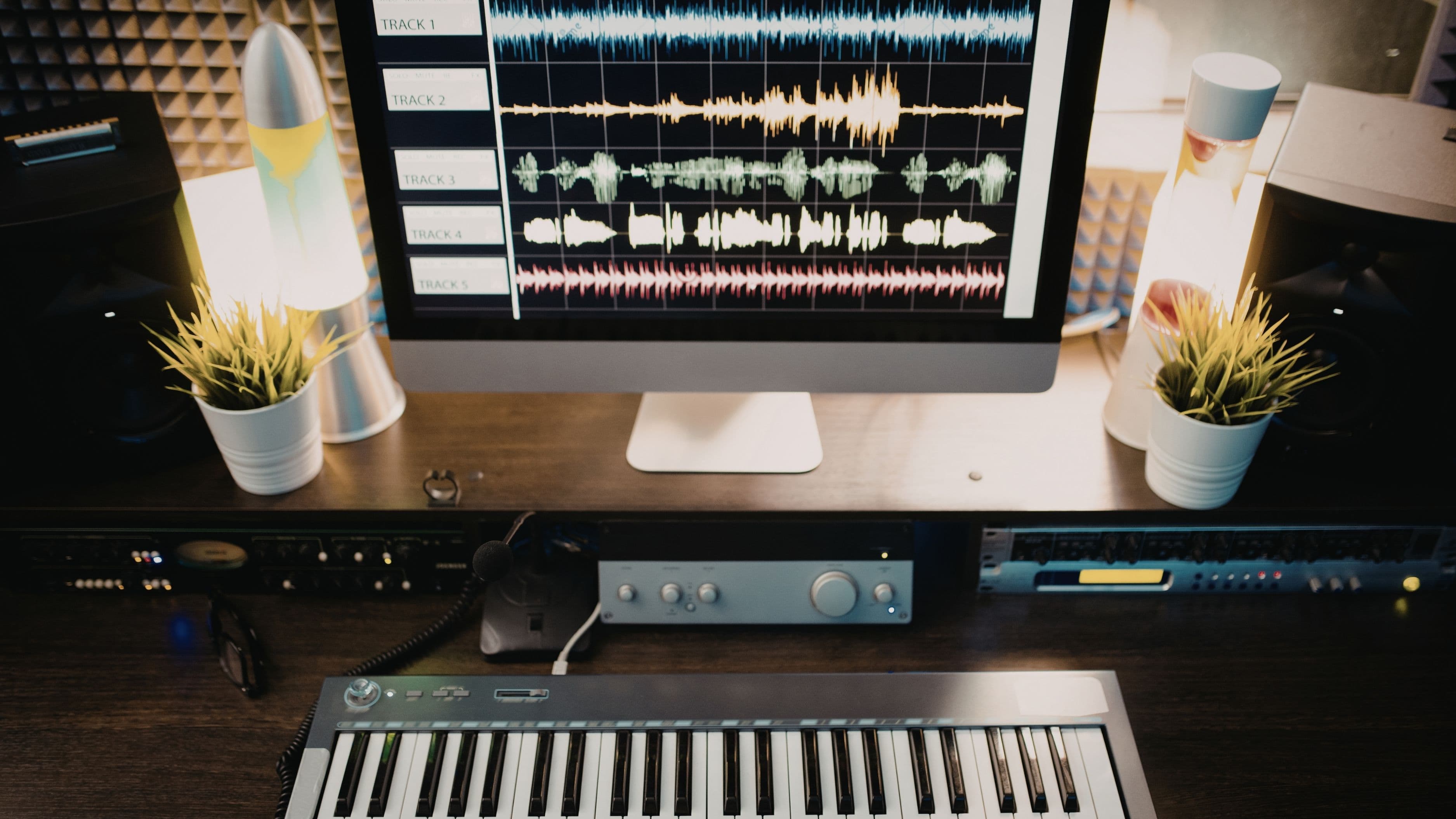
This list covers the ten best music production apps for beginners, ranked by ease of use, features, value, and how well they set you up to grow as a producer. Whether you want to make hip-hop beats, electronic music, podcasts, or singer-songwriter demos, there's something here for you.
Top 10 at a Glance
GarageBand – Best free option for Mac/iOS users
BandLab – Best free cross-platform option
FL Studio – Best for beat-making and growth potential
Ableton Live Intro – Best for electronic and performance-based music
Logic Pro – Best professional upgrade for Mac users
Soundtrap – Best for beginners on Chromebook or browser
Groovepad – Best mobile app for absolute beginners
Splice Studio – Best for sample-based producers
Caustic 3 – Best budget option for Android users
LMMS – Best free desktop DAW for Windows users
1. GarageBand
Price: Free
Platform: Mac, iPhone, iPad
GarageBand is the single best starting point for any beginner with an Apple device. It comes pre-installed on every Mac, iPhone, and iPad, costs nothing, and packs a genuinely impressive feature set that many hobbyist producers never outgrow. The interface is clean and intuitive – you can drag in loops, record live instruments, program drums, and layer synthesizers without ever reading a manual. Apple's Smart Instruments feature lets you play convincing piano, guitar, and string parts even if you have no musical training, which is a huge confidence booster when you're just starting out.
What makes GarageBand especially valuable for beginners is the upgrade path it offers. The skills you develop here transfer almost directly to Logic Pro – Apple's professional DAW – when you're ready to step up. Many professional producers still use GarageBand for quick demos and ideas. If you own a Mac or iPhone and haven't opened GarageBand yet, do it today.
Best for: Complete beginners on Apple devices who want a polished, zero-cost starting point.
Drawback: Mac and iOS only – Windows and Android users are out of luck.
Pro tip: Start with the built-in loops library to understand how songs are structured before recording your own material.
2. BandLab
Price: Free
Platform: iOS, Android, Web (browser)
BandLab has quietly become one of the most impressive free music production platforms available, and the fact that it runs in a web browser as well as on mobile makes it genuinely accessible to anyone with an internet connection. The core DAW includes a multi-track recorder, a beat-maker, a mixer, and a library of loops and samples – all at no cost. There are no paywalls locking away key features, which is a real differentiator in a space full of apps that give you a taste and then ask for a subscription.
Beyond the tools, BandLab is also a social platform where you can share your tracks, collaborate with other musicians, and get feedback on your work. For beginners who want community alongside their tools, that combination is genuinely useful. The interface is approachable without being dumbed-down, and the mobile app is strong enough that many users produce entirely on their phones.
Best for: Beginners on Android, Windows, or Chromebook who want a capable free DAW with a built-in community.
Drawback: Fewer advanced features than paid options; some sound quality limitations compared to premium DAWs.
Pro tip: Use the collaboration feature to connect with more experienced producers – you'll learn faster working alongside others than going it alone.
3. FL Studio
Price: $99–$499 (one-time, lifetime updates)
Platform: Windows, Mac, iOS, Android
FL Studio is one of the most popular DAWs in the world for a reason – it's deep enough to take you from beginner to professional without ever needing to switch software. The step sequencer and pattern-based workflow make it especially intuitive for beat-making and loop-based production, and it's the go-to tool for a huge portion of hip-hop, trap, and electronic producers. The interface looks busy at first glance, but the learning curve is friendlier than it appears, particularly if you focus on the step sequencer before exploring the full piano roll.
The lifetime free updates policy is one of the best deals in music software – pay once and receive every future version at no additional cost, forever. That means the $99 Fruity edition you buy today will still receive updates a decade from now. For beginners who want a long-term home rather than an introductory tool, FL Studio is worth every dollar.
Best for: Beginners focused on hip-hop, trap, EDM, or beat-making who want professional-grade software from day one.
Drawback: The interface can feel overwhelming initially; not the easiest starting point for live-instrument recording.
Pro tip: Start with the Fruity edition and focus exclusively on the step sequencer for your first two weeks. Don't try to learn everything at once.
4. Ableton Live Intro
Price: $99 (Intro)
Platform: Windows, Mac
Ableton Live is the industry standard for electronic music production and live performance, and the Intro tier puts that workflow within reach of beginners at a reasonable price. The Session View – Ableton's signature feature – lets you trigger loops and clips in a non-linear way that's completely unlike traditional DAWs, making it especially exciting for electronic, ambient, and experimental music. For anyone who eventually wants to perform their music live or DJ with their own productions, Ableton is the clear long-term choice.
The learning curve is steeper than GarageBand or BandLab, but Ableton's free educational resources and the enormous online community make the climb manageable. The Intro tier has some limitations – 16 tracks, 2 sends, no video export – but for a beginner focused on music production, those limits won't feel restrictive for a long time. When you're ready to remove them, upgrading to Standard is straightforward.
Best for: Beginners interested in electronic music, live performance, or experimental production styles.
Drawback: Steeper learning curve than most beginner options; Intro tier has feature caps.
Pro tip: Spend your first week just learning the Session View before touching the Arrangement View. The non-linear workflow is Ableton's superpower – get comfortable with it early.
5. Logic Pro
Price: $199.99 (one-time)
Platform: Mac only
Logic Pro is what GarageBand grows up to be, and it's one of the best values in professional music software. For a single flat fee, you get a fully professional DAW used by Grammy-winning producers, a massive built-in sample and loop library (over 10,000 royalty-free loops), an incredible suite of virtual instruments, and industry-standard mixing and mastering tools. The interface is polished and thoughtful – it's Apple software, after all – and the transition from GarageBand to Logic is smooth enough that most users feel at home quickly.
At $199.99, Logic Pro is significantly cheaper than comparable professional tools like Pro Tools or Cubase, and the one-time payment with free updates model means there's no ongoing subscription to worry about. If you're serious about music production and you're on a Mac, Logic Pro is eventually where you'll end up. The question is just whether you start there or graduate to it from GarageBand.
Best for: Mac users ready to move beyond beginner tools who want a professional DAW at a fair price.
Drawback: Mac only; the feature set can feel overwhelming until you develop a workflow.
Pro tip: Take advantage of Apple's free 90-day trial before purchasing to make sure the workflow suits you.
6. Soundtrap
Price: Free (basic) / $7.99–$13.99/month
Platform: Web browser, iOS, Android, Chromebook
Soundtrap is a cloud-based DAW that runs entirely in your browser, which makes it the go-to option for students, Chromebook users, and anyone who doesn't want to install software. The interface is genuinely beginner-friendly – clean, colorful, and easy to navigate without any prior DAW experience. It includes a loop library, built-in instruments, a podcast recording mode, and real-time collaboration that lets multiple users work on the same project simultaneously.
That collaboration feature is where Soundtrap really stands out. For students working on school music projects or hobbyists wanting to co-produce with friends in different locations, it's seamlessly implemented. The free tier is usable but limited; the paid plans unlock more storage, loops, and instruments. For classroom use, Soundtrap for Education has become a widely adopted tool specifically because of how accessible it makes music production for complete beginners.
Best for: Chromebook users, students, and beginners who want a browser-based option with strong collaboration tools.
Drawback: Requires an internet connection; fewer advanced features than desktop DAWs.
Pro tip: Use the podcast mode even if you're making music – it's a great, low-pressure way to get comfortable with the recording workflow before working with multiple tracks.
7. Groovepad
Price: Free (with in-app purchases) / $9.99/month premium
Platform: iOS, Android
Groovepad is the most approachable entry point on this list – it's designed to let you make music by tapping pads on your phone, with zero technical knowledge required. The app provides pre-built beat grids across genres like hip-hop, house, trap, and lo-fi, and you create music by activating and deactivating loops in real time. It's closer to a creative toy than a professional tool, but that's exactly the point. Groovepad removes every possible barrier and lets you experience the satisfaction of making a beat in under five minutes.
It's not where you'll build a career, but it's a fantastic entry point for complete beginners who feel intimidated by more complex software. Many producers use Groovepad to sketch ideas on the go and then bring them into a full DAW later. Think of it as the music production equivalent of a sketchbook.
Best for: Absolute beginners and casual music fans who want an instant, fun introduction to beat-making on mobile.
Drawback: Very limited compared to full DAWs; not suitable for complete productions or complex arrangements.
Pro tip: Use it for five to ten minutes a day when you're commuting or relaxing to build your ear for rhythm and arrangement without the pressure of a real project.
8. Splice Studio
Price: Free app / Splice subscription from $7.99/month
Platform: Windows, Mac
Splice takes a unique angle on music production by centering the experience around its enormous library of samples and loops. The Studio app itself is a lightweight DAW, but the real value is the integration with Splice's sample marketplace – one of the best in the industry – where you can browse, preview, and download professional-quality sounds across every genre. For beginners who feel stuck because they don't know how to make their productions sound professional, having access to studio-quality sounds removes that obstacle entirely.
The sample-based workflow also helps beginners understand arrangement and sound selection before they dive into synthesis and sound design. If you've been frustrated by productions that sound thin or amateur, working with high-quality Splice samples will immediately show you what "good" sounds like – and that reference point is incredibly useful early on. The subscription cost is worth considering, but even the entry-level plan provides enough sample credits to keep you creating.
Best for: Beginners focused on sample-based production who want access to professional sounds without recording their own.
Drawback: Ongoing subscription cost; the sample library can lead to over-reliance on pre-made sounds rather than developing original production skills.
Pro tip: Set a rule for yourself: for every three Splice samples you use, try to create one original sound using a synthesizer or recorder. It'll keep your productions fresh and develop your skills simultaneously.
9. Caustic 3
Price: Free (Android) / $4.99 to unlock full version
Platform: Android, Windows
Caustic 3 is the best-kept secret on this list. For less than $5, Android users get a fully-featured music production studio modeled after rack-mounted synthesizer hardware. The app includes 14 different synthesizer and sampler machines, a full sequencer, effects, and a mixer – packed into a remarkably stable and responsive mobile app. It's not the most beginner-friendly interface on this list, but for Android users who want serious capabilities without a serious price tag, nothing else comes close.
The learning curve is real, but the payoff is significant. Caustic 3 will teach you the fundamentals of synthesis and sequencing in a way that makes the jump to a full desktop DAW feel natural. It's a niche pick, but Android users who feel left behind by the dominance of iOS music apps will find Caustic 3 to be a genuine discovery.
Best for: Android users who want more depth than casual apps offer and are willing to invest time in learning synthesizer-based production.
Drawback: Interface is less polished than iOS equivalents; steeper learning curve for true beginners.
Pro tip: Start with the BeatBox machine to understand rhythm programming before exploring the synthesizers. Build your confidence with rhythm first.
10. LMMS (Linux MultiMedia Studio)
Price: Free
Platform: Windows, Mac, Linux
LMMS is a fully open-source DAW that gives Windows and Linux users a capable, zero-cost music production environment. It includes a piano roll, a beat editor, multiple built-in synthesizers, a sample player, and a basic mixer – covering all the fundamentals a beginner needs to start making real music. It's not the most polished interface in the world, and the learning curve is steeper than something like GarageBand, but the price point makes it an unbeatable option for anyone who can't yet justify spending money on software.
LMMS is particularly popular in educational settings and among hobbyists who produce electronic and chiptune music. The built-in synthesizer collection is surprisingly strong, and the active open-source community means there's a substantial library of user-created plugins and sounds available for free. If you're on Windows and not ready to spend money yet, LMMS is the right place to start.
Best for: Windows and Linux users who want a capable free DAW and don't mind a modest learning curve.
Drawback: Less polished than paid alternatives; smaller community than major commercial DAWs; interface feels dated compared to modern tools.
Pro tip: Install the ZynAddSubFX synthesizer plugin (free, open-source) early on – it dramatically expands LMMS's sound design capabilities.
How to Choose the Right Music Production App
The right app depends on three things: your device, your budget, and your goals.
If you're on a Mac or iPhone, start with GarageBand – it's free, excellent, and already on your device. If you're on Windows or Android and want free options, BandLab and LMMS are the strongest choices. If you know from the start that you want to produce hip-hop or trap beats, FL Studio's one-time purchase is worth the investment. For electronic music and live performance ambitions, Ableton Live Intro is the clearest long-term choice.
Don't let the tools hold you back from starting. The best music production app is the one you'll actually open and use today. Pick one, commit to it for 60–90 days, and focus on learning fundamentals rather than chasing a better app. The skills you build – rhythm, arrangement, sound selection, mixing basics – transfer across every tool. The app matters far less than the habit of showing up and making music.
FAQ
Do I need a MIDI keyboard to use music production apps? No – all of the apps on this list work without any external hardware. A MIDI keyboard or pad controller will enhance your workflow eventually, but it's not necessary to get started. Many professionals sketch ideas using only their laptop keyboard and mouse.
Which apps are best for making beats specifically? FL Studio, BandLab, and Groovepad are the strongest options for beat-making at different levels. FL Studio is the most powerful and scalable. BandLab is the best free option. Groovepad is the easiest for complete beginners who want immediate results.
Can you make professional music with free apps? Yes. GarageBand and BandLab in particular have been used on commercially released music. The tool matters less than the skill behind it – but at some point, professional projects benefit from professional tools and higher-quality sound libraries.
Is a laptop or desktop better for music production? Either works. Most DAWs run well on mid-range hardware. The main requirements are a fast processor, at least 8GB of RAM, and adequate storage for samples and project files. A dedicated audio interface improves recording quality significantly if you plan to record live instruments or vocals.
How long does it take to learn music production as a beginner? Expect to spend 2–3 months getting comfortable with your chosen DAW's basic workflow. Making something that sounds good to your own ears might happen in week one; making something you'd share publicly usually takes 3–6 months of consistent practice. There's no fixed timeline – just keep making things, and the skills accumulate.
Making music has never been more accessible, and the apps on this list represent the best of what's available right now at every budget level. Pick your starting point, give it 90 days of consistent use, and focus on finishing tracks – even imperfect ones. Every professional producer was a beginner once, and most of them started with tools less capable than what's available to you for free today.
📚 Sources
GarageBand for Mac – Apple Support Overview: https://support.apple.com/garageband
BandLab Platform Overview – BandLab Technologies: https://www.bandlab.com/about
FL Studio Editions and Pricing – Image-Line: https://www.image-line.com/fl-studio-learning/fl-studio-online-manual/html/app_editions.htm
Ableton Live Feature Comparison – Ableton: https://www.ableton.com/en/packs/live-versions
Logic Pro Overview – Apple: https://www.apple.com/logic-pro
Soundtrap for Education – Spotify: https://www.soundtrap.com/edu
Splice Sample Marketplace Overview: https://splice.com/features/samples
LMMS Open Source DAW – Official Site: https://lmms.io
Getting Started With Music Production – Berklee Online: https://online.berklee.edu/takenote/beginners-guide-to-music-production
Best DAWs for Beginners – MusicRadar: https://www.musicradar.com/buying-advice/best-daw-for-beginners