The right mobile banking app can save you time, prevent overdraft fees, help you track spending patterns, and provide instant alerts when suspicious activity occurs. We've evaluated dozens of mobile banking platforms based on security features, user experience, transaction capabilities, customer support, and innovation to bring you this comprehensive guide to the apps that are truly transforming how Americans manage their money.
Top 10 Best Mobile Banking Apps
Chase Mobile – Best for comprehensive features and wide ATM access
Bank of America Mobile Banking – Best for integrated financial management
Ally Bank – Best for online-only banking with high interest rates
Chime – Best for fee-free banking and early direct deposit
Capital One Mobile – Best for credit card integration and security
Wells Fargo Mobile – Best for advanced mobile check deposit
Discover Mobile – Best for cashback rewards and customer service
Navy Federal Credit Union – Best for military members and families
Marcus by Goldman Sachs – Best for high-yield savings
Varo Bank – Best for building credit while banking
Our Methodology
We evaluated these mobile banking apps using five critical criteria. First, we assessed security features including biometric authentication, fraud alerts, encryption protocols, and account recovery options. Second, we examined user experience through interface design, navigation simplicity, loading speeds, and customer ratings across iOS and Android platforms.
Third, we analyzed core features such as mobile check deposit, peer-to-peer payments, bill pay, account alerts, and budgeting tools. Fourth, we evaluated customer support accessibility through in-app chat, phone availability, and response times. Finally, we reviewed pricing structures including monthly fees, ATM charges, overdraft costs, and minimum balance requirements. Each app was tested extensively, and we consulted thousands of verified user reviews to ensure our recommendations reflect real-world performance.
Detailed Reviews
1. Chase Mobile – Best for Comprehensive Features and Wide ATM Access
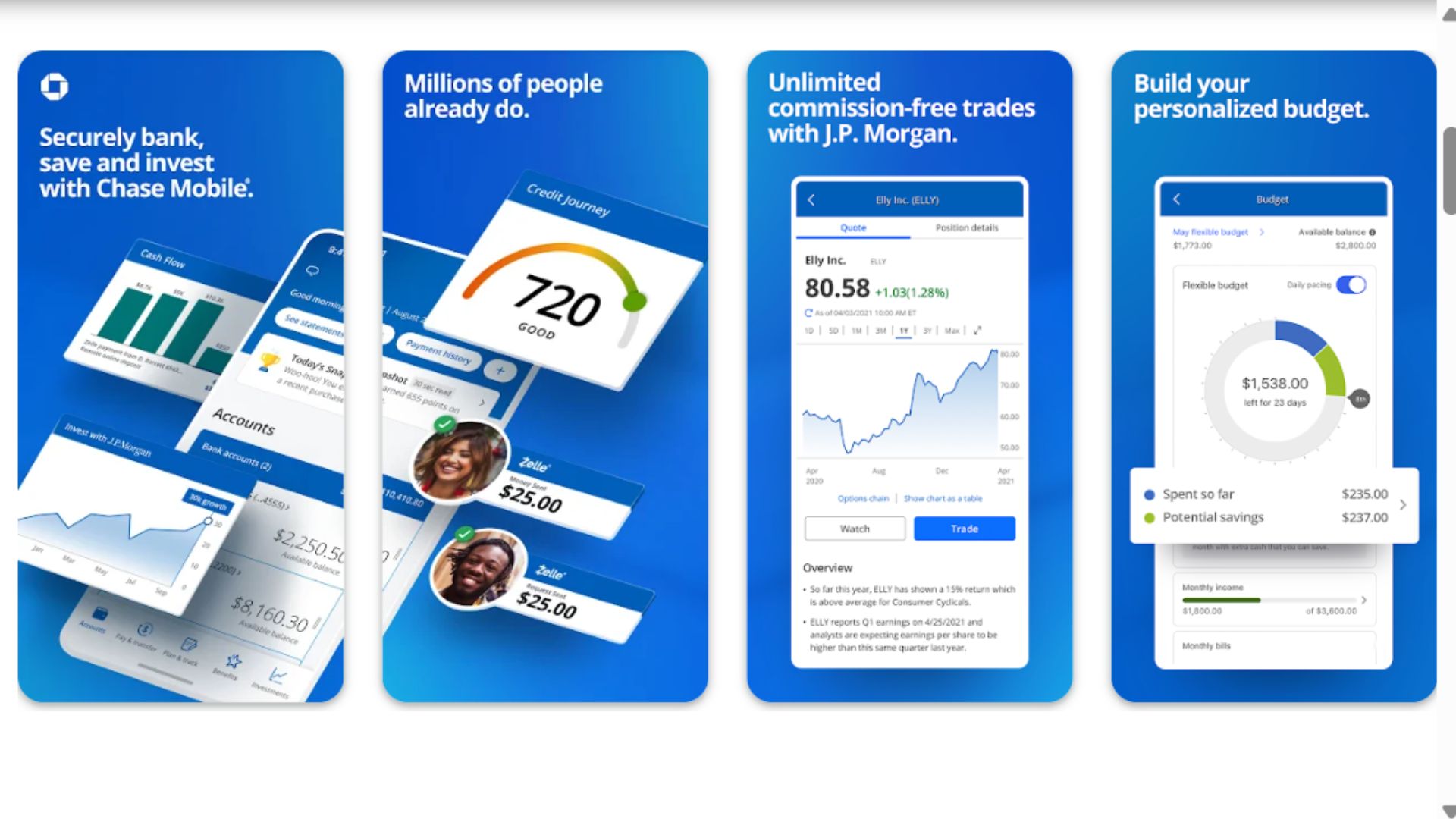
Best for: Customers who want full-service banking with extensive ATM access
Pricing: Free with qualifying account (or $12/month standard checking)
Key features: 16,000+ ATMs, Zelle integration, mobile check deposit up to $50,000, account alerts, fingerprint/face ID, Chase Pay
Chase Mobile consistently ranks as one of the most feature-rich banking apps available, serving over 60 million active digital customers. The app provides seamless access to checking, savings, credit cards, investments, and mortgages all in one interface. Users particularly appreciate the intuitive dashboard that provides a comprehensive financial snapshot, including FICO scores for credit cardholders and spending breakdowns by category. The mobile check deposit feature is industry-leading, allowing deposits up to $50,000 compared to much lower limits at competing banks.
Security features are robust, with multi-factor authentication, biometric login, real-time fraud alerts, and the ability to instantly lock and unlock your debit card from the app. The integration with Zelle makes peer-to-peer payments effortless, processing most transfers within minutes. Chase's massive ATM network means you'll rarely pay out-of-network fees, a significant advantage for customers who still need cash access. The app also offers early direct deposit access, getting your paycheck up to two days early with Chase Secure Banking accounts.
Pros:
Extensive ATM network with 16,000+ locations nationwide
Comprehensive financial management in one app
High mobile deposit limits up to $50,000
Free Zelle integration for instant transfers
Excellent security features including instant card lock
Cons:
Monthly fees unless minimum balance maintained
Can be overwhelming for users seeking simplicity
Some features require multiple Chase products
Occasional app updates cause temporary glitches
2. Bank of America Mobile Banking – Best for Integrated Financial Management
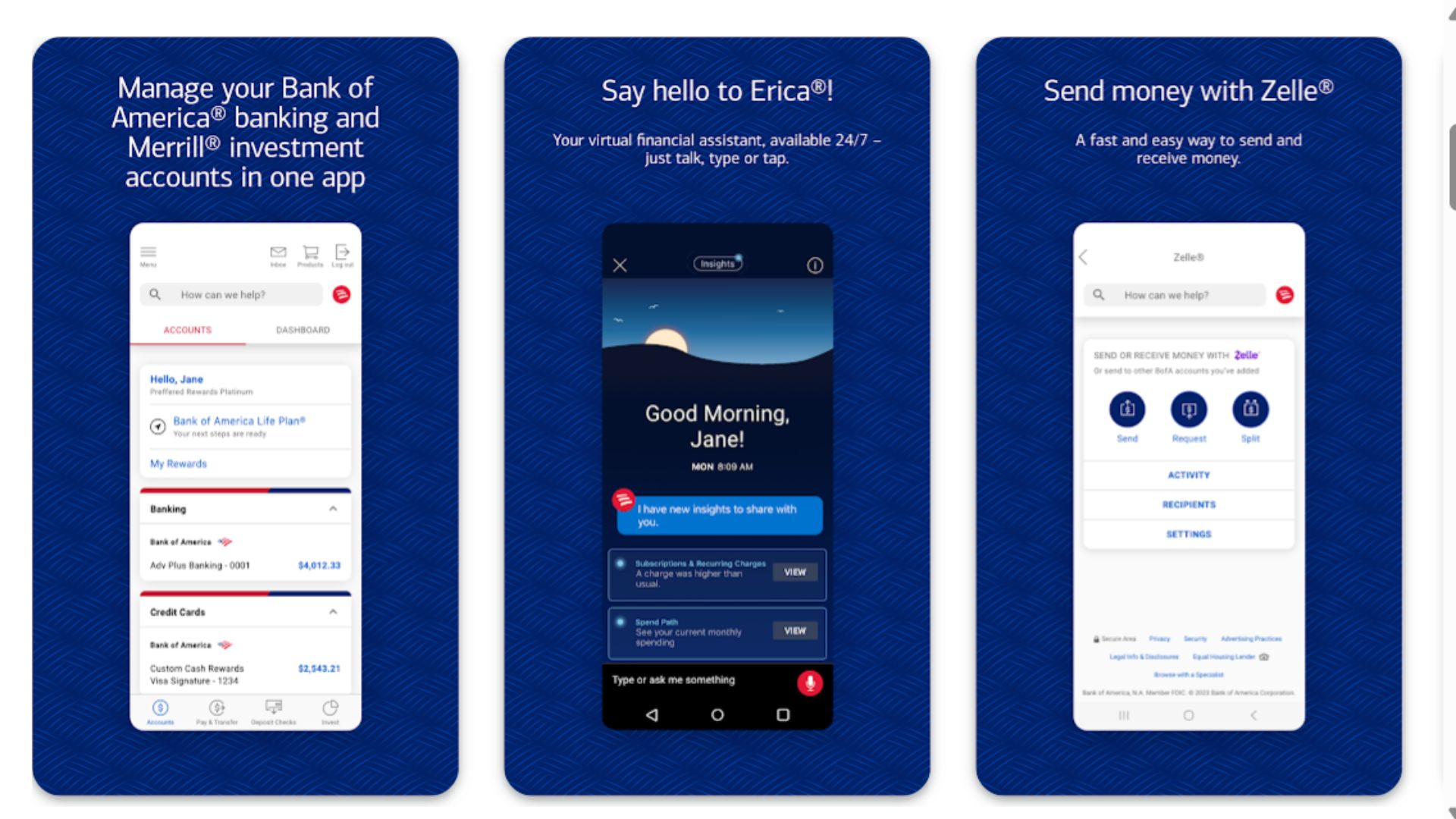
Best for: Users wanting holistic financial tracking and AI-powered insights
Pricing: Free with eligible accounts (various checking account options from $0-$25/month)
Key features: Erica AI assistant, spending insights, mobile check deposit, cardless ATM access, bill negotiation service, FICO score tracking
Bank of America's mobile app stands out for its artificial intelligence assistant, Erica, which has handled over one billion client requests since launching. Erica provides proactive financial guidance, alerts you to duplicate charges, helps you track subscriptions, and can even predict when you might overdraft based on your spending patterns. The app seamlessly integrates checking, savings, credit cards, mortgages, and Merrill investment accounts, providing a 360-degree view of your financial health.
The Security Center within the app is particularly impressive, offering customizable alerts for various transaction types, biometric authentication, and the ability to set spending limits for specific merchants or categories. Bank of America has also pioneered cardless ATM access at 5,000+ ATMs—you simply use your phone to withdraw cash without a physical card. The mobile check deposit feature includes image enhancement technology that improves photo quality automatically, reducing rejected deposits.
Pros:
Erica AI assistant provides personalized financial guidance
Cardless ATM access at thousands of locations
Free Zelle transfers and mobile check deposit
Comprehensive integration across all financial products
Preferred Rewards program offers fee waivers and bonuses
Cons:
Monthly maintenance fees unless requirements met
Some advanced features require Preferred Rewards status
Learning curve for all features and capabilities
App can feel cluttered with many product offerings
3. Ally Bank – Best for Online-Only Banking with High Interest Rates
Best for: Savers prioritizing high interest rates without monthly fees
Pricing: $0 monthly fees, no minimum balance requirements
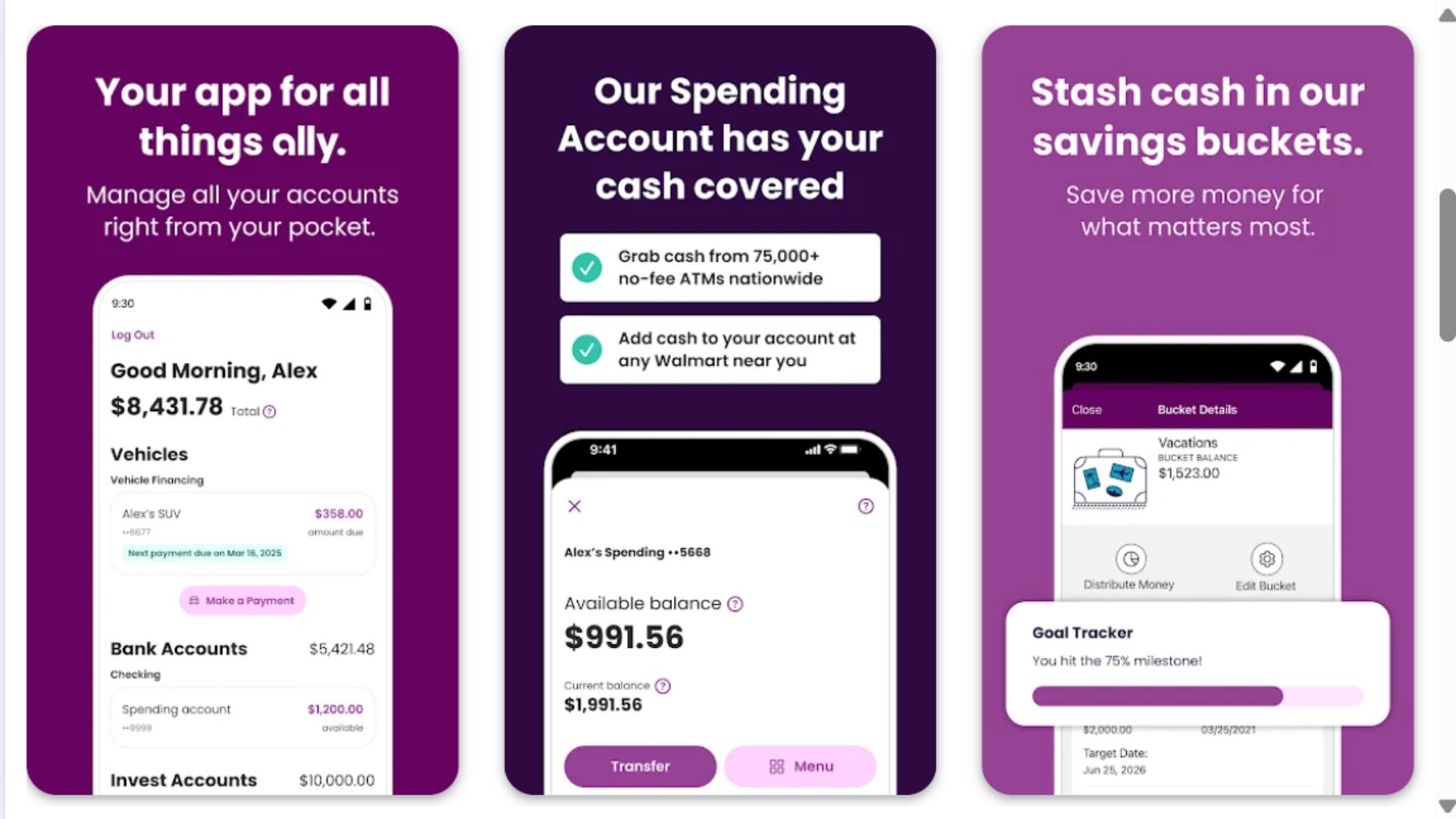
Key features: 0.25% APY checking, 3.90% APY savings, free ATM reimbursements, mobile check deposit, spending buckets, early direct deposit
Ally Bank operates exclusively online, passing the savings from no physical branches directly to customers through higher interest rates and zero fees. The mobile app reflects this digital-first approach with a clean, intuitive interface focused on making your money work harder. Ally's savings account rates consistently rank among the highest in the nation, often 10-15 times higher than traditional banks, making it ideal for users focused on building wealth through savings.
The app's "buckets" feature allows you to organize your savings into different categories (emergency fund, vacation, down payment) within a single account while still earning the same high interest rate on all funds. Ally reimburses all domestic ATM fees charged by other banks, giving you access to 43,000+ ATMs nationwide essentially for free. The mobile check deposit is reliable, customer service is available 24/7 through the app's chat feature, and the user reviews consistently praise the straightforward experience without pushy cross-selling.
Pros:
Industry-leading interest rates on checking and savings
Zero monthly maintenance fees or minimum balances
All ATM fees reimbursed nationwide
Savings buckets help organize financial goals
24/7 customer service through app chat
Cons:
No physical branches for in-person assistance
Mobile check deposit has lower daily limits ($50,000/day)
Cash deposits require workarounds through third parties
Limited product offerings compared to full-service banks
4. Chime – Best for Fee-Free Banking and Early Direct Deposit
Best for: Younger users and those avoiding traditional banking fees
Pricing: $0 monthly fees, no overdraft fees, no minimum balance
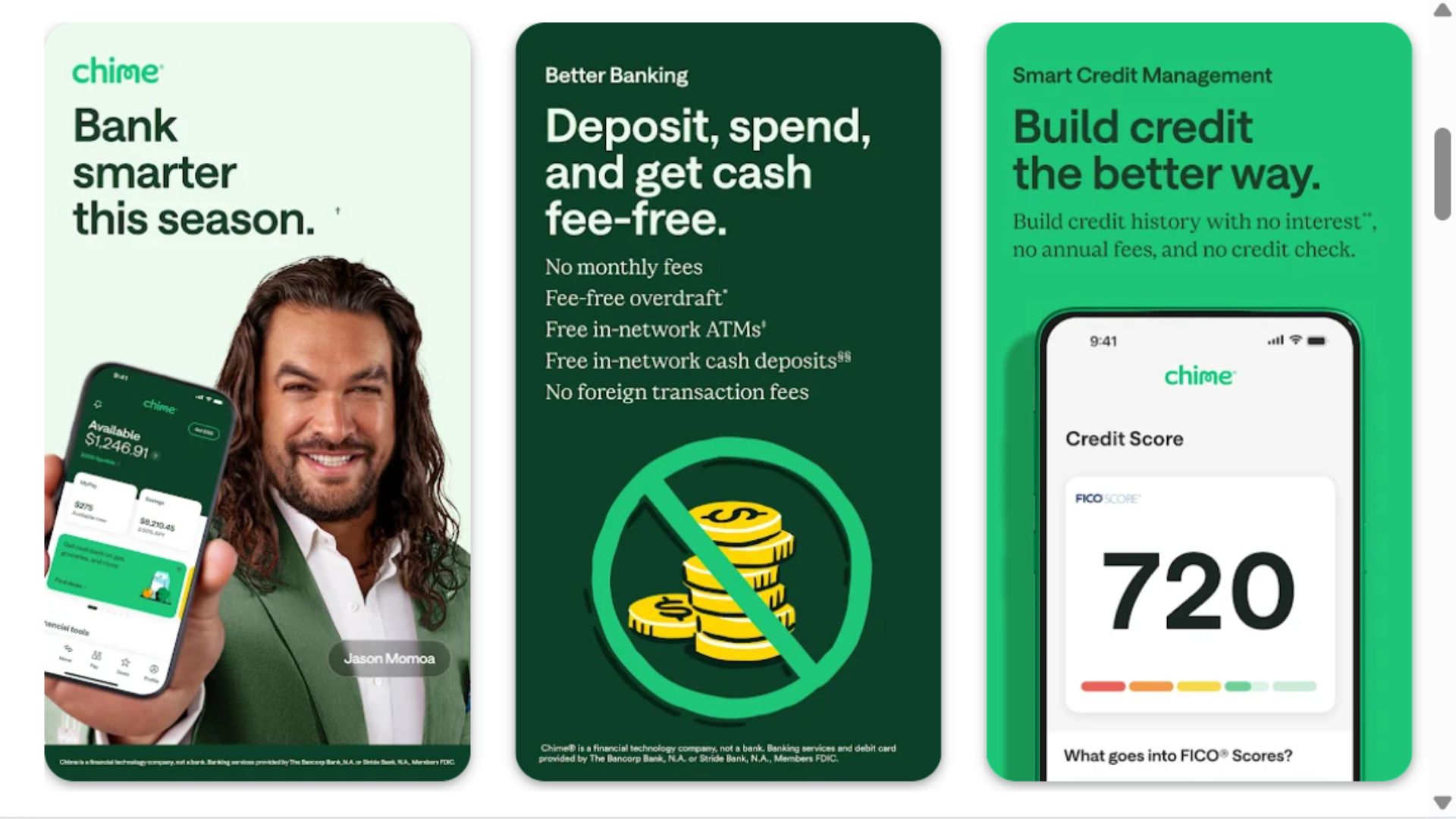
Key features: Get paid up to 2 days early, SpotMe overdraft coverage up to $200, automatic savings, 60,000+ fee-free ATMs, instant transaction notifications
Chime has disrupted traditional banking by eliminating virtually every fee that typically frustrates consumers. There are no monthly maintenance fees, no overdraft fees (with SpotMe feature), no foreign transaction fees, and no minimum balance requirements. The app's design specifically targets younger demographics and those living paycheck to paycheck, with features that help prevent common financial pitfalls. Getting your direct deposit up to two days early can be a game-changer for those struggling with timing expenses around payday.
The SpotMe feature provides fee-free overdraft coverage up to $200 for eligible members, a stark contrast to the $35+ overdraft fees charged by traditional banks that cost Americans over $15 billion annually. Chime's automatic savings feature rounds up every purchase to the nearest dollar and transfers the difference to your savings account, helping users save effortlessly. The app's transaction notifications are instant—literally within seconds of swiping your card—providing real-time awareness and immediate fraud detection capabilities.
Pros:
Zero fees including monthly, overdraft, and foreign transaction
Early direct deposit access up to 2 days
SpotMe provides fee-free overdraft up to $200
Automatic savings with round-up feature
60,000+ fee-free ATMs through network partnerships
Cons:
Limited cash deposit options (retail partners only)
No physical branches for support
Fewer features than traditional banks
Customer service response times can be slow during peak periods
5. Capital One Mobile – Best for Credit Card Integration and Security
Best for: Credit card users wanting unified banking and card management
Pricing: Free for most accounts; 360 Checking has no fees or minimums
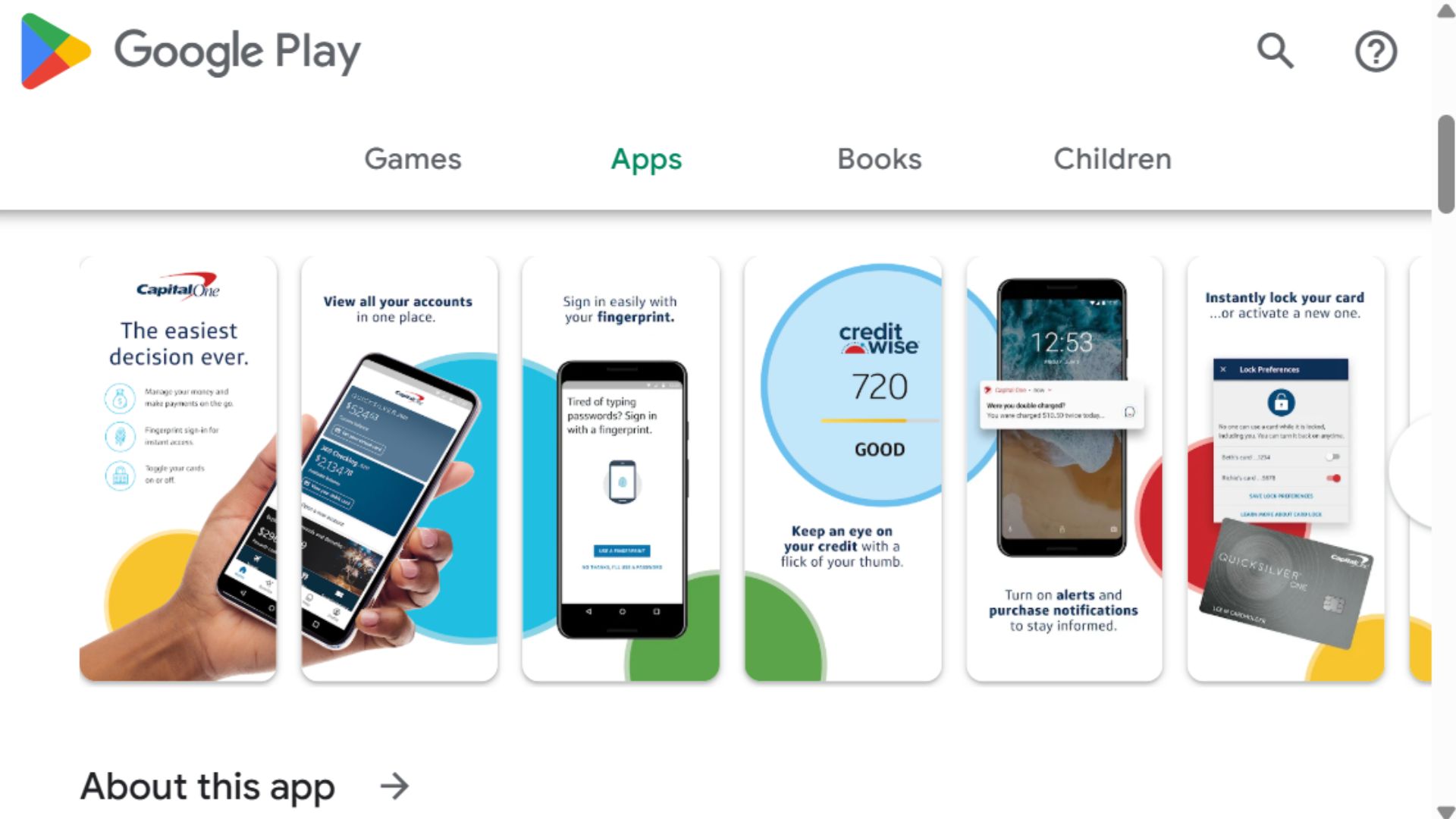
Key features: Virtual card numbers for online shopping, Eno assistant, credit monitoring, mobile check deposit, 70,000+ fee-free ATMs, instant purchase notifications
Capital One's mobile app excels at security innovation, particularly for online transactions. The virtual card numbers feature generates temporary card numbers for online purchases, protecting your actual card details from data breaches. If a merchant gets hacked, your real card information remains safe. The app's intelligent assistant, Eno, monitors transactions for potential fraud, tracks subscriptions, identifies recurring charges, and alerts you to free trials about to convert to paid subscriptions—a feature that has saved users from millions in unwanted charges.
For customers with both Capital One bank accounts and credit cards, the unified interface provides exceptional convenience. You can view all accounts, transfer money, pay credit card bills, and track rewards in one place. The credit monitoring tools include free access to your TransUnion credit report, CreditWise score tracking, and alerts when your credit profile changes. Capital One's mobile check deposit includes enhanced security verification and typically makes funds available faster than many competitors.
Pros:
Virtual card numbers enhance online shopping security
Eno assistant provides proactive financial monitoring
Free credit score tracking and monitoring
70,000+ fee-free Capital One and Allpoint ATMs
Seamless integration between banking and credit products
Cons:
Fewer physical branch locations than major competitors
Some advanced features require Capital One credit card
Customer service quality varies by issue type
Mobile deposit limits lower than some competitors ($10,000/day)
6. Wells Fargo Mobile – Best for Advanced Mobile Check Deposit
Best for: Small business owners and frequent check depositors
Pricing: Varies by account ($10-$30/month unless requirements met)
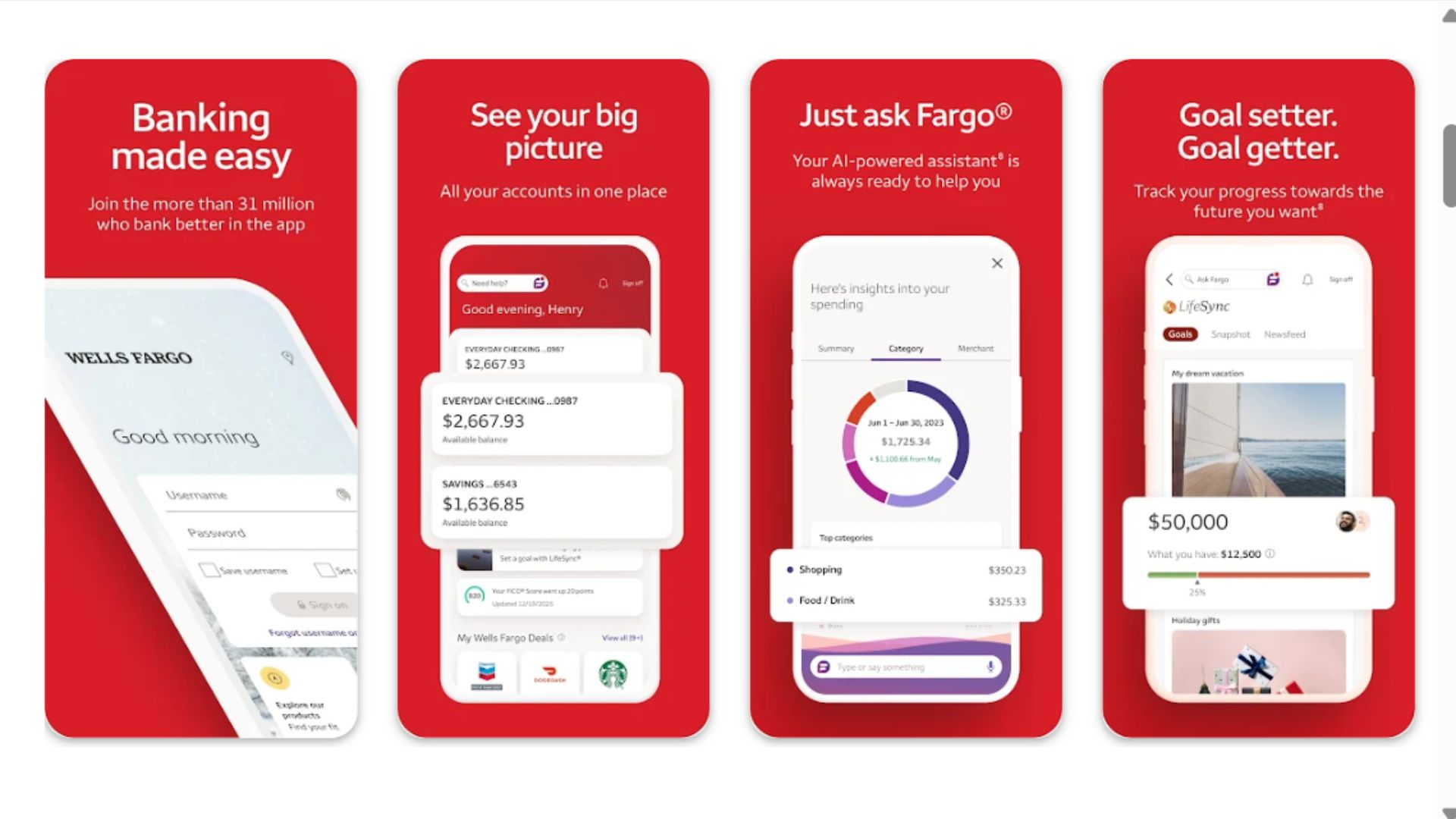
Key features: Advanced photo deposit technology, Wells Fargo Reflect bill payment, control tower spending tracker, fingerprint/face ID, card-free ATM access at 13,000 ATMs
Wells Fargo has invested heavily in mobile check deposit technology, using advanced image processing and machine learning to accept checks that other apps frequently reject. The app guides you through optimal photo conditions and automatically enhances images to meet processing requirements, resulting in faster deposits and fewer rejects—particularly valuable for small business owners depositing numerous checks. The deposit limits are also generous, with up to $50,000 daily for established customers.
The Control Tower feature aggregates accounts from multiple financial institutions (not just Wells Fargo) giving you a comprehensive view of your complete financial picture, including external credit cards, loans, and investments. You can categorize spending, set budgets, and receive alerts when you're approaching limits. The card-free ATM access works at 13,000 Wells Fargo ATMs nationwide—you simply use the app to generate a one-time code for cash withdrawal, enhancing security and convenience when you've forgotten your wallet.
Pros:
Superior mobile check deposit with high acceptance rates
High daily deposit limits up to $50,000
Control Tower aggregates external accounts for complete financial view
13,000 card-free ATMs nationwide
Robust bill pay and money transfer capabilities
Cons:
Monthly fees unless minimum requirements met
Ongoing scrutiny from past customer service issues
App interface less modern than some competitors
Feature complexity can overwhelm basic users
7. Discover Mobile – Best for Cashback Rewards and Customer Service
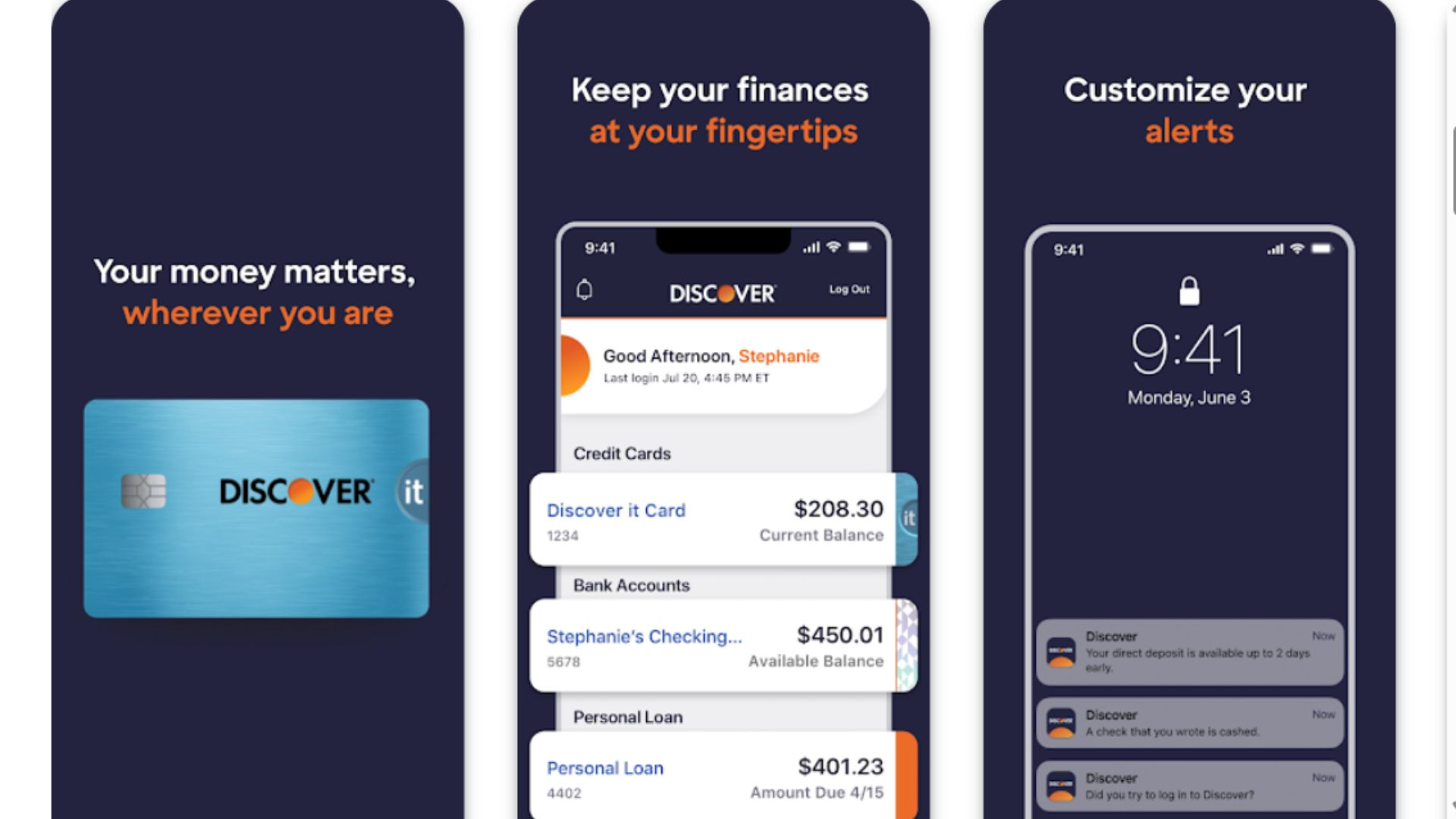
Best for: Users valuing cashback rewards and exceptional customer support
Pricing: $0 monthly fees, no minimum balance requirements
Key features: 1% cashback on debit card purchases up to $3,000/month, mobile check deposit, free ATM withdrawals at 60,000+ locations, FICO score tracking, 24/7 U.S.-based customer service
Discover stands out as one of the few banks offering cashback on debit card purchases—earning 1% back on up to $3,000 in monthly purchases can yield $360 annually just for using your debit card instead of cash. This feature alone distinguishes Discover from competitors and appeals to users who prefer debit over credit cards. The app interface is refreshingly simple without sacrificing functionality, making it particularly appealing for those who find other banking apps overwhelming.
Customer service consistently receives the highest ratings in the industry, with 24/7 support staffed by U.S.-based representatives who can handle issues without lengthy transfers or automated systems. The app includes free FICO score tracking updated monthly, helping you monitor credit health without external services. Discover's mobile check deposit is reliable, funds are typically available next business day, and the security features include fingerprint/face ID, card freeze options, and customizable transaction alerts.
Pros:
1% cashback on debit purchases up to $3,000 monthly
Zero monthly fees or minimum balances
Award-winning U.S.-based customer service 24/7
60,000+ fee-free ATMs through network partners
Free FICO score tracking included
Cons:
Limited physical branch access for cash deposits
Cashback capped at $30 per month
Smaller bank means fewer integrated financial products
Mobile check deposit daily limits lower than major banks
8. Navy Federal Credit Union – Best for Military Members and Families
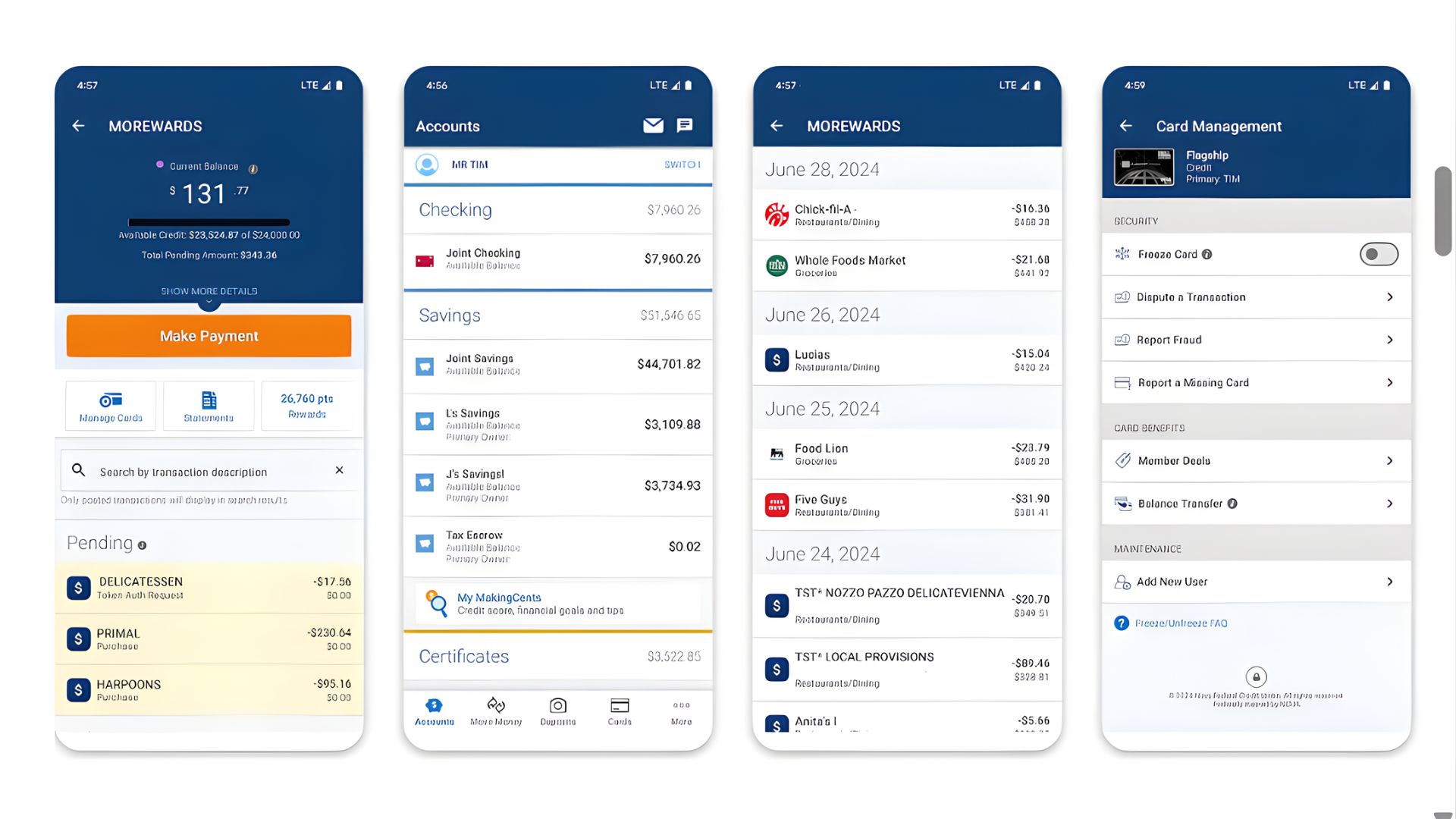
Best for: Active duty military, veterans, and their families
Pricing: $0 monthly fees for most accounts, no minimum balances
Key features: Mobile check deposit up to $100,000/day, early direct deposit, free checks, ATM fee reimbursements up to $20/month, military-specific features, Zelle integration
Navy Federal Credit Union serves the military community with specialized banking designed around military life. The app accommodates unique challenges like deployments, frequent moves, and overseas assignments. Members can deposit checks up to $100,000 daily—among the highest limits available—particularly useful for military members receiving large housing allowances or PCS payments. The credit union reimburses up to $20 monthly in ATM fees worldwide, crucial for members stationed overseas or in locations without Navy Federal ATMs.
The app's security features are military-grade, with multi-factor authentication, biometric login, and the ability to set transaction limits or geographic restrictions on card usage—particularly valuable when deploying overseas. Customer service representatives understand military terminology and unique situations, providing faster, more accurate assistance than representatives at civilian banks unfamiliar with military life. The early direct deposit feature gets military pay and benefits 1-2 days early, and the app integrates seamlessly with VA loans, military allotments, and other service-specific financial products.
Pros:
Highest mobile deposit limits at $100,000 daily
ATM fee reimbursements up to $20 monthly worldwide
Customer service trained in military-specific needs
Zero monthly fees and excellent loan rates
Comprehensive integration with military pay systems
Cons:
Membership restricted to military and eligible family members
Limited physical branch locations in many areas
Some app features require military ID verification
International transfers can be slower than specialty services
9. Marcus by Goldman Sachs – Best for High-Yield Savings
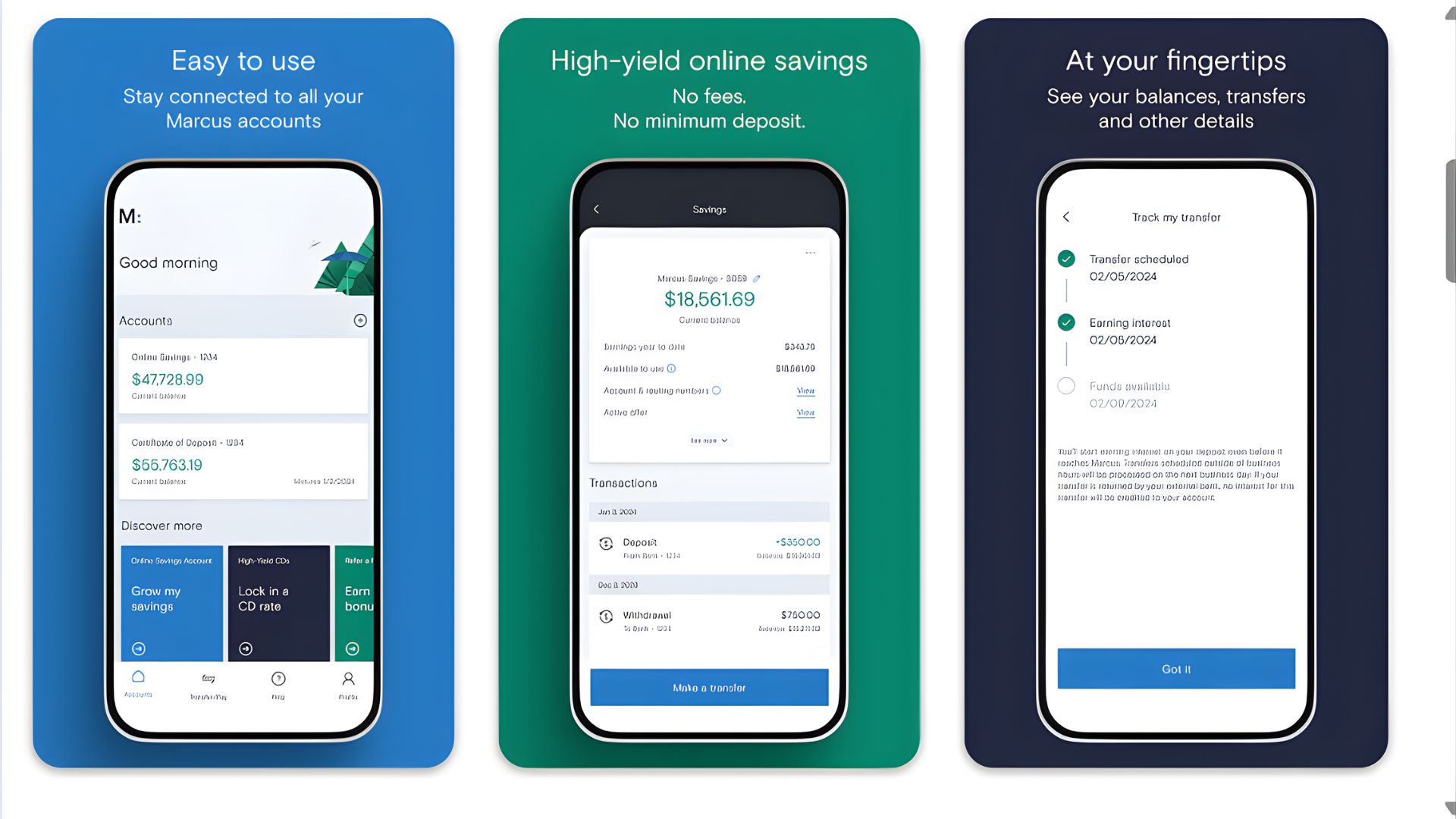
Best for: Serious savers focused on maximizing interest earnings
Pricing: $0 monthly fees, no minimum deposit requirements
Key features: 3.90% APY on savings, no-penalty CDs, mobile check deposit, automated savings tools, goal-based savings accounts, instant transfers
Marcus by Goldman Sachs brings the institutional banking expertise of one of Wall Street's most prestigious firms to everyday consumers through a streamlined mobile app focused on savings. The savings account rates are consistently among the nation's highest, and unlike many competitors, Marcus doesn't play games with introductory rates that plummet after a few months—their rates remain competitive long-term. The no-penalty CD feature is particularly innovative, offering high rates with the flexibility to withdraw your money without penalties if you need it.
The app's design prioritizes savings growth with automated transfer features, progress tracking toward financial goals, and clear visualizations of how your money grows over time. While Marcus doesn't offer checking accounts (yet), the integration with external bank accounts is seamless, allowing free transfers typically completed within 1-3 business days. The mobile check deposit feature allows direct deposits into your savings account, and the app provides detailed account statements and tax documents electronically, simplifying record-keeping.
Pros:
Industry-leading savings rates consistently above 3.50% APY
No monthly fees, minimum balances, or transfer fees
No-penalty CDs offer high rates with liquidity
Clean, intuitive interface focused on savings growth
Goldman Sachs backing provides institutional security
Cons:
No checking account option (savings and CDs only)
Limited ATM access (no physical cards issued)
Fewer features than full-service banking apps
Transfer times can be slower than competitors (1-3 days)
10. Varo Bank – Best for Building Credit While Banking
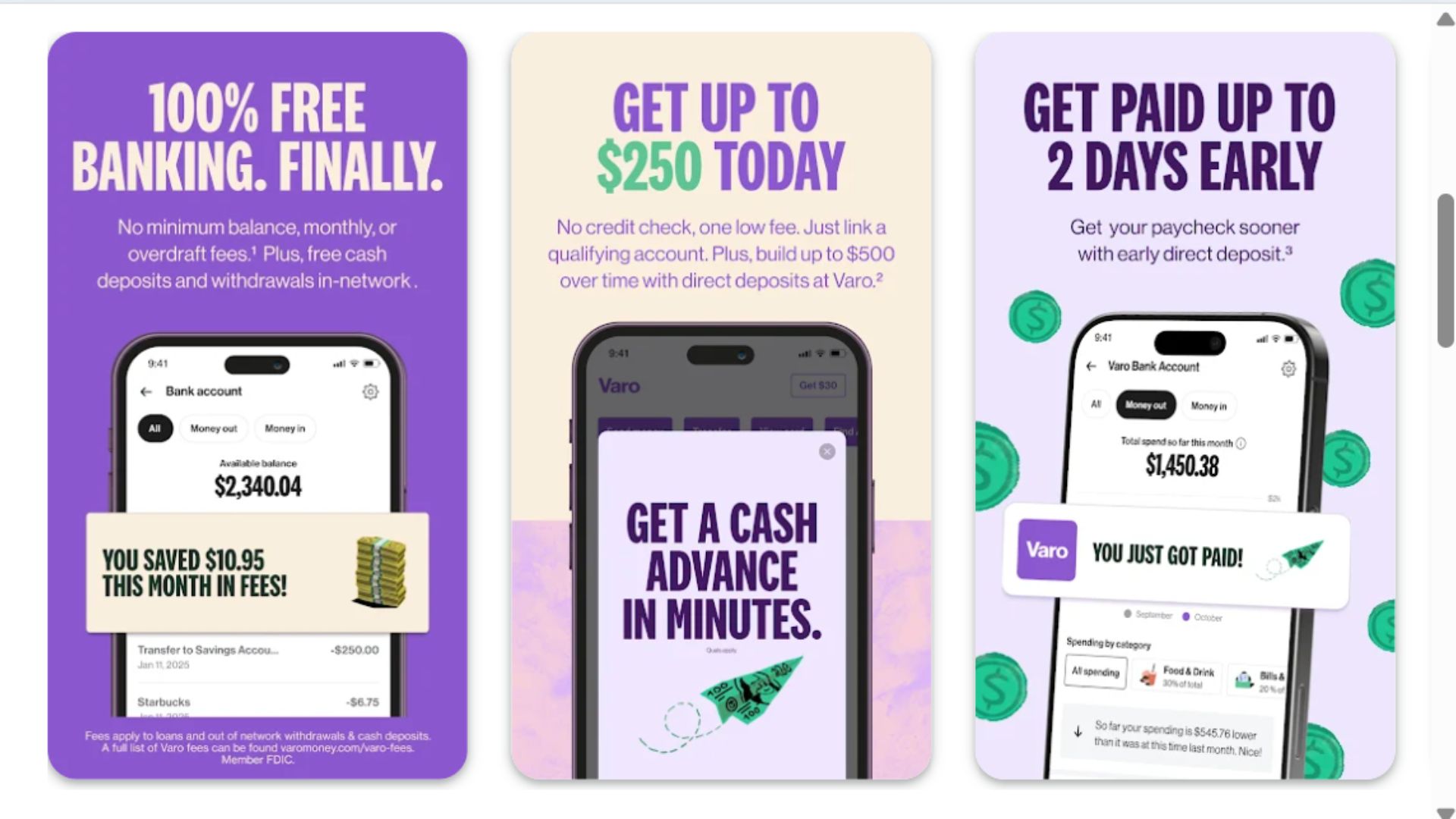
Best for: Credit-building and users seeking all-digital banking innovation
Pricing: $0 monthly fees, no minimum balance requirements
Key features: Varo Believe secured credit card, get paid up to 2 days early, high-yield savings up to 5.00% APY, no overdraft fees, automated savings tools, free ATM network access
Varo Bank distinguishes itself as the first nationally chartered bank to operate entirely on a mobile platform, receiving its national bank charter in 2020. The Varo Believe secured credit card is integrated directly into the app, allowing users to build or rebuild credit while managing their banking—progress reports show credit score improvements in real-time. Unlike traditional secured cards requiring separate security deposits, Varo's streamlined approach ties your security deposit directly to your Varo Bank Account, simplifying the entire process.
The savings account offers up to 5.00% APY when you meet certain requirements (qualifying direct deposit and five debit purchases monthly), among the highest rates available anywhere. Varo's Advance feature provides small-dollar loans up to $250 to cover cash flow gaps, with transparent fees far lower than payday loans or overdraft charges. The app's savings automation includes round-ups, save-back rewards when you use your debit card at participating merchants, and automatic transfers based on your income patterns—collectively helping users save an average of $100-$150 monthly passively.
Pros:
Integrated credit-building with Varo Believe secured card
Up to 5.00% APY on savings with qualifying activities
Get paid up to 2 days early with direct deposit
No overdraft fees or monthly account fees
Small-dollar advance feature better than overdraft
Cons:
Highest savings rates require meeting monthly criteria
Smaller ATM network compared to major banks
Limited product offerings (no credit cards beyond Believe)
Customer service response times vary
Comparison Summary
When comparing these mobile banking apps, pricing structures vary significantly. Traditional banks (Chase, Bank of America, Wells Fargo) typically charge $10-$30 monthly fees unless minimum balance requirements are met or direct deposits are maintained. Online-only banks (Ally, Marcus, Discover) and fintech apps (Chime, Varo) universally charge zero monthly fees, making them attractive for cost-conscious consumers. Navy Federal and Capital One offer middle-ground options with many fee-free accounts.
Setup complexity ranges from simple to moderate. Fintech apps like Chime and Varo feature streamlined onboarding taking 5-10 minutes, while traditional banks may require more documentation and verification, extending setup to several days. Security verification is most rigorous at traditional banks and Marcus by Goldman Sachs, reflecting their regulatory scrutiny. All apps reviewed support biometric authentication and two-factor authentication as baseline security.
Chase and Bank of America serve customers wanting comprehensive financial services integrated into one app, including investments, mortgages, and business banking. Ally, Marcus, and Discover appeal to savers prioritizing high interest rates and low fees. Chime and Varo target younger demographics and those avoiding traditional banking fees. Capital One excels for credit card users wanting unified management, while Navy Federal specifically serves military families with tailored features. Wells Fargo suits small business owners needing advanced check deposit capabilities.
Buying Guide: Understanding Mobile Banking Apps
Mobile banking apps are designed for anyone with a smartphone who wants convenient, secure access to their finances 24/7. Whether you're a young professional managing your first salary, a parent tracking family expenses, a small business owner depositing checks on the go, or a retiree monitoring investments, mobile banking apps have become essential financial tools. They're particularly valuable for people with busy schedules who can't visit branches during banking hours or those who've moved away from their bank's geographic footprint.
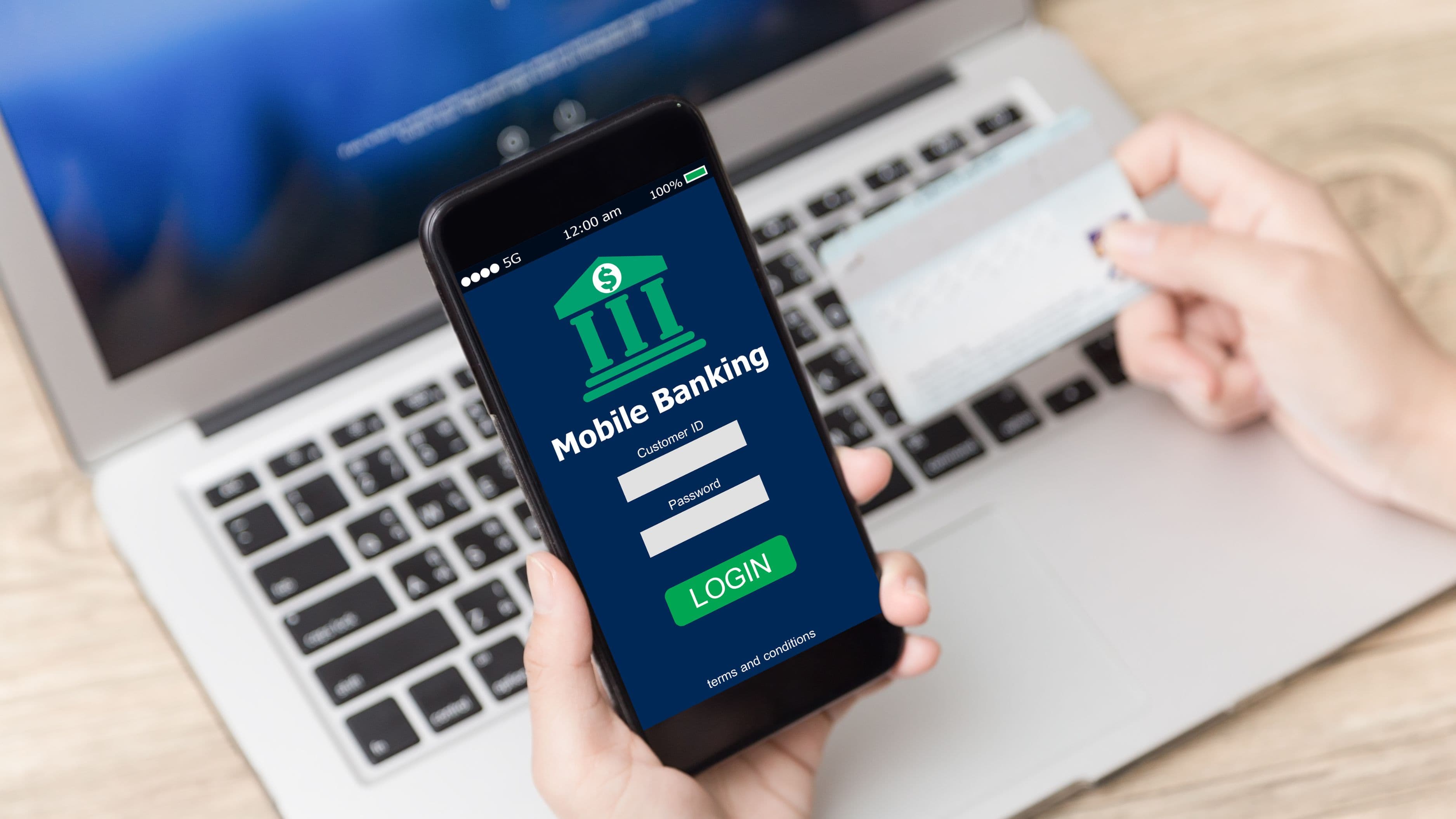
These apps work by providing encrypted access to your bank account through your smartphone. After downloading the app and logging in with your credentials (username, password, and typically a secondary authentication method), you can view balances, transfer money, pay bills, deposit checks by photo, and manage cards. Transactions occur in real-time or near-real-time, with most transfers completing within minutes to a few business days depending on the type and institutions involved. The apps connect to your bank's servers through secure, encrypted connections, protecting your data from interception.
When choosing a mobile banking app, consider security features first. Look for biometric authentication (fingerprint or facial recognition), two-factor authentication, encryption standards, and the ability to instantly lock/unlock cards. Evaluate the user interface—is it intuitive or confusing? Check what features you'll actually use: mobile check deposit, peer-to-peer payments (Zelle, Venmo integration), bill pay, budgeting tools, or investment access. Consider the fee structure including monthly account fees, ATM charges, overdraft fees, and transfer costs. Review customer service accessibility through in-app chat, phone support, or branch access if needed.
Additional considerations include ATM network size if you frequently need cash, interest rates on savings if building wealth is a priority, and integration with other financial accounts if you want a complete financial picture. Read user reviews focusing on app reliability, customer service experiences, and how the company handles problems. Finally, verify the institution has FDIC insurance (banks) or NCUA insurance (credit unions) protecting your deposits up to $250,000.
Pricing Overview and Considerations
Mobile banking app pricing varies dramatically across the spectrum of providers. Traditional banks typically charge $10-$30 monthly maintenance fees, though these are often waived with minimum balance requirements ($1,500-$5,000), qualifying direct deposits ($500-$1,000 monthly), or maintaining certain account relationships. Wells Fargo, Chase, and Bank of America follow this model, making them potentially expensive for customers who don't meet waiver criteria.
Online-only banks and fintech apps have disrupted this pricing structure by offering completely free banking with zero monthly fees, no minimum balances, and no hidden charges. Ally Bank, Chime, Varo, and Discover represent this category. They generate revenue through interchange fees (small percentages from merchants when you swipe your card) and interest spreads rather than charging customers directly. This makes them significantly more affordable for most users, particularly those maintaining smaller balances.
The DIY approach is straightforward with mobile banking—you manage everything yourself through the app. Most apps offer sufficient self-service tools, tutorials, and in-app support for users to handle routine banking independently. However, some situations benefit from professional assistance: complex tax planning, investment management, estate planning, or business banking often warrant working with financial advisors, CPAs, or business banking specialists. Many traditional banks offer relationship managers for high-net-worth customers, while online banks typically lack this personalized service.
Cost-benefit analysis should weigh monthly fees against services provided. If you're paying $25 monthly but never visit branches, use investment services, or need complex transactions, you're wasting $300 annually. Conversely, if you're a small business owner depositing $20,000 weekly in checks, a bank with high deposit limits and fast availability might justify fees. Consider also the opportunity cost: Ally's 3.90% savings rate versus a big bank's 0.05% APY means an additional $1,155 annually on a $30,000 balance—far exceeding any fee savings.
Frequently Asked Questions
Are mobile banking apps safe to use?
Yes, mobile banking apps are generally very safe when used properly. Banks employ military-grade encryption (typically 256-bit AES) to protect data transmission between your phone and their servers. Most apps require multiple authentication factors including passwords, biometric scans, and device recognition. Banks also monitor transactions for fraud patterns and provide zero-liability protection for unauthorized charges. To maximize safety, enable all security features, never use public WiFi for banking without a VPN, keep your app updated, and set up transaction alerts. The risk of loss from mobile banking fraud is statistically lower than from lost or stolen physical wallets and checks.
Can I deposit checks through mobile banking apps?
Yes, mobile check deposit is now a standard feature in virtually all mobile banking apps. The process involves endorsing your check, opening the deposit feature in your app, and photographing the front and back of the check. The app verifies the images and typically makes funds available within 1-2 business days, though some portion may be available immediately. Daily and monthly deposit limits vary by bank (from $5,000 to $100,000 daily) and by your account history. Some checks (over certain amounts, foreign checks, or certain money orders) may still require in-person deposit. Always verify the deposit was accepted and retain the physical check for 14-30 days as recommended by your bank.
What happens if I lose my phone with my banking app?
If you lose your phone, immediately contact your bank's customer service line to report the loss and lock your account. Most banks can temporarily freeze your accounts to prevent unauthorized access. From another device, change your banking password immediately. If your phone is stolen, use device-tracking services (Find My iPhone or Find My Device) to locate or remotely wipe it. Biometric authentication and automatic timeout features help protect your app even if someone has your phone. When you get a replacement phone, simply download the app again and log in with your credentials—your financial data is stored on bank servers, not your device, so nothing is lost.
Do mobile banking apps work internationally?
Most mobile banking apps function internationally for viewing balances, transferring money, and managing accounts, though you'll need internet access (WiFi or international data plan). However, some features may be restricted based on your location due to security protocols. Foreign ATM withdrawals typically incur fees ($3-$5 from your bank plus foreign ATM fees), though some banks reimburse these. International wire transfers are supported but expensive ($25-$50 per transfer). For frequent international transactions, consider specialty services like Wise or Revolut that integrate with some banking apps. Always notify your bank before international travel to prevent fraud holds on your accounts.
Can I use multiple mobile banking apps for different banks?
Absolutely. Many people maintain accounts at multiple institutions to maximize benefits—for example, using Chime for no-fee checking and early direct deposit, Ally for high-yield savings, and Chase for credit card rewards and ATM access. Most apps allow you to link external accounts, enabling transfers between them. Some apps like Bank of America's Control Tower and Wells Fargo's app even let you view external accounts within their interface for consolidated financial tracking. Just be mindful of keeping track of multiple login credentials securely (consider a password manager) and understand each account's requirements to avoid unexpected fees.